Introdução
Use this guide to replace your iHome iP1's damaged or faulty motherboard. The motherboard is located on the back of your iHome iP1 and is protected by its back cover. Although the motherboard connects all of the electronic parts in the iHome iP1, it is relatively simple to remove.
O que você precisa
-
-
Orient the iHome upside down with the speakers facing away from you.
 Pergunte ao FixBot
-
-
-
Remove the four 9.5 mm Phillips #2 screws located on each of the four corners of the iHome's back cover.
-
-
-
Remove the back cover by grabbing its sides and lifting it off the iHome.
-
-
-
-
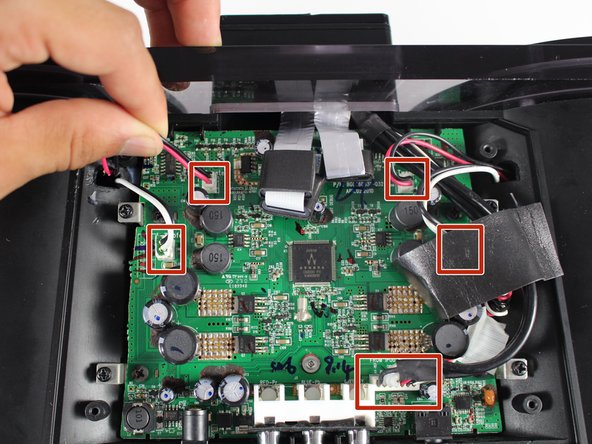
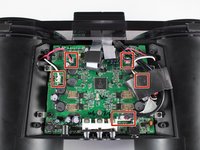
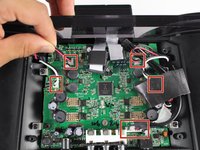
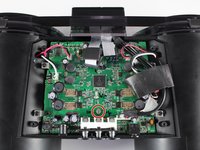
Disconnect all five wire bundles attached to the motherboard by pulling them away from their connection.
-
-
-
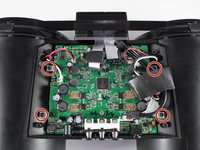
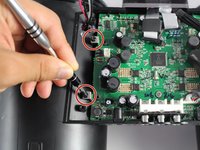
Unscrew the four 9.5 mm Phillips #2 screws on the four metal brackets located at each corner of the motherboard.
-
-
-
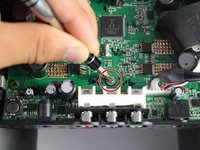
Unscrew the grey 6.0 mm Phillips #1 screw directly above the red, blue, and green component ports.
-
-
-
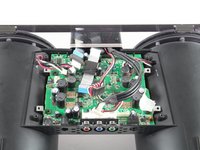
Remove the motherboard from its housing by grabbing it near its edges and carefully pulling it upward.
-








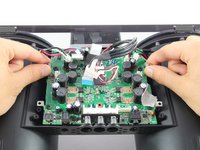
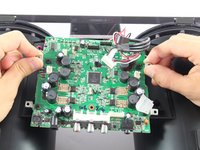
To reassemble your device, follow these instructions in reverse order.
Cancelar: não concluí este guia.
4 outras pessoas executaram este guia.

Equipe

Cal Poly, Team 20-1, Livingston Fall 2016 Membro de Cal Poly, Team 20-1, Livingston Fall 2016
CPSU-LIVINGSTON-F16S20G1
4 Membros
Autoria de 7 guias
6Comentários do guia
Easy to do,
but where can i buy a new motherboard ?
reagrds
Joerg (ifixit@xyz.logopainter.de)
I have the same problem ? Where I can obtain a new motherboard ?
Stefano Antoniutti
anto5657@alice.it
Were you able to buy the motherboard?
I have the same problem ? Where I can obtain a new motherboard ?
Rodrigo
rodrigo@r7criacoes.com.br
i also facing same issue, where can i get new motherboard ?
riyupc123@gmail.com
