Ir para o conteúdo principal
Participe da comunidade de reparos - Criar conta

Zeki Droid Tablet Front Screen Replacement

O que você precisa

    1. Zeki Droid Tablet Front Screen Replacement, Back Casing: passo 1, imagem 1 %32
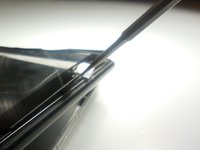
      • Remove the back casing by slowly popping each tab out with a plastic opening tool.

      Pergunte ao FixBot

      Comentar

    2. Zeki Droid Tablet Front Screen Replacement: passo 2, imagem 1 %32
      Ferramenta utilizada neste passo:
      Tweezers
      $4.99
      • Remove the tapes one by one from the connecting wires with tweezers.

      Pergunte ao FixBot

      Comentar

    3. Zeki Droid Tablet Front Screen Replacement: passo 3, imagem 1 %32
      • Remove the black clips from both sides of the casing with a plastic opening tool.

      • The clips should pop off separate from the speakers.

      Pergunte ao FixBot

      Comentar

    4. Zeki Droid Tablet Front Screen Replacement: passo 4, imagem 1 %32
      • Remove the speakers from the back casing.

      • Do not tug on the speakers because they are connected to fragile wires.

      Pergunte ao FixBot

      Comentar

    5. Zeki Droid Tablet Front Screen Replacement: passo 5, imagem 1 %32
      • Pull the speakers away from the back casing carefullly.

      Pergunte ao FixBot

      Comentar

    1. Zeki Droid Tablet Front Screen Replacement, Front Screen: passo 6, imagem 1 %32
      • Detach the motherboard from the framing by removing the four screws using a Phillips #000 screwdriver.

      Pergunte ao FixBot

      Comentar

    2. Zeki Droid Tablet Front Screen Replacement: passo 7, imagem 1 %32
      Ferramenta utilizada neste passo:
      Tweezers
      $4.99
      • Lift the camera and flash components from their fittings using tweezers.

      Pergunte ao FixBot

      Comentar

    3. Zeki Droid Tablet Front Screen Replacement: passo 8, imagem 1 %32
      • Lift the metal framing to reach the components at the front of the device.

      • Do not pull the framing completely off. There is a ZIF connecter holding it in place.

      Pergunte ao FixBot

      Comentar

    4. Zeki Droid Tablet Front Screen Replacement: passo 9, imagem 1 %32 Zeki Droid Tablet Front Screen Replacement: passo 9, imagem 2 %32
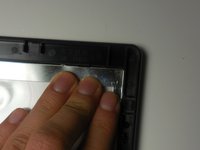
      • Push the screen forward to remove.

      Pergunte ao FixBot

      Comentar

Conclusão

To reassemble your device, follow these instructions in reverse order.

Cancelar: não concluí este guia.

Kyla

Membro desde: 03/11/15

156 Reputação

Autoria de 2 guias

Equipe

0Comentários do guia

Comentar

Visualizações:

Últimas 24 horas: 0

Últimos 7 dias: 2

Últimos 30 dias: 22

Ao todo: 569