Introdução
If your camera's back case is damaged, you might consider changing it. To remove the back panel you will need a small blue plastic opening tool.
O que você precisa
-
-
-
Push the battery door switch to the left.
-
Lift the battery door up.
 Pergunte ao FixBot
-
-
-
Lift the battery tab up.
-
Remove the battery by pulling the removal tab.
-
-
-
-
-
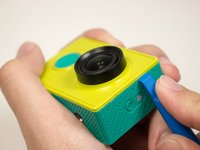
Introduce the plastic opening tool into any of the sides of the camera.
-
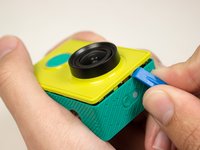
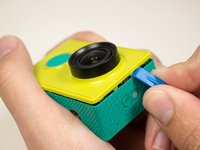
Pry with the plastic opening tool at the seam between the front and the back panel.
-
-
-
-
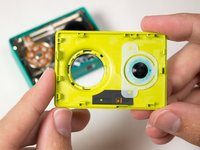
Slide prying tool along the seam until front panel is fully separated from the back panel.
-
-
-
-
-
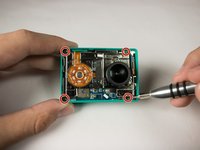
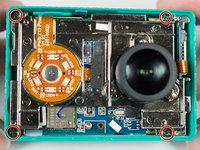
Remove the four 3.8 mm Phillips #000 screws located in the outer corners of the motherboard.
-
-
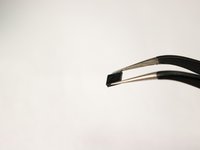
Ferramenta utilizada neste passo:Tweezers$4.99
-
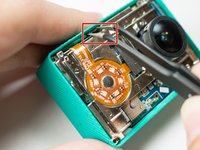
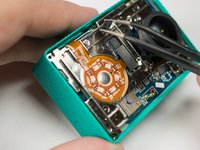
Pull on and remove the black spacer located at the top inside of the camera body using the tweezers and set the part aside.
-
-
-
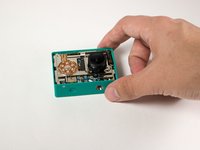
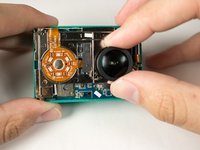
Remove the motherboard from from the back case by gently pulling on the lens housing.
-
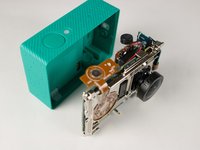
Back panel remains.
-
-










To reassemble your device, follow these instructions in reverse order.
Cancelar: não concluí este guia.
10 outras pessoas executaram este guia.

Equipe

USF Tampa, Team 15-5, Blackwell Fall 2015 Membro de USF Tampa, Team 15-5, Blackwell Fall 2015
USFT-BLACKWELL-F15S15G5
3 Membros
Autoria de 10 guias
2Comentários do guia
Where can I buy back panel for Xiaomi Yi?
Where can i buy the back panel replacement ?
