Ir para o conteúdo principal
Participe da comunidade de reparos - Criar conta

Xiaomi Air 12 Trackpad Replacement

O que você precisa

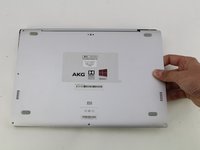
  1. Xiaomi Air 12 Trackpad Replacement, Rear Casing: passo 1, imagem 1 %32
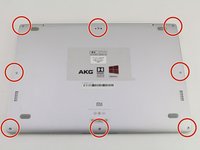
    • Orient the computer so the Xiaomi logo is at the bottom of the device.

    Pergunte ao FixBot
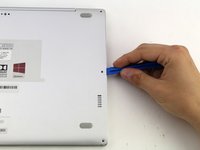
  2. Xiaomi Air 12 Trackpad Replacement: passo 2, imagem 1 %32 Xiaomi Air 12 Trackpad Replacement: passo 2, imagem 2 %32 Xiaomi Air 12 Trackpad Replacement: passo 2, imagem 3 %32
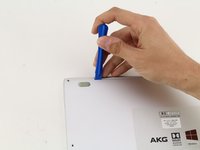
    • Insert the plastic opening tool underneath the top-middle rubber covering and lift upwards to reveal the hidden screw.

    Pergunte ao FixBot
  3. Xiaomi Air 12 Trackpad Replacement: passo 3, imagem 1 %32 Xiaomi Air 12 Trackpad Replacement: passo 3, imagem 2 %32
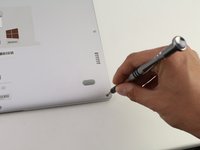
    • Remove the eight 3 mm screws using the Torx T5 driver by inserting the screwdriver into each screw and rotating counterclockwise.

    Pergunte ao FixBot
  4. Xiaomi Air 12 Trackpad Replacement: passo 4, imagem 1 %32 Xiaomi Air 12 Trackpad Replacement: passo 4, imagem 2 %32 Xiaomi Air 12 Trackpad Replacement: passo 4, imagem 3 %32
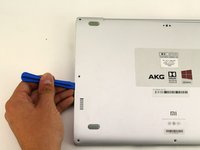
    • Insert the plastic opening tool into each side of the computer and push the tool downwards to pop open the back cover.

    • You will hear popping noises as you remove the cover.

    Pergunte ao FixBot
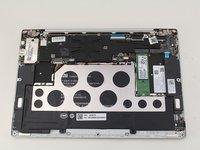
  5. Xiaomi Air 12 Trackpad Replacement: passo 5, imagem 1 %32 Xiaomi Air 12 Trackpad Replacement: passo 5, imagem 2 %32
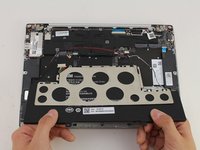
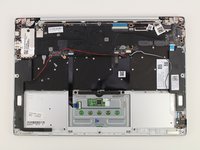
    • Remove the back of the laptop by gently lifting the casing upwards.

    Pergunte ao FixBot
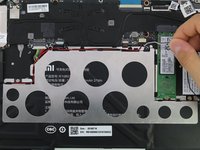
  6. Xiaomi Air 12 Trackpad Replacement, SSD: passo 6, imagem 1 %32 Xiaomi Air 12 Trackpad Replacement, SSD: passo 6, imagem 2 %32
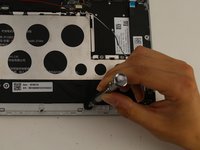
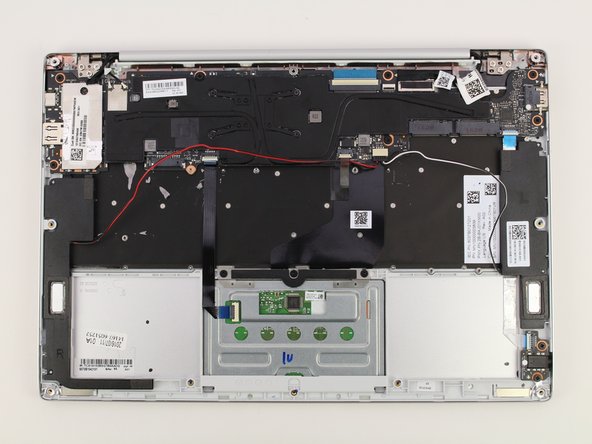
    • Detach the white and black speaker wires by pulling them from the small black tabs along the perimeter of the metal bracket.

    Pergunte ao FixBot
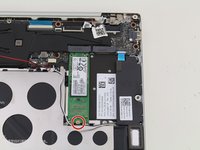
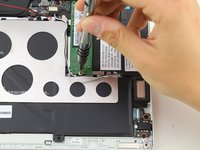
  7. Xiaomi Air 12 Trackpad Replacement: passo 7, imagem 1 %32 Xiaomi Air 12 Trackpad Replacement: passo 7, imagem 2 %32
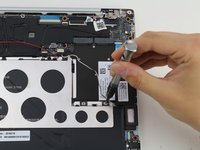
    • Remove the 1.5mm screw using the JIS #00 screwdriver.

    Pergunte ao FixBot
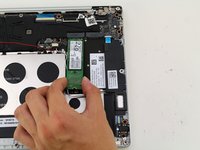
  8. Xiaomi Air 12 Trackpad Replacement: passo 8, imagem 1 %32 Xiaomi Air 12 Trackpad Replacement: passo 8, imagem 2 %32
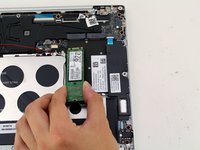
    • Lift the SSD up from the device and gently pull the SSD from the laptop.

    Pergunte ao FixBot
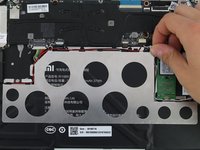
  9. Xiaomi Air 12 Trackpad Replacement, Battery: passo 9, imagem 1 %32
    • Detach the red wire from the tabs on the perimeter of the metal bracket.

    Pergunte ao FixBot
  10. Xiaomi Air 12 Trackpad Replacement: passo 10, imagem 1 %32 Xiaomi Air 12 Trackpad Replacement: passo 10, imagem 2 %32 Xiaomi Air 12 Trackpad Replacement: passo 10, imagem 3 %32
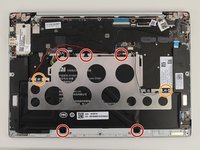
    • Use a PH1 screwdriver to remove the five 2mm black screws.

    • Remove two silver 1mm JIS #00 screws.

    • There will be clear plastic spacers that come off with the silver screws.

    Pergunte ao FixBot
  11. Xiaomi Air 12 Trackpad Replacement: passo 11, imagem 1 %32 Xiaomi Air 12 Trackpad Replacement: passo 11, imagem 2 %32 Xiaomi Air 12 Trackpad Replacement: passo 11, imagem 3 %32
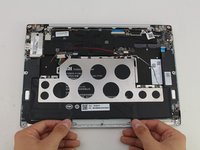
    • Lift the battery up and pull out from the device.

    • The metal bracket will come out with the battery.

    Pergunte ao FixBot
  12. Xiaomi Air 12 Trackpad Replacement, Trackpad: passo 12, imagem 1 %32
    • Orient the computer so that the trackpad is closest to you.

    Pergunte ao FixBot
  13. Xiaomi Air 12 Trackpad Replacement: passo 13, imagem 1 %32 Xiaomi Air 12 Trackpad Replacement: passo 13, imagem 2 %32
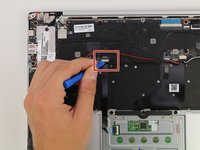
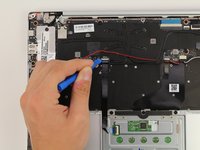
    • Disconnect the trackpad cable from the motherboard by inserting the plastic opening tool under the white tab of the connector and pry up the white tab.

    Pergunte ao FixBot
  14. Xiaomi Air 12 Trackpad Replacement: passo 14, imagem 1 %32
    • Gently remove the cable by pulling it out from the connector.

    Pergunte ao FixBot
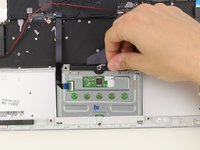
  15. Xiaomi Air 12 Trackpad Replacement: passo 15, imagem 1 %32 Xiaomi Air 12 Trackpad Replacement: passo 15, imagem 2 %32
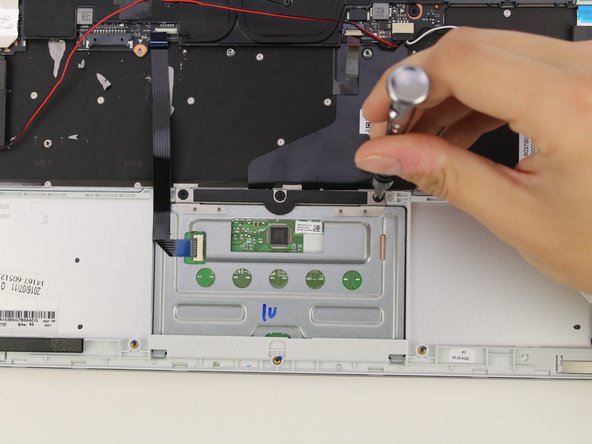
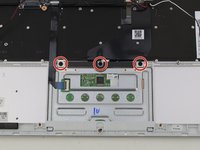
    • Use a PH1 screwdriver to remove the three 2 mm screws.

    Pergunte ao FixBot
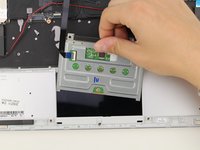
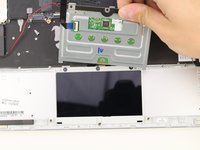
  16. Xiaomi Air 12 Trackpad Replacement: passo 16, imagem 1 %32 Xiaomi Air 12 Trackpad Replacement: passo 16, imagem 2 %32 Xiaomi Air 12 Trackpad Replacement: passo 16, imagem 3 %32
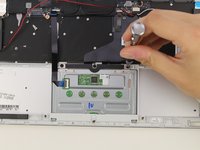
    • Lift the top end of the trackpad at a small angle and pull the trackpad out.

    Pergunte ao FixBot
Conclusão

To reassemble your device, follow these instructions in reverse order.

Uma outra pessoa concluiu este guia.

Hannah Kwan

Membro desde: 04/18/18

928 Reputação

Autoria de 5 guias

Equipe

Cal Poly, Team S18-G4, Livingston Spring 2018 Membro de Cal Poly, Team S18-G4, Livingston Spring 2018

CPSU-LIVINGSTON-S18S18G4

4 Membros

Autoria de 34 guias

1Comentário do guia

Hi. where can i find this touchpad? actually for 13.3 one

Alex Palance - Responder Compartilhar
Comentar

Visualizações:

Últimas 24 horas: 2

Últimos 7 dias: 7

Últimos 30 dias: 68

Ao todo: 2,881