Introdução
One of the most common problems with the SmartCast Tablet is a defective battery. When removing the battery from the device, be extra cautious with the wiring harness as you can easily damage the plug.
O que você precisa
-
-
-
Obtain the black plastic spudger tool from the iFixit toolkit. Position the device as shown in the picture. Insert the flat end of the spudger directly in the space above the power button between the back cover and front screen.
 Pergunte ao FixBot
-
-
-
Gently pry up on the plate with the spudger. You may hear some cracking noises as you work the spudger around your device, this is normal.
-
-
-
-
Pry around the edges of the tablet with your fingers until you have successfully removed the back of the device. Take the back cover off to access the battery.
-
-
-
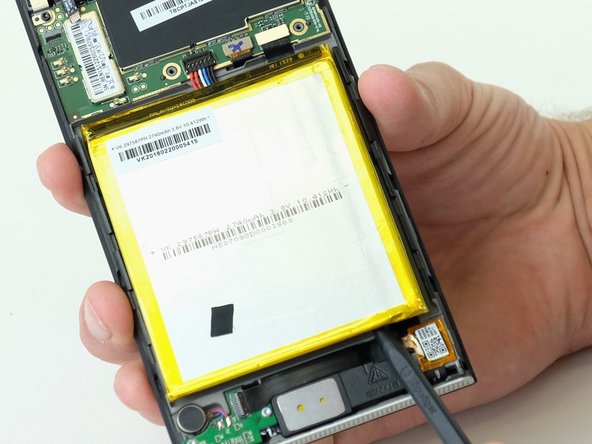
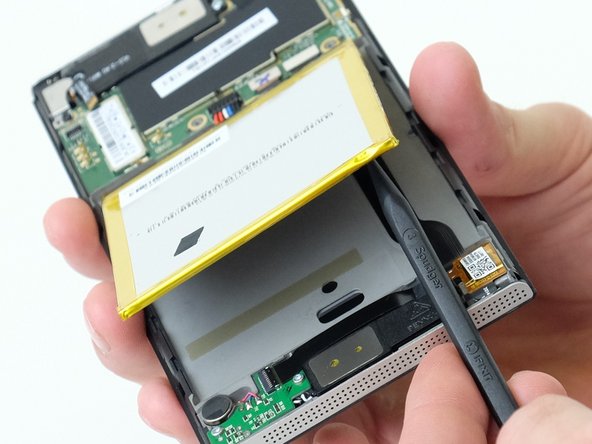
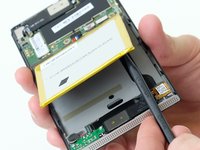
The battery will be easy to identify because it has yellow tape around it. For this step, you will need the black spudger tool. Stick the pointy end of the spudger under the bottom right corner of the battery. Pry the battery up breaking the adhesive glue.
-
-
-
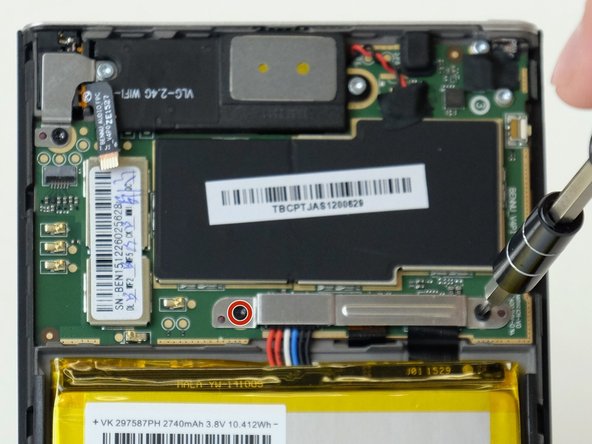
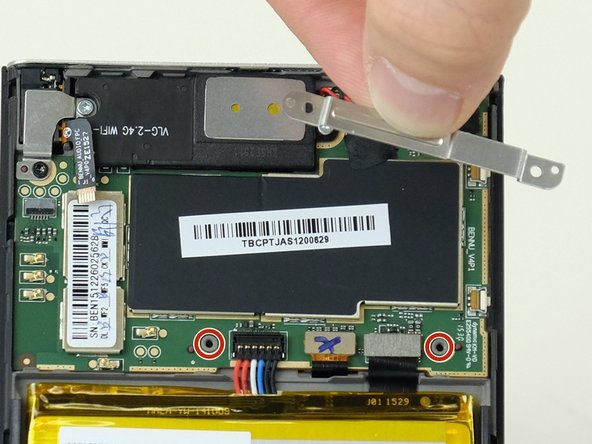
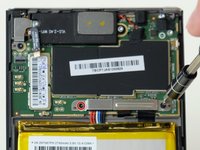
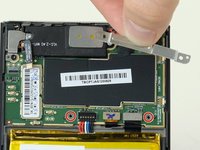
Obtain the Torx T5 screwdriver bit and ratchet from the toolkit. Locate the two 3mm black metal screws located on each side of the silver metal bracket holding the wire harness in place. Remove both screws releasing the metal bracket and set it aside.
-
-
-
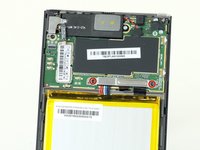
Obtain the black spudger from the toolkit and place the flat edge under the wire harness between the wires and back of the device. Gently pry upwards at an angle until the plug comes out of the harness. You may now safely remove the battery from the device.
-
-




To reassemble your device, follow these instructions in reverse order.

Equipe

Linn Benton Community College, Team S2-G5, Karnes Fall 2018 Membro de Linn Benton Community College, Team S2-G5, Karnes Fall 2018
LBCC-KARNES-F18S2G5
3 Membros
Autoria de 12 guias
3Comentários do guia
Great instructions.
Now the problem is:
Where do you purchase one of these batteries?
Were you able to find a replacement battery???
I'm with Rick and Brian Where can you get the battery??? It's all well and good that you show us how to replace it but,
with no way to purchase a replacement then it is all for naught.
Minus 300 points
