Ir para o conteúdo principal
Participe da comunidade de reparos - Criar conta

VTech Learning Tunes Karaoke Mode Selector Replacement

O que você precisa

  1. VTech Learning Tunes Karaoke Mode Selector Replacement, Mode Selector: passo 1, imagem 1 %32
    • To remove the battery door, loosen the 4mm Flathead screw.

    • A coin can also be used to loosen the screw.

    Pergunte ao FixBot
  2. VTech Learning Tunes Karaoke Mode Selector Replacement: passo 2, imagem 1 %32 VTech Learning Tunes Karaoke Mode Selector Replacement: passo 2, imagem 2 %32
    • Remove the battery door and take out the batteries.

    Pergunte ao FixBot
  3. VTech Learning Tunes Karaoke Mode Selector Replacement: passo 3, imagem 1 %32
    • Remove the six 9.5 mm Phillips #2 screws.

    • Remove the six 6.0 mm Phillips #2 screws.

    Pergunte ao FixBot
  4. VTech Learning Tunes Karaoke Mode Selector Replacement: passo 4, imagem 1 %32 VTech Learning Tunes Karaoke Mode Selector Replacement: passo 4, imagem 2 %32
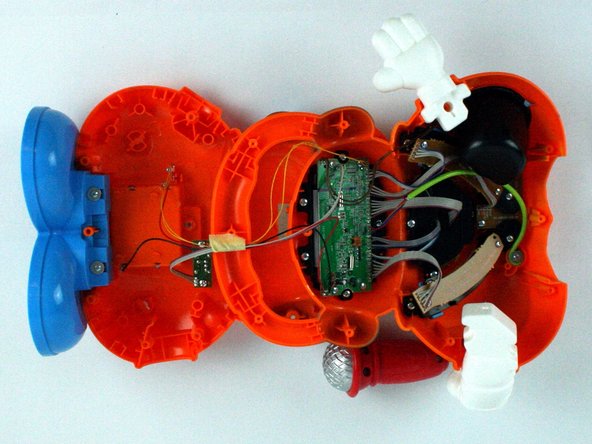
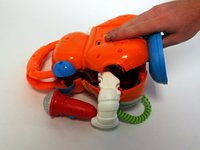
    • Gently pull up on the rear panel.

    • Be careful to not pull on the wire connections.

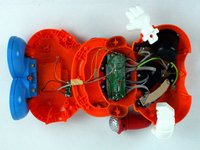
    • Gently place the back panel underneath the top panel with the tops facing each other, as shown in the picture.

    Pergunte ao FixBot
  5. VTech Learning Tunes Karaoke Mode Selector Replacement: passo 5, imagem 1 %32
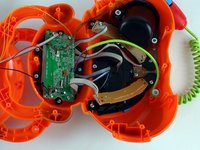
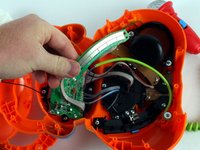
    • Remove the two 7.9 mm Phillips #1 mode switch board screws.

    Pergunte ao FixBot
  6. VTech Learning Tunes Karaoke Mode Selector Replacement: passo 6, imagem 1 %32 VTech Learning Tunes Karaoke Mode Selector Replacement: passo 6, imagem 2 %32
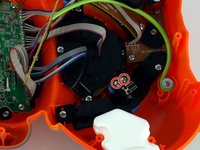
    • Once the screws have been removed, carefully move the mode switch board to expose the mode switch assembly underneath.

    Pergunte ao FixBot
  7. VTech Learning Tunes Karaoke Mode Selector Replacement: passo 7, imagem 1 %32 VTech Learning Tunes Karaoke Mode Selector Replacement: passo 7, imagem 2 %32
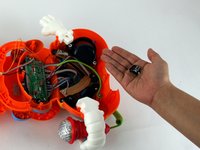
    • Using a Philips #1 screwdriver, remove the two 5.6 mm screws on the switch.

    • Once the screws have been removed, you can easily remove the mode switch.

    Pergunte ao FixBot
Conclusão

To reassemble your device, follow these instructions in reverse order.

Adam Chaberek

Membro desde: 02/09/16

137 Reputação

Autoria de 1 guia

Equipe

USF Tampa, Team 7-2, Cheng Spring 2016 Membro de USF Tampa, Team 7-2, Cheng Spring 2016

USFT-CHENG-S16S7G2

4 Membros

Autoria de 10 guias

0Comentários do guia

Comentar

Visualizações:

Últimas 24 horas: 2

Últimos 7 dias: 5

Últimos 30 dias: 43

Ao todo: 566