Introdução
By the end of this guide you should be able to access the screen on your tablet for removal or replacement.
O que você precisa
-
-
-
Turn your device to where the back panel is facing you.
 Pergunte ao FixBot
-
-
-
Lift the Leg all the way up and twist the bottom to remove.
-
Once the bottom part pops out the whole leg should just come off.
-
Remove any game cartridge from the device.
-
-
-
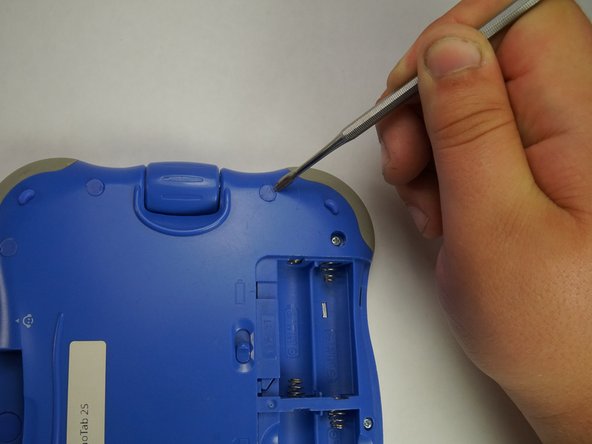
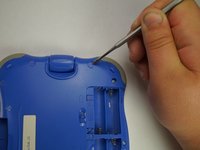
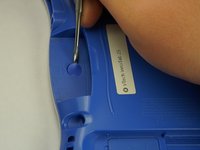
Remove all of the plastic tabs on the device. These are covering screws that will need to be removed.
-
There is a special tab in the cartridge cover that is made of rubber, make sure to not break this tab.
-
-
-
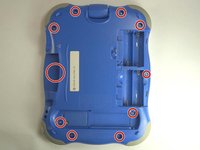
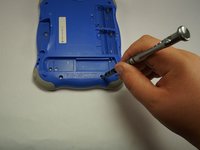
Remove all nine screws from the back of the device using a J0 bit.
-
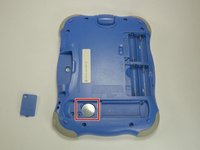
Remove the small battery.
-
-
-
-
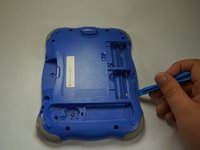
Using a plastic opening tool, detach the backplate from the front piece.
-
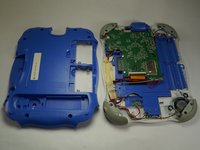
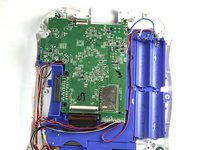
Once the backplate has been removed, you will have access to the circuit board.
-
-
-
-
-
First begin by removing the three cross-head screws using a J0 bit.
-
-
-
First remove the ribbon cables. There are two highlighted by the red squares
-
Do not apply too much pressure and make sure that the black plastic tabs are fully open before you pull the cable out.
-
-
-
Remove the camera from the assembly and put is a safe place so that it will not get damaged.
-
-
-
Remove the board from the main assembly.
-
Be careful not to pull too hard so that the cables aren't broken.
-
-
-
De-solder the points shown to fully remove the cables and free the board.
-
-
-
-
-
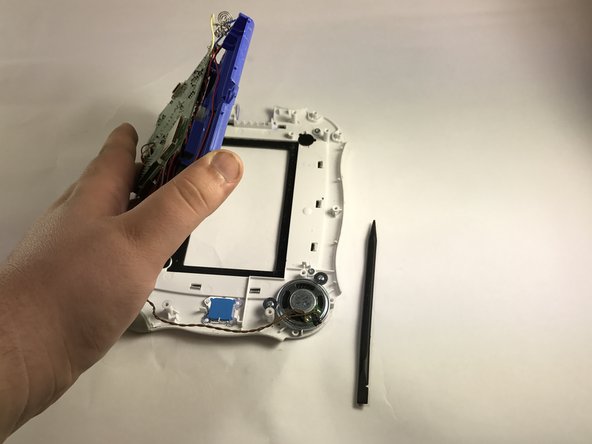
After removing the back plate and screws, all screws have been removed to separate the circuit board and wires from the front panel.
-
Remove the front panel from the device to expose the screen.
-
-
-
Using a heat gun, heat the glue that holds the screen to the rest of the device.
-
While heating, carefully pull screen from the device exposing the ribbon wire on the back of the screen, disconnect.
-
-










To reassemble your device, follow these instructions in reverse order.
Cancelar: não concluí este guia.
Uma outra pessoa concluiu este guia.

Equipe

USF Tampa, Team 5-1, Lacy Fall 2016 Membro de USF Tampa, Team 5-1, Lacy Fall 2016
USFT-LACY-F16S5G1
4 Membros
Autoria de 12 guias
