Ir para o conteúdo principal
Participe da comunidade de reparos - Criar conta

VTech Baby's Learning Laptop Buttons Replacement

O que você precisa

    1. VTech Baby's Learning Laptop Buttons Replacement, Battery and Rear Panel: passo 1, imagem 1 %32
      • To remove the battery door, loosen the screw shown using a Phillips #2 screwdriver.

      • A coin can also be used to loosen the screw.

      Pergunte ao FixBot

      Comentar

    2. VTech Baby's Learning Laptop Buttons Replacement: passo 2, imagem 1 %32
      • Remove the battery door.

      • Take out the batteries.

      Pergunte ao FixBot

      Comentar

    3. VTech Baby's Learning Laptop Buttons Replacement: passo 3, imagem 1 %32
      • Remove the rear panel screws using a Phillips #2 screwdriver.

      • Two 21.6mm (Long)

      • One 9.8mm (Short)

      • Five 13.8mm (Medium)

      Pergunte ao FixBot

      Comentar

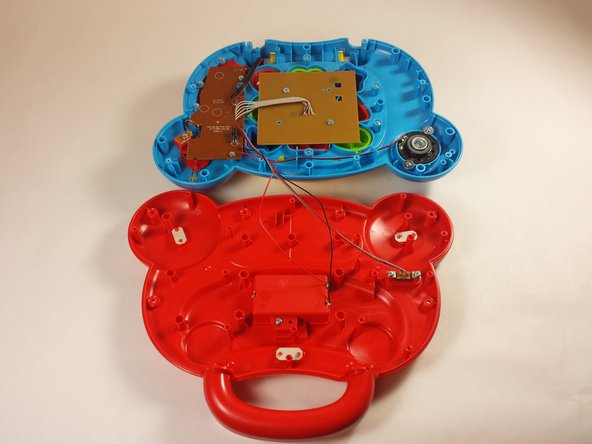
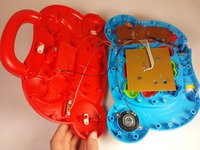
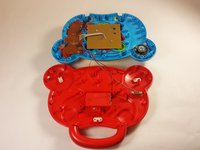
    4. VTech Baby's Learning Laptop Buttons Replacement: passo 4, imagem 1 %32 VTech Baby's Learning Laptop Buttons Replacement: passo 4, imagem 2 %32
      • Gently pull up on the rear panel.

      • Be careful not to pull on the wire connections.

      • Rest the laptop open on the table.

      Pergunte ao FixBot

      Comentar

    1. VTech Baby's Learning Laptop Buttons Replacement, Buttons: passo 5, imagem 1 %32
      • Using a Phillips #0 screwdriver remove the two 6.0mm screws.

      Pergunte ao FixBot

      Comentar

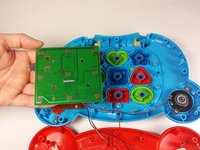
    2. VTech Baby's Learning Laptop Buttons Replacement: passo 6, imagem 1 %32 VTech Baby's Learning Laptop Buttons Replacement: passo 6, imagem 2 %32
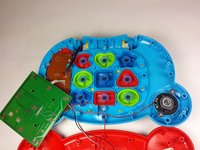
      • Lift up on the board and set it aside.

      • Movement of the board will be limited. Be careful not to damage the connection to the motherboard.

      Pergunte ao FixBot

      Comentar

    3. VTech Baby's Learning Laptop Buttons Replacement: passo 7, imagem 1 %32
      • Remove each button and button contact.

      Pergunte ao FixBot

      Comentar

Conclusão

To reassemble your device, follow these instructions in reverse order.

Cancelar: não concluí este guia.

2 outras pessoas executaram este guia.

Equipe

USF Tampa, Team 12-2, Blackwell Fall 2015 Membro de USF Tampa, Team 12-2, Blackwell Fall 2015

USFT-BLACKWELL-F15S12G2

4 Membros

Autoria de 35 guias

0Comentários do guia

Comentar

Visualizações:

Últimas 24 horas: 0

Últimos 7 dias: 4

Últimos 30 dias: 24

Ao todo: 1,317