Introdução
Even rechargeable batteries eventually wear out and need replacing. You can replace the battery in The UTStarcom XV6700 cellular phone in three easy steps.
Swollen Battery Warning: If the battery in your phone is swollen, be sure to read this article before proceeding.
O que você precisa
-
-
Press the on/off button on the top to power the phone off.
 Pergunte ao FixBot
-
-
-
-
Remove the battery cover by pressing and sliding the cover down and off of the phone.
-
-
-
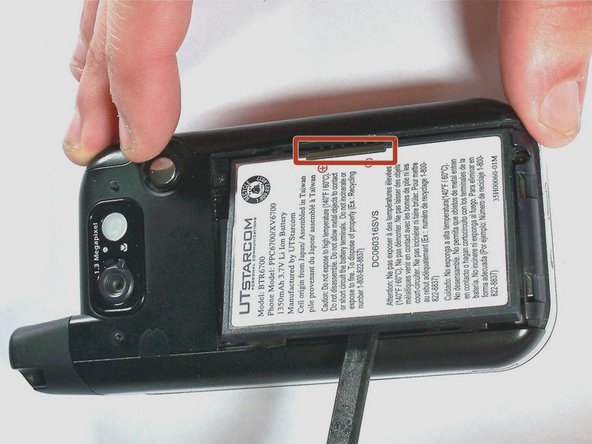
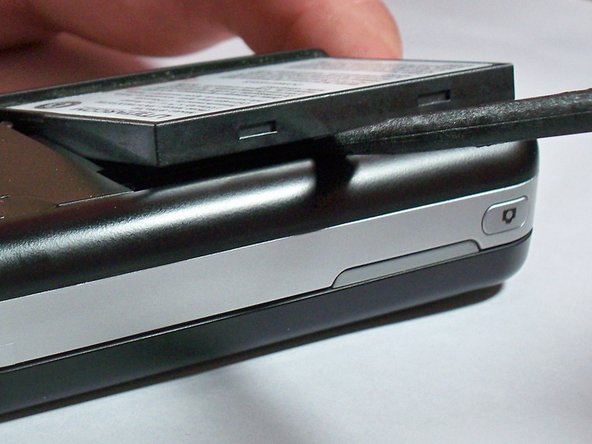
Pull the battery removal tab and lift the battery out of the phone.
-


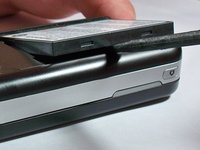
To reassemble your device, follow these instructions in reverse order.

Equipe

University of Kentucky Louisville, Team 1-4, Chamberlain Spring 2013 Membro de University of Kentucky Louisville, Team 1-4, Chamberlain Spring 2013
LOUISVILLE-CHAMBERLAIN-S13S1G4
3 Membros
Autoria de 8 guias
1Comentário do guia
it wont keep a charge, ive bought new battery and it will turn on load up. at main screen no longer than 10 seconds and shuts off.
