Introdução
In this replacement guide, we will show you how to remove and replace the motherboard in your tablet. This will require some soldering so be sure to have your soldering kit warmed up and your safety goggles on.
O que você precisa
-
-
-
Use the plastic opening tool to separate the screen from the back cover.
 Pergunte ao FixBot
-
-
Ferramenta utilizada neste passo:Tweezers$4.99
-
Use the tweezers to lift the tab shown in the picture, and remove the orange ribbon from it gently. Repeat for all three ribbons on the device.
-
-
-
-
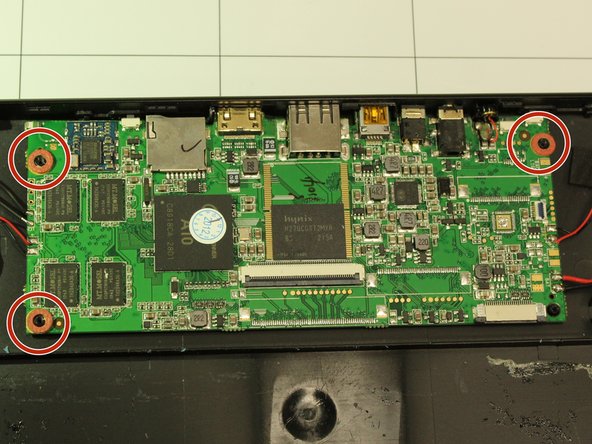
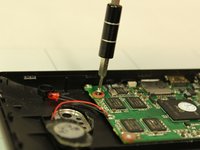
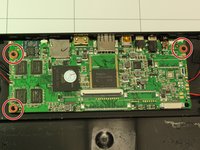
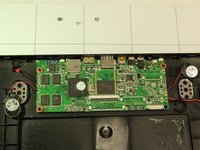
Use the Phillips 1.5 mm screwdriver (Phillips #000) to unscrew the green motherboard from the body at the three points
-
-
-
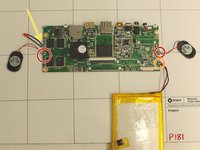
Use a hot soldering tool to desolder the wires connecting the motherboard to the speaker. Desolder the wires connecting the motherboard to the battery.
-
Red: Speakers
-
Orange: Battery
-
Yellow: LED
-
-




To reassemble your device, follow these instructions in reverse order.
Cancelar: não concluí este guia.
Uma outra pessoa concluiu este guia.

Equipe

IUPUI, Team S1-G1, Wilson Spring 2018 Membro de IUPUI, Team S1-G1, Wilson Spring 2018
IUPUI-WILSON-S18S1G1
5 Membros
Autoria de 6 guias
