Introdução
The SteelSeries Apex 64145 has a rubber membrane keyboard, making it easy to remove its keys. Learning how to remove and replace key caps is important for maintaining any keyboard.
O que você precisa
-
-
-
-
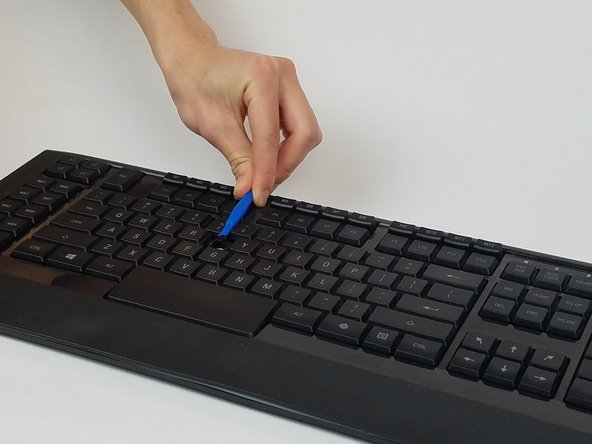
Gently pry the damaged key with the plastic opening tool at an upward angle.
-
-
-
If replacing, prepare your new key for insertion.
-
If key is dirty, wash the key with room temperature water and dry off the key with a towel.
-

 Pergunte ao FixBot




To reassemble your device, follow these instructions in reverse order.
Cancelar: não concluí este guia.
Uma outra pessoa concluiu este guia.

Equipe

USF Tampa, Team S1-G1, Nance Spring 2017 Membro de USF Tampa, Team S1-G1, Nance Spring 2017
USFT-NANCE-S17S1G1
4 Membros
Autoria de 15 guias
1Comentário do guia
very easy… if u can find new keycap. those are customs not sold
