Ir para o conteúdo principal
Participe da comunidade de reparos - Criar conta

Speakers

O que você precisa

  1. Speakers, Battery: passo 1, imagem 1 %32 Speakers, Battery: passo 1, imagem 2 %32
    • Locate the horizontal grip located on the back cover of the phone.

    • Slide the back cover down and off of the phone.

    Pergunte ao FixBot

    Comentar

  2. Speakers: passo 2, imagem 1 %32 Speakers: passo 2, imagem 2 %32
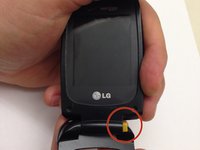
    • Insert a plastic opening tool into the battery release point located above the battery.

    • Pull outwards in order to release the battery.

    Pergunte ao FixBot

    Comentar

  3. Speakers, Circuit Board Housing: passo 3, imagem 1 %32 Speakers, Circuit Board Housing: passo 3, imagem 2 %32 Speakers, Circuit Board Housing: passo 3, imagem 3 %32
    Ferramenta utilizada neste passo:
    Tweezers
    $4.99
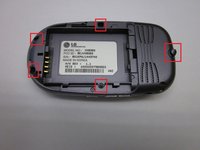
    • Locate the 5 screws holding the body of the phone together.

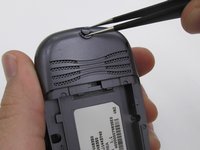
    • The top screw will have a plastic cover, remove it using tweezers.

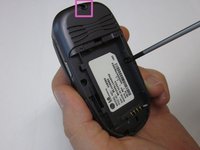
    • Using a Philips head screwdriver, twist counterclockwise to remove the screws.

    • Take special care with the screw located at the top of the phone. It is smaller and more likely to be damaged or improperly attached.

    Pergunte ao FixBot

    Comentar

  4. Speakers: passo 4, imagem 1 %32 Speakers: passo 4, imagem 2 %32
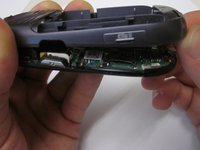
    • Lift the back cover starting at the bottom of the phone.

    Pergunte ao FixBot

    Comentar

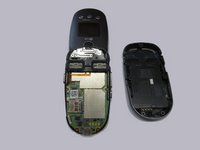
  5. Speakers: passo 5, imagem 1 %32 Speakers: passo 5, imagem 2 %32
    • Remove the back cover completely from the phone.

    Pergunte ao FixBot

    Comentar

  6. Speakers, Circuit Board: passo 6, imagem 1 %32
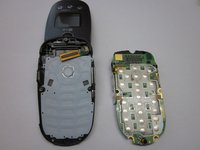
    • Locate the clamp at bottom right side of the Circuit Board.

    • Pull the circuit board from the phone being cautious to pull out underneath the clamp.

    Pergunte ao FixBot

    Comentar

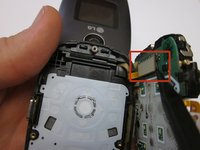
  7. Speakers: passo 7, imagem 1 %32 Speakers: passo 7, imagem 2 %32
    • Locate the ribbon connecting the circuit board to the phone display.

    • Using the spudger, disconnect the ribbon connecting the phone's display and the circuit board.

    • Remove the circuit board

    Pergunte ao FixBot

    Comentar

  8. Speakers, Screen Cover: passo 8, imagem 1 %32 Speakers, Screen Cover: passo 8, imagem 2 %32 Speakers, Screen Cover: passo 8, imagem 3 %32
    Ferramenta utilizada neste passo:
    Tweezers
    $4.99
    • Locate the two rubber circles covering the screws.

    • Remove the rubber covers using tweezers.

    • Using the Phillips head screwdriver, unscrew and remove the two screws.

    Pergunte ao FixBot

    Comentar

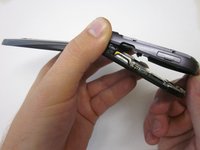
  9. Speakers: passo 9, imagem 1 %32 Speakers: passo 9, imagem 2 %32 Speakers: passo 9, imagem 3 %32
    • Close the phone and gently pull outwards from the bottom left portion of the phone cover.

    • Take care not to do this with too much force, as it could crack the cover.

    • Completely remove the cover from the phone.

    Pergunte ao FixBot

    Comentar

  10. Speakers, Screen Assembly: passo 10, imagem 1 %32 Speakers, Screen Assembly: passo 10, imagem 2 %32
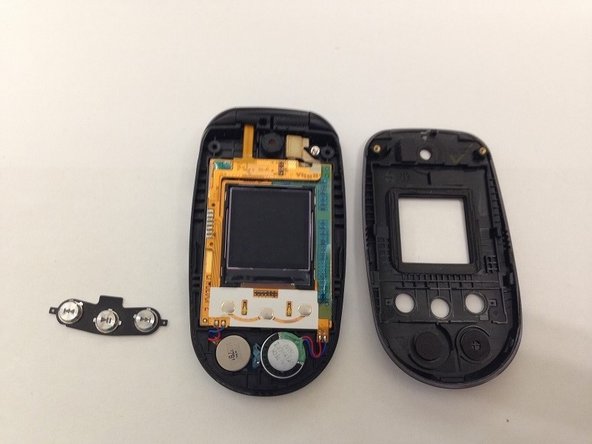
    • Locate the front music buttons.

    • Remove the music control buttons on the face of the phone.

    Pergunte ao FixBot

    Comentar

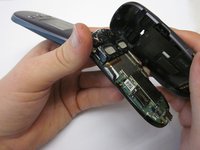
  11. Speakers: passo 11, imagem 1 %32 Speakers: passo 11, imagem 2 %32
    • While grasping the top and bottom sections torque the pieces until the indicated hinge has popped out. The two sections of the phone are now able to separate.

    • Make sure the right side of the hinge is removed first and not the left as you will likely damage the ribbon connection.

    Pergunte ao FixBot

    Comentar

  12. Speakers: passo 12, imagem 1 %32 Speakers: passo 12, imagem 2 %32 Speakers: passo 12, imagem 3 %32
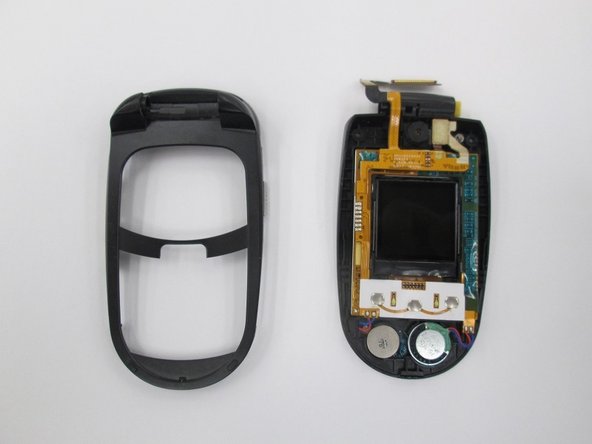
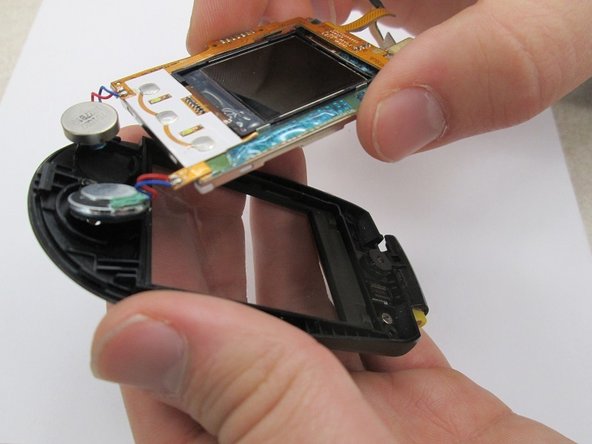
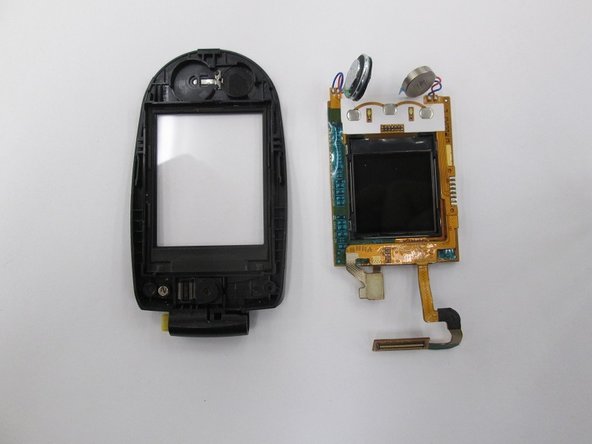
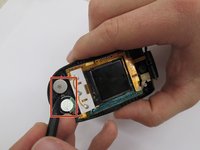
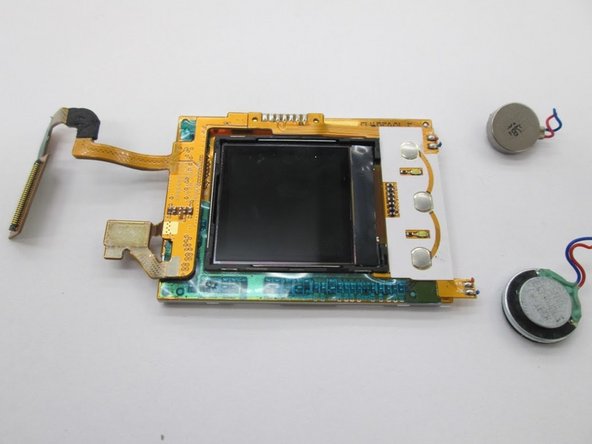
    • Locate the two speakers. Using a spudger disconnect the speakers from the assembly.

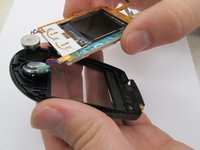
    • Lift the screen assembly from the casing.

    • The screen assembly is completely removed to allow for easier access to the speaker connections when performing further repairs on the speakers.

    Pergunte ao FixBot

    Comentar

  13. Speakers, Speakers: passo 13, imagem 1 %32 Speakers, Speakers: passo 13, imagem 2 %32
    Ferramenta utilizada neste passo:
    Tweezers
    $4.99
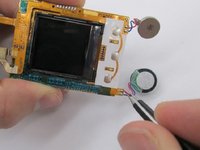
    • Use a pair of tweezers to disconnect the speaker wires from the circuit board. Note that the soldered connection must be broken for this to occur.

    Pergunte ao FixBot

    Comentar

Conclusão

To reassemble your device, re-solder the speaker wires to the circuit board and follow the rest of the instructions in reverse order.

Cancelar: não concluí este guia.

Uma outra pessoa concluiu este guia.

Equipe

Clemson, Team 14-7, Benson Fall 2013 Membro de Clemson, Team 14-7, Benson Fall 2013

CLEM-BENSON-F13S14G7

3 Membros

Autoria de 16 guias

0Comentários do guia

Comentar

Visualizações:

Últimas 24 horas: 0

Últimos 7 dias: 8

Últimos 30 dias: 58

Ao todo: 710