Ir para o conteúdo principal
Participe da comunidade de reparos - Criar conta

Sony Vaio VPCCW17FX RAM Replacement

O que você precisa

    1. Sony Vaio VPCCW17FX RAM Replacement, RAM: passo 1, imagem 1 %32
      • Turn the laptop over and orient it as shown.

      Pergunte ao FixBot
      Comentar

    2. Sony Vaio VPCCW17FX RAM Replacement: passo 2, imagem 1 %32
      • Slide both latches to the center of the laptop in order to release the battery.

      Pergunte ao FixBot
      Comentar

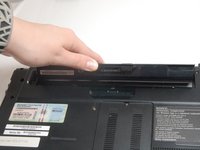
    3. Sony Vaio VPCCW17FX RAM Replacement: passo 3, imagem 1 %32 Sony Vaio VPCCW17FX RAM Replacement: passo 3, imagem 2 %32
      • Use your fingernail or a plastic tool to lift the battery. Rotate the battery up and away to remove from the laptop.

      Pergunte ao FixBot

      Comentar

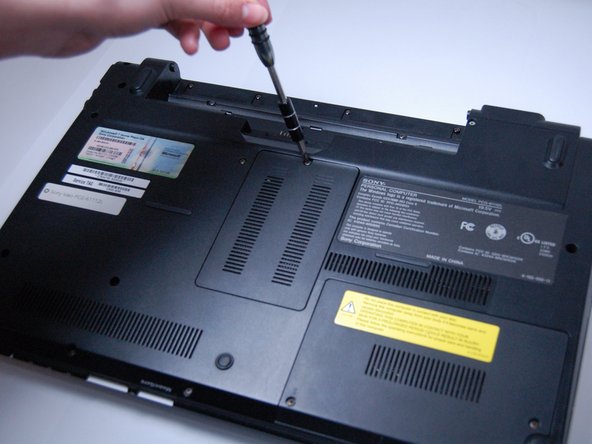
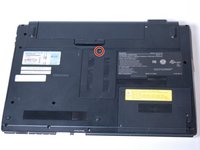
    4. Sony Vaio VPCCW17FX RAM Replacement: passo 4, imagem 1 %32 Sony Vaio VPCCW17FX RAM Replacement: passo 4, imagem 2 %32
      • Using a Phillips #0 screwdriver, remove the one screw (Length: 7.7 mm) that is covering the RAM.

      Pergunte ao FixBot

      Comentar

    5. Sony Vaio VPCCW17FX RAM Replacement: passo 5, imagem 1 %32
      • Lift the black plastic cover to assess the RAM.

      Pergunte ao FixBot

      Comentar

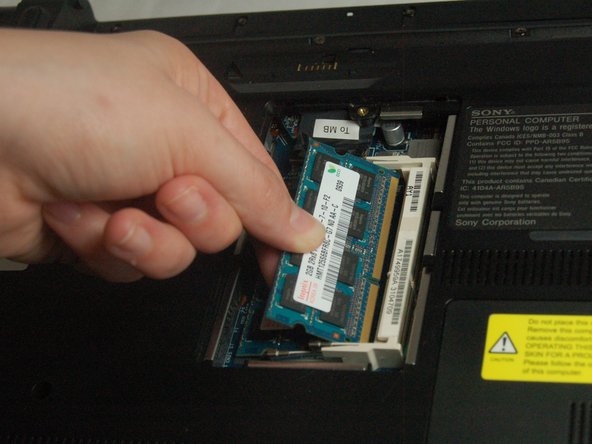
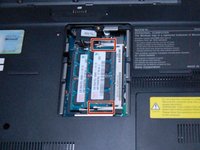
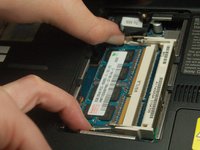
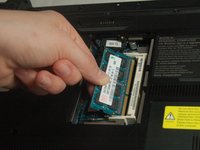
    6. Sony Vaio VPCCW17FX RAM Replacement: passo 6, imagem 1 %32 Sony Vaio VPCCW17FX RAM Replacement: passo 6, imagem 2 %32 Sony Vaio VPCCW17FX RAM Replacement: passo 6, imagem 3 %32
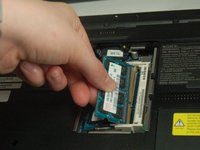
      • Apply light, outward pressure to the locks on both sides of the RAM.

      • Rotate the RAM up and slowly pull towards you to remove it.

      Pergunte ao FixBot

      Comentar

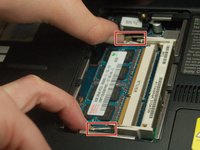
    7. Sony Vaio VPCCW17FX RAM Replacement: passo 7, imagem 1 %32 Sony Vaio VPCCW17FX RAM Replacement: passo 7, imagem 2 %32 Sony Vaio VPCCW17FX RAM Replacement: passo 7, imagem 3 %32
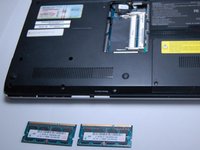
      • In order to remove the secondary RAM, use the same outward pressure on the locks.

      • Lift and slide out the RAM to remove it from the slot.

      Pergunte ao FixBot

      Comentar

Conclusão

To reassemble your device, follow these instructions in reverse order.

Cancelar: não concluí este guia.

Mia Martinez

Membro desde: 03/30/17

101 Reputação

Autoria de 1 guia

Equipe

Texas Tech, Team S8-G5, Bennett Spring 2017 Membro de Texas Tech, Team S8-G5, Bennett Spring 2017

TTU-BENNETT-S17S8G5

4 Membros

Autoria de 35 guias

0Comentários do guia

Comentar

Visualizações:

Últimas 24 horas: 0

Últimos 7 dias: 10

Últimos 30 dias: 36

Ao todo: 1,574