Ir para o conteúdo principal
Participe da comunidade de reparos - Criar conta

Sony VAIO PCG-F360 Single Key Replacement

O que você precisa

  1. Sony VAIO PCG-F360 Single Key Replacement, Battery: passo 1, imagem 1 %32
    • Position the laptop screen-side down as shown.

    • In this position the battery housing will be located on the right hand side.

  2. Sony VAIO PCG-F360 Single Key Replacement: passo 2, imagem 1 %32
    • Lift the panel up and then out to gain access to the battery.

  3. Sony VAIO PCG-F360 Single Key Replacement: passo 3, imagem 1 %32
    • Use the indentations to pull the old battery out.

  4. Sony VAIO PCG-F360 Single Key Replacement: passo 4, imagem 1 %32
    • The battery is now removed and it is safe to move on to uninstalling other components.

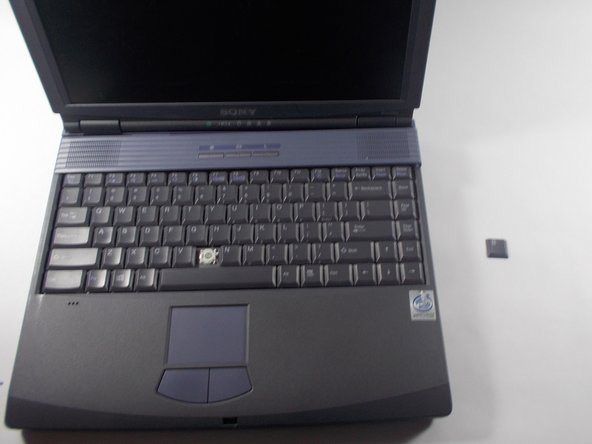
  5. Sony VAIO PCG-F360 Single Key Replacement, Single Key: passo 5, imagem 1 %32 Sony VAIO PCG-F360 Single Key Replacement, Single Key: passo 5, imagem 2 %32 Sony VAIO PCG-F360 Single Key Replacement, Single Key: passo 5, imagem 3 %32
    • Use the pludger to pop off the key by prying under it.

    • You now can clean and replace the key.

Conclusão

To reassemble your device, follow these instructions in reverse order.

Hannah Millea

Membro desde: 03/11/14

401 Reputação

Autoria de 4 guias

Equipe

0Comentários do guia

Comentar

Visualizações:

Últimas 24 horas: 3

Últimos 7 dias: 9

Últimos 30 dias: 43

Ao todo: 339