Ir para o conteúdo principal
Participe da comunidade de reparos - Criar conta

Sony Alpha DSLR- A850 Focusing Screen Replacement

O que você precisa

  1. Sony Alpha DSLR- A850 Focusing Screen Replacement, Focusing Screen: passo 1, imagem 1 %32 Sony Alpha DSLR- A850 Focusing Screen Replacement, Focusing Screen: passo 1, imagem 2 %32 Sony Alpha DSLR- A850 Focusing Screen Replacement, Focusing Screen: passo 1, imagem 3 %32
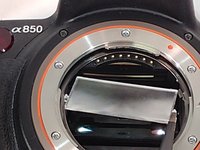
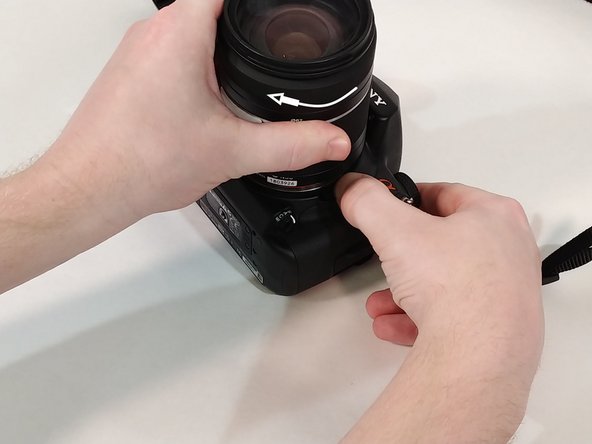
    • Push in the button next to the lens.

    • While holding the button twist the lens counter-clockwise.

    • Pull up and remove lens from camera.

    Pergunte ao FixBot
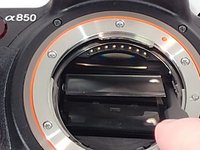
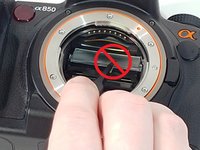
  2. Sony Alpha DSLR- A850 Focusing Screen Replacement: passo 2, imagem 1 %32 Sony Alpha DSLR- A850 Focusing Screen Replacement: passo 2, imagem 2 %32 Sony Alpha DSLR- A850 Focusing Screen Replacement: passo 2, imagem 3 %32
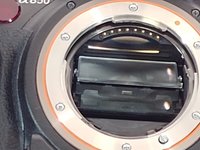
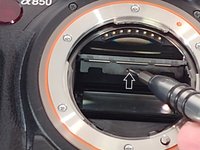
    • Inside toward the top you will find a small slit in the plastic piece.

    • Insert a flat head screw driver into the slit and pull down to access the focusing screen.

    Pergunte ao FixBot
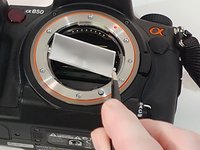
  3. Sony Alpha DSLR- A850 Focusing Screen Replacement: passo 3, imagem 1 %32 Sony Alpha DSLR- A850 Focusing Screen Replacement: passo 3, imagem 2 %32 Sony Alpha DSLR- A850 Focusing Screen Replacement: passo 3, imagem 3 %32
    Ferramenta utilizada neste passo:
    Tweezers
    $4.99
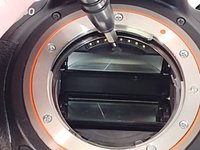
    • Using tweezers grab the focusing screen on the side by the two tabs that are on it.

    • Do not grab the focusing screen in the middle as this will damage it.

    • Pull out and remove focusing screen from camera.

    Pergunte ao FixBot
  4. Sony Alpha DSLR- A850 Focusing Screen Replacement: passo 4, imagem 1 %32 Sony Alpha DSLR- A850 Focusing Screen Replacement: passo 4, imagem 2 %32 Sony Alpha DSLR- A850 Focusing Screen Replacement: passo 4, imagem 3 %32
    • When inserting new screen make sure to orient it where the two tabs are facing towards you with the smaller tab facing up.

    • Angle the focusing screen to make installation easier.

    • Lay the new focusing screen into the plastic tray.

    • It does not snap into place.

    Pergunte ao FixBot
  5. Sony Alpha DSLR- A850 Focusing Screen Replacement: passo 5, imagem 1 %32 Sony Alpha DSLR- A850 Focusing Screen Replacement: passo 5, imagem 2 %32
    • Insert screw driver into the slit and push up to close.

    • You can also use your thumb, if you are careful not to touch the screen as this could leave a smudge on it.

    • You will hear a click when the plastic tray is back in place.

    Pergunte ao FixBot
  6. Sony Alpha DSLR- A850 Focusing Screen Replacement: passo 6, imagem 1 %32 Sony Alpha DSLR- A850 Focusing Screen Replacement: passo 6, imagem 2 %32
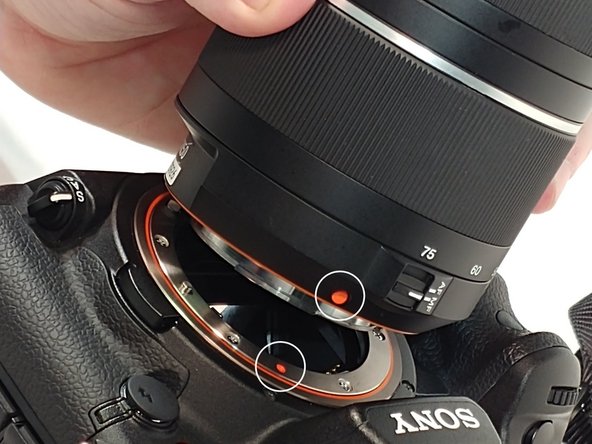
    • When re-installing the lens line up the orange dots that are one both lens and camera.

    • Fit lens into place and turn clockwise to secure it back to camera.

    Pergunte ao FixBot
Conclusão

You have now completed a focusing screen replacement.

Uma outra pessoa concluiu este guia.

0Comentários do guia

Comentar

Visualizações:

Últimas 24 horas: 4

Últimos 7 dias: 14

Últimos 30 dias: 79

Ao todo: 1,317