Ir para o conteúdo principal
Participe da comunidade de reparos - Criar conta

Sanyo Katana Screen Protector Replacement

O que você precisa

  1. Sanyo Katana Screen Protector Replacement, Screen Protector: passo 1, imagem 1 %32 Sanyo Katana Screen Protector Replacement, Screen Protector: passo 1, imagem 2 %32
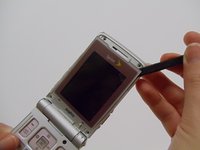
    • With the flat end of a spudger, remove the plastic covers located on the corners of the display near the hinge and above the screen, revealing four screws underneath.

    Pergunte ao FixBot

    Comentar

  2. Sanyo Katana Screen Protector Replacement: passo 2, imagem 1 %32 Sanyo Katana Screen Protector Replacement: passo 2, imagem 2 %32
    • Remove the 4.4mm screw in each corner using the Tri-wing Y0 screwdriver.

    Pergunte ao FixBot

    Comentar

  3. Sanyo Katana Screen Protector Replacement: passo 3, imagem 1 %32 Sanyo Katana Screen Protector Replacement: passo 3, imagem 2 %32
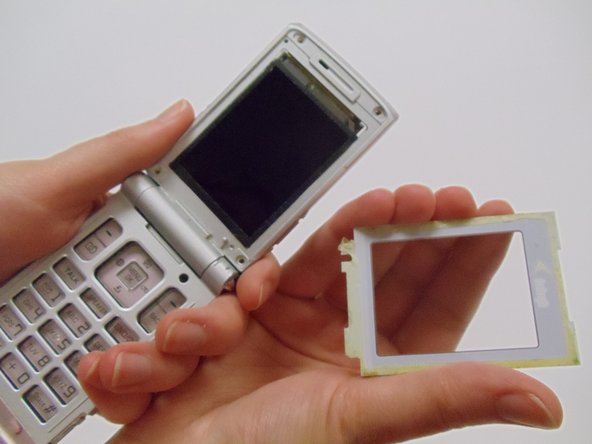
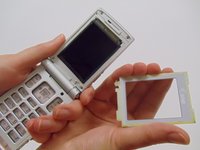
    • Carefully pry the screen protector off the phone using the flat end of the spudger.

    • This will require a bit of force as the back of the screen protector is lined with an adhesive material.

    • Once free from the adhesive, pull the screen protector away from the phone.

    Pergunte ao FixBot

    Comentar

Conclusão

To reassemble your device, follow these instructions in reverse order.

Cancelar: não concluí este guia.

StephenYH

Membro desde: 03/11/13

20 Reputação

Autoria de 3 guias

Equipe

Clemson, Team 12-1, Benson Spring 2013 Membro de Clemson, Team 12-1, Benson Spring 2013

CLEM-BENSON-S13S12G1

4 Membros

Autoria de 20 guias

0Comentários do guia

Comentar

Visualizações:

Últimas 24 horas: 0

Últimos 7 dias: 9

Últimos 30 dias: 32

Ao todo: 585