O que você precisa
-
-
Pry up the small black piece of plastic located between the volume [-] button and the HOLD/ON button.
 Pergunte ao FixBot
-
-
-
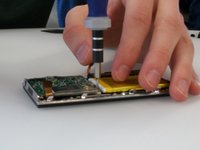
Underneath the piece of plastic you just removed, there is a small screw (Phillips #000, 2.0 mm long). Use a Phillips #000 screwdriver to remove it.
-
-
-
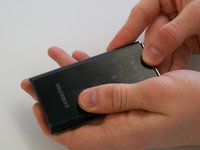
Push on the backplate with both thumbs, sliding it towards the top of the device.
-
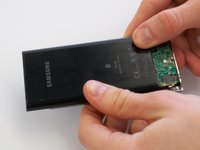
Once it begins to move, lift up slightly. You can then slide the backplate all the way off.
-
-
-
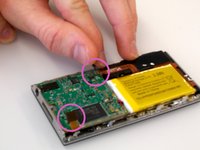
Before removing the circuit board, we must remove the ribbon-like wires attached to two sides of the circuit board.
-
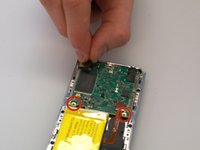
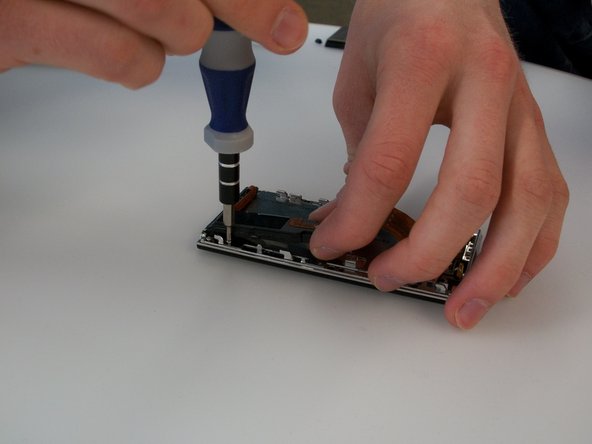
There are two screws (Phillips #000, 2.0 mm long) holding in the circuit board. Use a Phillips #000 screwdriver to take out those screws.
-
-
-
-
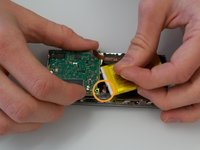
The battery is also attached to the circuit board by a cable. The cable is difficult to disconnect with both components in place. It's best to lift the circuit board out partially to give yourself more room to disconnect the connector.
-
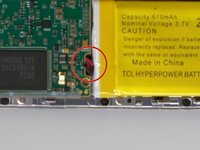
The wire that is connected to the circuit board is connected by a plastic piece with two metal prongs.
-
Use the pointy end of the spudger to place in between the computer board and the plastic piece and gently pry the prongs away from the circuit board.
-
-
-
Disconnect the battery connector, and then lift the circuit board up.
-
-
-
Finally, disconnect the ribbon cable on the bottom of the circuit board. You can then lift the circuit board all the way out.
-
-
-
Use the spudger to carefully pry up the battery. The battery is attached with a few spots of glue, so it may not move at first.
-
-
-
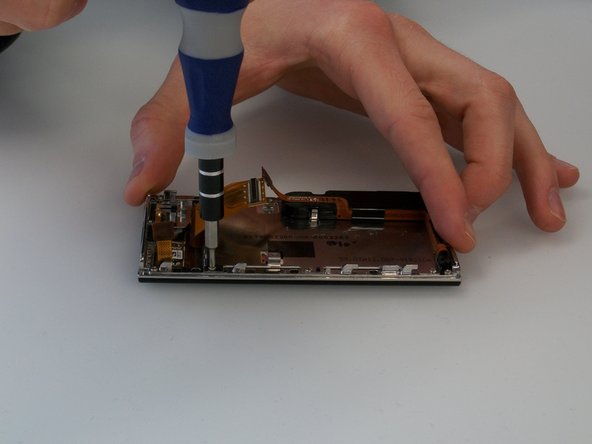
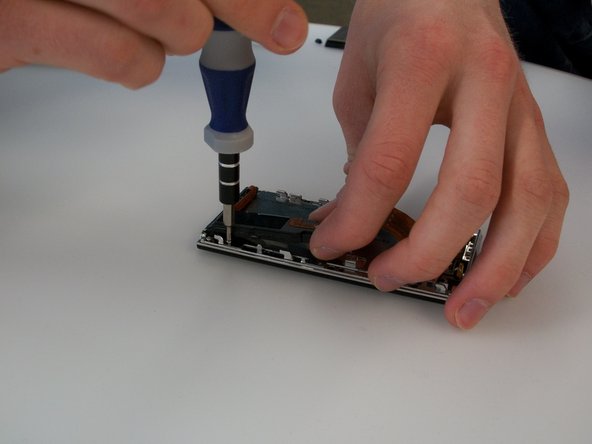
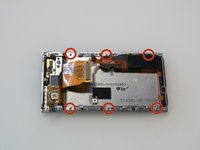
Remove the six screws (Phillips #000, 2.3 mm long) holding the screen frame to the front of the case. As the picture shows, one of them is hidden under the black speaker/rumble assembly.
-
-
-
To access the screw under the black speaker rumble/assembly, you will need to pry the assembly up slightly using the spudger.
-










To reassemble your device, follow these instructions in reverse order.
Cancelar: não concluí este guia.
2 outras pessoas executaram este guia.

Equipe

Michigan Tech, Team 5-3, Lauer Spring 2014 Membro de Michigan Tech, Team 5-3, Lauer Spring 2014
MTU-LAUER-S14S5G3
4 Membros
Autoria de 6 guias
2Comentários do guia
Hello, excellent instructions , great pictures only want to know if is possible to find the part ?? I mean Samsung doesnt sell the touch screen part in that case where to find it ?? because without the part the instructions are not worthy,,, sorry and thanks.
Very helpful guide. Do you have a manufacturer and part number for the touch screen?
