Ir para o conteúdo principal
Participe da comunidade de reparos - Criar conta

Samsung NX500 Main board Replacement

O que você precisa

    1. Samsung NX500 Main board  Replacement, Battery: passo 1, imagem 1 %32 Samsung NX500 Main board  Replacement, Battery: passo 1, imagem 2 %32
      • Pull the switch on the bottom of the camera back with your thumb.

      Pergunte ao FixBot

      Comentar

    2. Samsung NX500 Main board  Replacement: passo 2, imagem 1 %32 Samsung NX500 Main board  Replacement: passo 2, imagem 2 %32
      • Push second switch(blue) forward with your thumb.

      Pergunte ao FixBot

      Comentar

    3. Samsung NX500 Main board  Replacement: passo 3, imagem 1 %32
      • Pull out battery.

      Pergunte ao FixBot

      Comentar

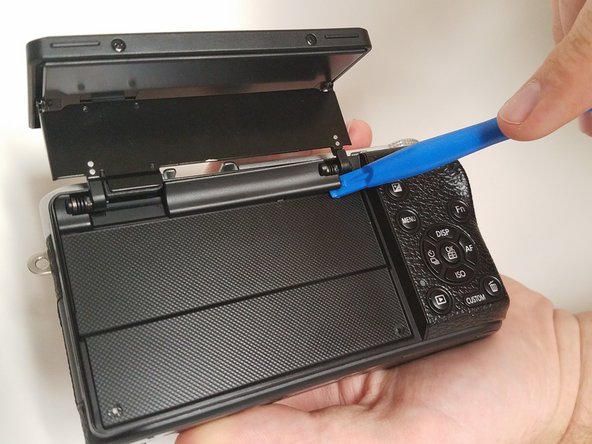
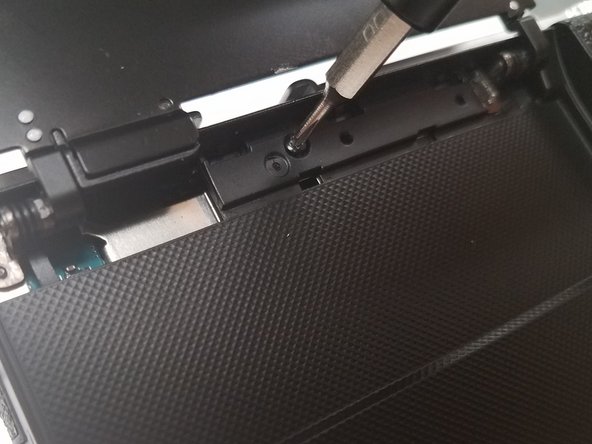
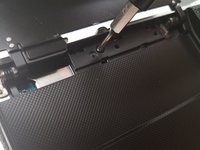
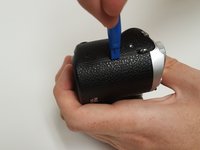
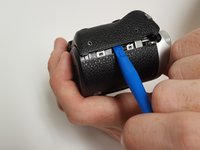
    1. Samsung NX500 Main board  Replacement, Screen Side Encasement: passo 4, imagem 1 %32 Samsung NX500 Main board  Replacement, Screen Side Encasement: passo 4, imagem 2 %32 Samsung NX500 Main board  Replacement, Screen Side Encasement: passo 4, imagem 3 %32
      • Open the screen exposing the hinge cover and place the plastic opening tool inside.

      • Pry the hinge cover up by moving the plastic opening tool in a downward motion.

      • Remove the black 4mm Phillips #000 screw that is revealed once the hinge cover is removed.

      Pergunte ao FixBot

      Comentar

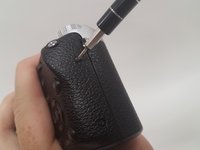
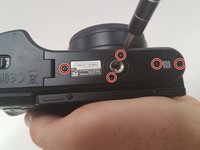
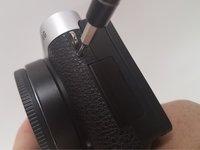
    2. Samsung NX500 Main board  Replacement: passo 5, imagem 1 %32 Samsung NX500 Main board  Replacement: passo 5, imagem 2 %32 Samsung NX500 Main board  Replacement: passo 5, imagem 3 %32
      • Unscrew the two 4 mm Phillips #000 screws on the right hand side of the camera using the screwdriver.

      • Unscrew five more 4 mm Phillips #000 screws that are located at the bottom of the camera with the screwdriver.

      • In the second step, do not the remove the two 4 mm Phillips #000 screen on the screen.

      • Remove the last exterior 4 mm Phillips #000 screws on the left hand side of the camera with the scredriver.

      Pergunte ao FixBot

      Comentar

    3. Samsung NX500 Main board  Replacement: passo 6, imagem 1 %32 Samsung NX500 Main board  Replacement: passo 6, imagem 2 %32
      • Use the plastic opening tool in a downward motion around each side of the camera to pry the casing open.

      • The casing should be removed easily; you shouldn't have to use much force.

      Pergunte ao FixBot

      Comentar

    4. Samsung NX500 Main board  Replacement: passo 7, imagem 1 %32 Samsung NX500 Main board  Replacement: passo 7, imagem 2 %32
      • Locate the black ribbon at the bottom left of the camera's interior.

      • Place the plastic opening tool under the black ribbon connector.

      • Remove the cable by moving your plastic opening tool in a downward motion.

      • There is zero to little force needed to remove this ribbon.

      Pergunte ao FixBot

      Comentar

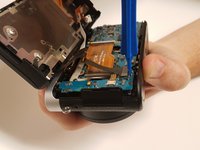
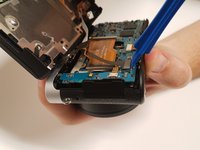
    1. Samsung NX500 Main board  Replacement, Main board: passo 8, imagem 1 %32 Samsung NX500 Main board  Replacement, Main board: passo 8, imagem 2 %32 Samsung NX500 Main board  Replacement, Main board: passo 8, imagem 3 %32
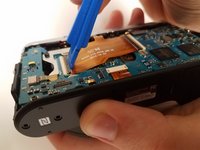
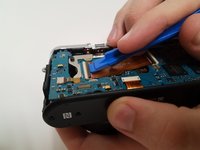
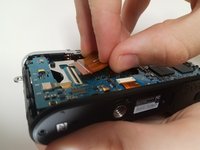
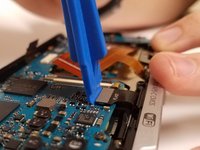
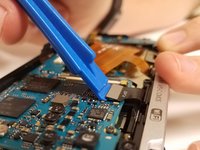
      • Lift the black latch of the left main ribbon connector using a wide-set plastic opening tool in a downward motion.

      • Use your fingers to disconnect the cable.

      • There are five ZIF cables total to be removed.

      Pergunte ao FixBot

      Comentar

    2. Samsung NX500 Main board  Replacement: passo 9, imagem 1 %32 Samsung NX500 Main board  Replacement: passo 9, imagem 2 %32 Samsung NX500 Main board  Replacement: passo 9, imagem 3 %32
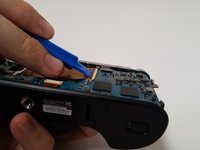
      • Use the wide-set plastic opening tool to lift the latch on the right main ZIF cable in a downward motion.

      • Disconnect the cable using your finger.

      Pergunte ao FixBot

      Comentar

    3. Samsung NX500 Main board  Replacement: passo 10, imagem 1 %32 Samsung NX500 Main board  Replacement: passo 10, imagem 2 %32
      Ferramenta utilizada neste passo:
      Tweezers
      $4.99
      • Locate the ZIF cable at the bottom of the main board.

      • Disconnect the cable with the tweezers by pulling it away from where the cable is connected.

      • Be careful not tug too hard on the cable as you can damage it.

      Pergunte ao FixBot

      Comentar

    4. Samsung NX500 Main board  Replacement: passo 11, imagem 1 %32 Samsung NX500 Main board  Replacement: passo 11, imagem 2 %32
      • Locate the skinny ZIF cable on the left side of the main board.

      • Disconnect the cable with the tweezers by pulling it away from where the cable is connected.

      • Be careful not tug too hard on the cable as you can damage it.

      Pergunte ao FixBot

      Comentar

    5. Samsung NX500 Main board  Replacement: passo 12, imagem 1 %32 Samsung NX500 Main board  Replacement: passo 12, imagem 2 %32 Samsung NX500 Main board  Replacement: passo 12, imagem 3 %32
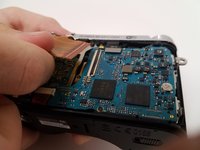
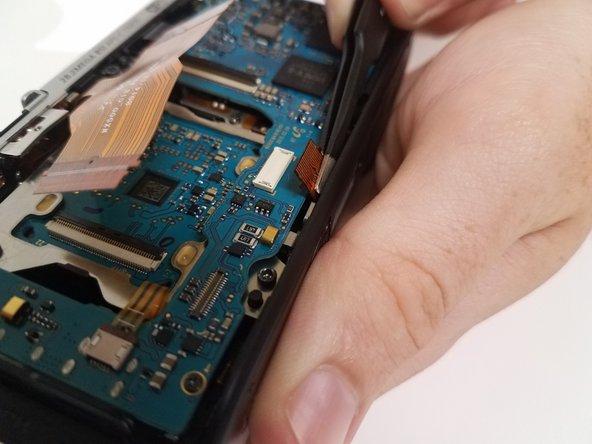
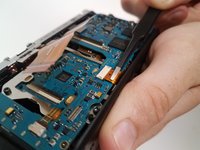
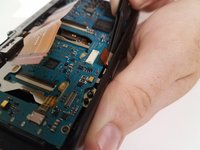
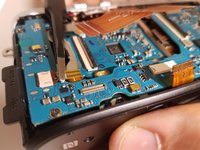
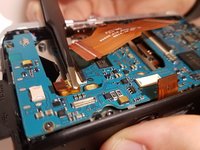
      • Locate the black cable connected at the top right of the main board.

      • Place the wide-set plastic opening tool underneath the gray connector and carefully pry it up.

      • It will easily pop up.

      Pergunte ao FixBot

      Comentar

    6. Samsung NX500 Main board  Replacement: passo 13, imagem 1 %32
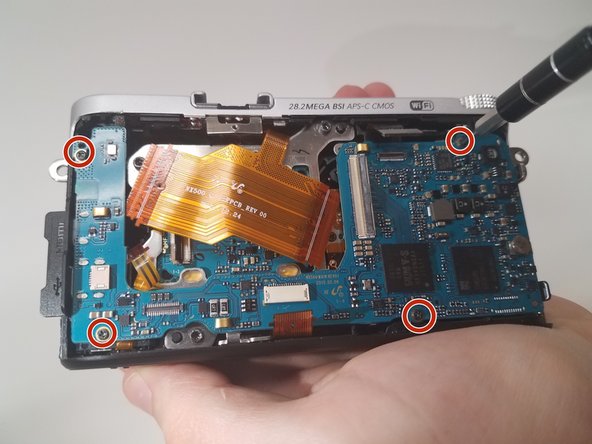
      • Remove the 4 black 4-mm Phillips #000 screws located near each corner of the main board.

      • Lift the board out of the casing and carefully put it somewhere safe.

      Pergunte ao FixBot

      Comentar

Conclusão

To reassemble your device, follow these instructions in reverse order.

Cancelar: não concluí este guia.

2 outras pessoas executaram este guia.

Equipe

USF Tampa, Team 18-5, Blackwell Fall 2016 Membro de USF Tampa, Team 18-5, Blackwell Fall 2016

USFT-BLACKWELL-F16S18G5

3 Membros

Autoria de 12 guias

5Comentários do guia

How do you actually get the mainboard for replacement? Is it directly through Samsung?

Andrew Bydlon - Responder Compartilhar

Nevermind, the parts are available at Samsungparts.com.

I believe the particular part of interest is the AD92-02282A, although I'll write a followup if this is not correct.

Andrew Bydlon - Responder Compartilhar
I can now confirm the part is the AD92-02282A. Following this guide worked very well and saved me risking $800 on ebay for a used nx500.

Andrew Bydlon - Responder Compartilhar

i’ve been told that after replacing the mainboard the camera needs to be adjusted which could only be done by a professional workshop.

did you run into any problems with the new mainboard?

Christoph Bresch - Responder Compartilhar

Where to get or address to obtain or purchase new board for replacement?

Bay publicity & Multimedia - Responder Compartilhar

Comentar

Visualizações:

Últimas 24 horas: 1

Últimos 7 dias: 9

Últimos 30 dias: 32

Ao todo: 2,235