Ir para o conteúdo principal
Participe da comunidade de reparos - Criar conta

Samsung NP-QX411L Battery Replacement

O que você precisa

  1. Samsung NP-QX411L Battery Replacement, Optical Drive: passo 1, imagem 1 %32 Samsung NP-QX411L Battery Replacement, Optical Drive: passo 1, imagem 2 %32
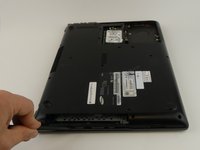
    • Flip the laptop over.

    • Remove the 6 mm screw with the Phillips #000 screwdriver.

  2. Samsung NP-QX411L Battery Replacement: passo 2, imagem 1 %32
    • Slide out the optical drive to remove it.

  3. Samsung NP-QX411L Battery Replacement, Hard Drive: passo 3, imagem 1 %32 Samsung NP-QX411L Battery Replacement, Hard Drive: passo 3, imagem 2 %32
    • Put on the anti-static wristband and connect the attached alligator clip to a metal object. This will prevent you from shocking the motherboard.

    • Flip the laptop.

    • Use the Phillips #000 screwdriver to unscrew the 6 mm screw from the square panel.

  4. Samsung NP-QX411L Battery Replacement: passo 4, imagem 1 %32 Samsung NP-QX411L Battery Replacement: passo 4, imagem 2 %32
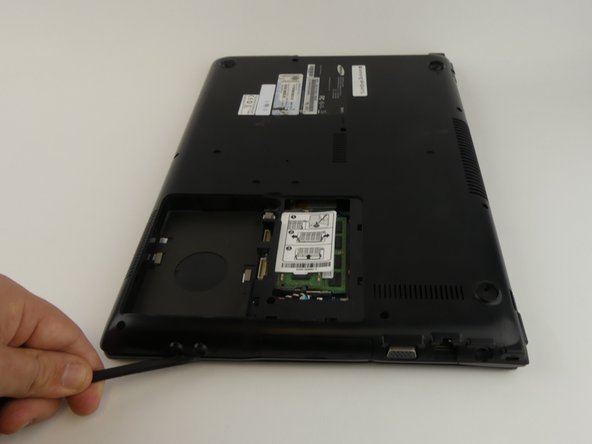
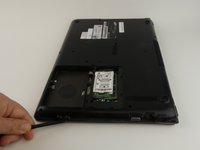
    • Gently wedge the spudger under the square panel.

    • Run the spudger under the edges of the square panel to loosen it.

    • Remove the panel.

  5. Samsung NP-QX411L Battery Replacement: passo 5, imagem 1 %32
    • Remove the hard drive slowly because it is still connected to a wire.

    • Pull up on the rubber flap or use the spudger to lift the hard drive.

  6. Samsung NP-QX411L Battery Replacement: passo 6, imagem 1 %32
    • Remove the hard drive by gently pulling the power connector at the base of the wire off. You can do this by pulling the connector away from the hard drive.

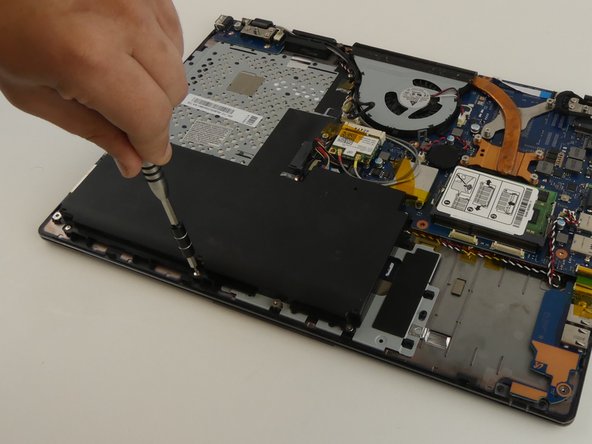
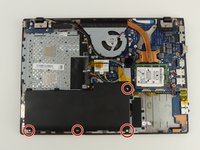
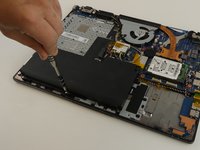
  7. Samsung NP-QX411L Battery Replacement, Battery: passo 7, imagem 1 %32
    • Use the Phillips #000 screwdriver to remove the 6 mm screw.

  8. Samsung NP-QX411L Battery Replacement: passo 8, imagem 1 %32 Samsung NP-QX411L Battery Replacement: passo 8, imagem 2 %32
    Ferramenta utilizada neste passo:
    Tweezers
    $4.99
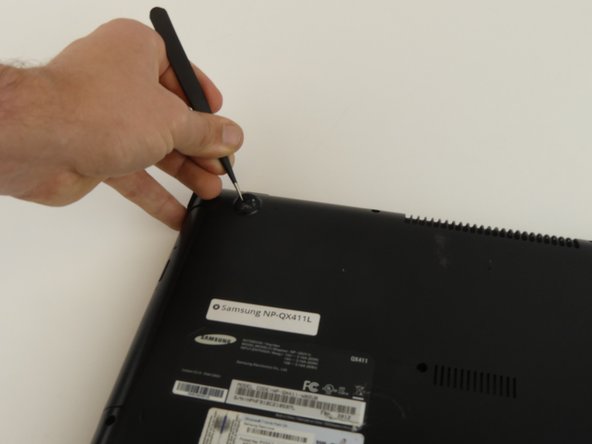
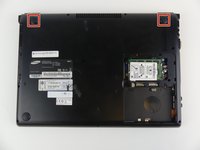
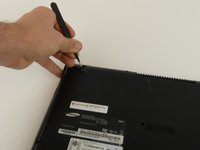
    • Remove the top two rubber stoppers by grasping them with the precision tweezers and pulling up.

  9. Samsung NP-QX411L Battery Replacement: passo 9, imagem 1 %32
    • Remove nine 6mm cover screws using the Phillips #000 screwdriver.

  10. Samsung NP-QX411L Battery Replacement: passo 10, imagem 1 %32 Samsung NP-QX411L Battery Replacement: passo 10, imagem 2 %32 Samsung NP-QX411L Battery Replacement: passo 10, imagem 3 %32
    • Wedge the spudger under the cover and run it along the edges.

    • Pry the cover up with the spudger to remove it.

  11. Samsung NP-QX411L Battery Replacement: passo 11, imagem 1 %32 Samsung NP-QX411L Battery Replacement: passo 11, imagem 2 %32
    • Remove the four 3 mm screws using the Phillips #000 screwdriver.

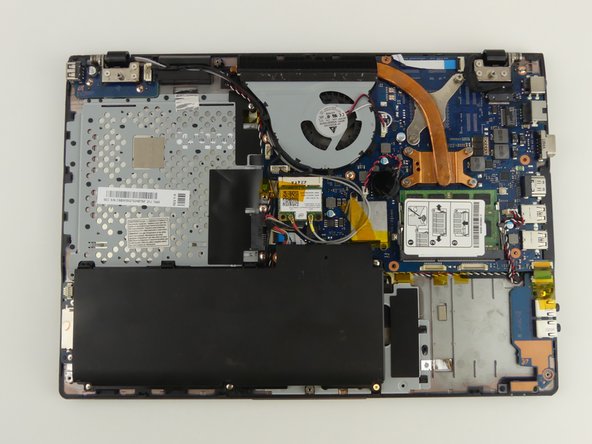
  12. Samsung NP-QX411L Battery Replacement: passo 12, imagem 1 %32
    • A wire is still connecting the battery to the motherboard.

    • Lift and slide the battery out from under the three plastic prongs.

  13. Samsung NP-QX411L Battery Replacement: passo 13, imagem 1 %32
    • Grab the wires and gently pull them away from the motherboard.

Conclusão

To reassemble your device, follow these instructions in reverse order.

3 outras pessoas executaram este guia.

Rebecca Johnson

Membro desde: 02/17/17

594 Reputação

Autoria de 5 guias

Equipe

USF Tampa, Team S19-G3, Hoffman Spring 2017 Membro de USF Tampa, Team S19-G3, Hoffman Spring 2017

USFT-HOFFMAN-S17S19G3

4 Membros

Autoria de 5 guias

1Comentário do guia

Pardon the interruption, but do you potentially have a tutorial on how to replace the keyboard on this laptop? I am having problems finding an acceptable-enough tutorial on how to do it, yet I need such a tutorial as the process seems quite daunting.

Thanks,

Random Person on the Internet

Anonymous Schmuck - Responder Compartilhar

Comentar

Visualizações:

Últimas 24 horas: 0

Últimos 7 dias: 11

Últimos 30 dias: 50

Ao todo: 4,416