Ir para o conteúdo principal
Participe da comunidade de reparos - Criar conta

Samsung MV900F Screen Replacement

O que você precisa

    1. Samsung MV900F Screen Replacement, Battery: passo 1, imagem 1 %32
      • Slide the lock towards the middle of the camera, in the same direction of the arrow.

      Pergunte ao FixBot

      Comentar

    2. Samsung MV900F Screen Replacement: passo 2, imagem 1 %32
      • Push the blue battery holder up in the direction of the arrow.

      Pergunte ao FixBot

      Comentar

    3. Samsung MV900F Screen Replacement: passo 3, imagem 1 %32
      • Pull the battery out of the battery slot.

      Pergunte ao FixBot

      Comentar

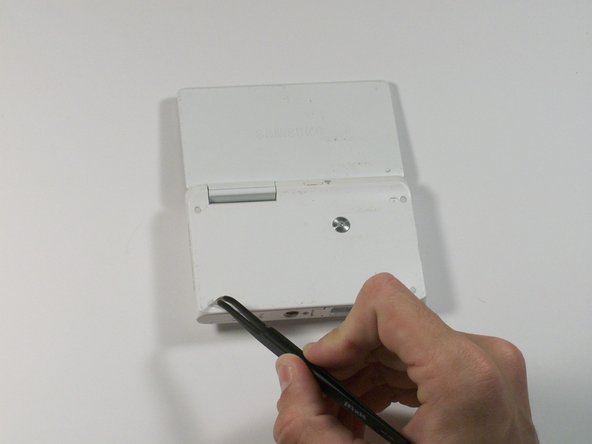
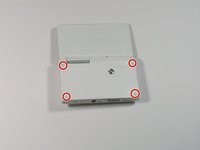
    1. Samsung MV900F Screen Replacement, Screen: passo 4, imagem 1 %32 Samsung MV900F Screen Replacement, Screen: passo 4, imagem 2 %32
      Ferramenta utilizada neste passo:
      Tweezers
      $4.99
      • Use tweezers to remove the four rubber screw covers.

      Pergunte ao FixBot

      Comentar

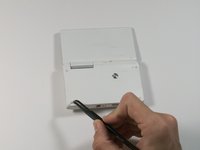
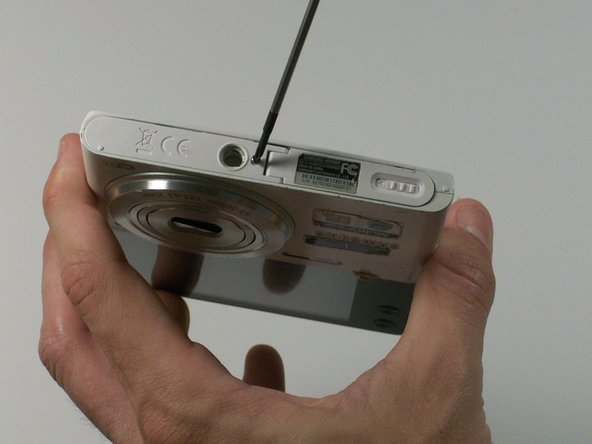
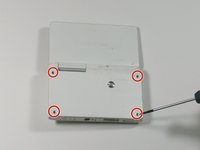
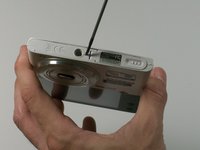
    2. Samsung MV900F Screen Replacement: passo 5, imagem 1 %32 Samsung MV900F Screen Replacement: passo 5, imagem 2 %32
      • Remove the four Phillips 2.381 mm screws on back side of camera and one Phillips 2.381 mm screw on the bottom of the camera, using a Phillips #00 screwdriver.

      Pergunte ao FixBot

      Comentar

    3. Samsung MV900F Screen Replacement: passo 6, imagem 1 %32
      • Remove the back casing by just carefully pulling the casing off of the camera.

      Pergunte ao FixBot

      Comentar

    4. Samsung MV900F Screen Replacement: passo 7, imagem 1 %32
      • Use the Phillips #00 screw driver to remove the four 2.381 mm screws next to the screen hinge.

      Pergunte ao FixBot

      Comentar

    5. Samsung MV900F Screen Replacement: passo 8, imagem 1 %32
      • Use plastic opening tool to disconnect screen connector from the control board.

      Pergunte ao FixBot

      Comentar

    6. Samsung MV900F Screen Replacement: passo 9, imagem 1 %32
      • Remove the old screen.

      Pergunte ao FixBot

      Comentar

Conclusão

To reassemble your device, follow these steps in reverse order.

Cancelar: não concluí este guia.

1Comentário do guia

Anyone an Idea where I can buy a cheap new display for that cam?

Bernhard Prieler - Responder Compartilhar

Comentar

Visualizações:

Últimas 24 horas: 2

Últimos 7 dias: 10

Últimos 30 dias: 49

Ao todo: 1,571