Ir para o conteúdo principal
Participe da comunidade de reparos - Criar conta

Samsung MV900F Lens Assembly Replacement

O que você precisa

  1. Samsung MV900F Lens Assembly Replacement, Battery: passo 1, imagem 1 %32
    • Slide the lock towards the middle of the camera, in the same direction of the arrow.

    Pergunte ao FixBot

    Comentar

  2. Samsung MV900F Lens Assembly Replacement: passo 2, imagem 1 %32
    • Push the blue battery holder up in the direction of the arrow.

    Pergunte ao FixBot

    Comentar

  3. Samsung MV900F Lens Assembly Replacement: passo 3, imagem 1 %32
    • Pull the battery out of the battery slot.

    Pergunte ao FixBot

    Comentar

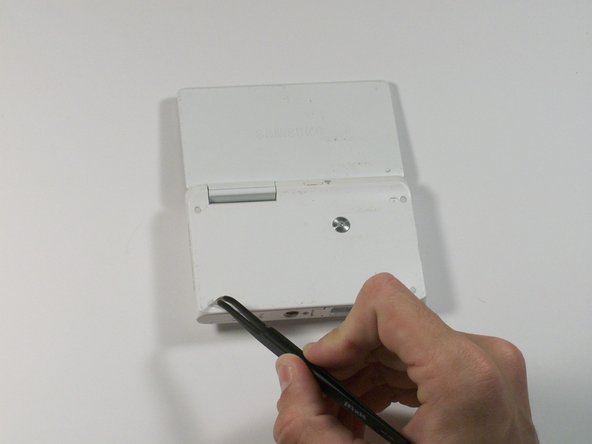
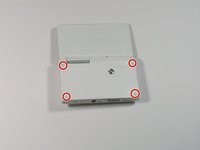
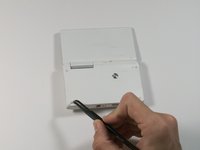
  4. Samsung MV900F Lens Assembly Replacement, Screen: passo 4, imagem 1 %32 Samsung MV900F Lens Assembly Replacement, Screen: passo 4, imagem 2 %32
    Ferramenta utilizada neste passo:
    Tweezers
    $4.99
    • Use tweezers to remove the four rubber screw covers.

    Pergunte ao FixBot

    Comentar

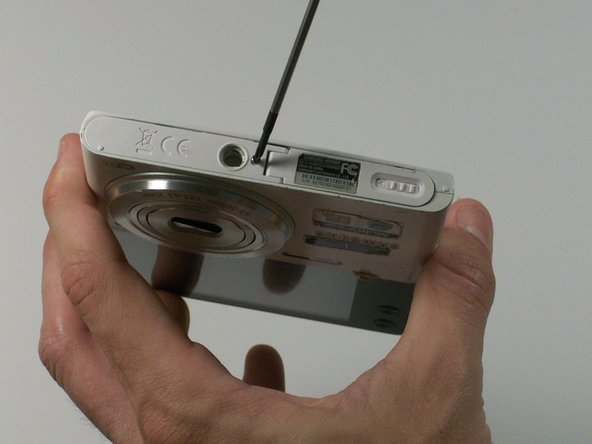
  5. Samsung MV900F Lens Assembly Replacement: passo 5, imagem 1 %32 Samsung MV900F Lens Assembly Replacement: passo 5, imagem 2 %32
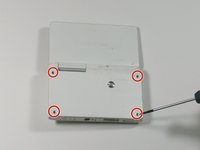
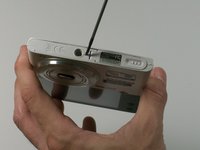
    • Remove the four Phillips 2.381 mm screws on back side of camera and one Phillips 2.381 mm screw on the bottom of the camera, using a Phillips #00 screwdriver.

    Pergunte ao FixBot

    Comentar

  6. Samsung MV900F Lens Assembly Replacement: passo 6, imagem 1 %32
    • Remove the back casing by just carefully pulling the casing off of the camera.

    Pergunte ao FixBot

    Comentar

  7. Samsung MV900F Lens Assembly Replacement: passo 7, imagem 1 %32
    • Use the Phillips #00 screw driver to remove the four 2.381 mm screws next to the screen hinge.

    Pergunte ao FixBot

    Comentar

  8. Samsung MV900F Lens Assembly Replacement: passo 8, imagem 1 %32
    • Use plastic opening tool to disconnect screen connector from the control board.

    Pergunte ao FixBot

    Comentar

  9. Samsung MV900F Lens Assembly Replacement: passo 9, imagem 1 %32
    • Remove the old screen.

    Pergunte ao FixBot

    Comentar

  10. Samsung MV900F Lens Assembly Replacement, Lens Assembly: passo 10, imagem 1 %32
    • Remove the 2.381 mm screw with a Phillips #00 screwdriver.

    Pergunte ao FixBot

    Comentar

  11. Samsung MV900F Lens Assembly Replacement: passo 11, imagem 1 %32
    • Use the plastic opening tool to remove the silver metal lens cover.

    Pergunte ao FixBot

    Comentar

  12. Samsung MV900F Lens Assembly Replacement: passo 12, imagem 1 %32
    Ferramenta utilizada neste passo:
    Tweezers
    $4.99
    • Use the tweezers to remove the black electrical tape covering the copper connector to the control board.

    Pergunte ao FixBot

    Comentar

  13. Samsung MV900F Lens Assembly Replacement: passo 13, imagem 1 %32
    • From the front of the camera, push the lens through the back of the camer.a

    Pergunte ao FixBot

    Comentar

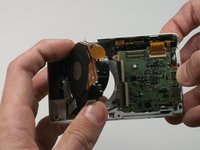
  14. Samsung MV900F Lens Assembly Replacement: passo 14, imagem 1 %32 Samsung MV900F Lens Assembly Replacement: passo 14, imagem 2 %32
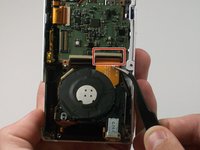
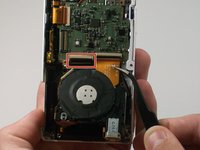
    • Use a pair of tweezers to flip up the black retaining bar on each of the two ZIF connectors.

    Pergunte ao FixBot

    Comentar

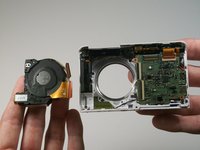
  15. Samsung MV900F Lens Assembly Replacement: passo 15, imagem 1 %32 Samsung MV900F Lens Assembly Replacement: passo 15, imagem 2 %32
    • Remove the lens assembly from the camera.

    Pergunte ao FixBot

    Comentar

Conclusão

To reassemble your device, follow these instructions in reverse order.

Cancelar: não concluí este guia.

Uma outra pessoa concluiu este guia.

0Comentários do guia

Comentar

Visualizações:

Últimas 24 horas: 4

Últimos 7 dias: 18

Últimos 30 dias: 56

Ao todo: 1,323