Ir para o conteúdo principal
Participe da comunidade de reparos - Criar conta

Samsung HMX-W300 Front Case Replacement

O que você precisa

    1. Samsung HMX-W300 Front Case Replacement, Disassembling Samsung HMX-W300: passo 1, imagem 1 %32 Samsung HMX-W300 Front Case Replacement, Disassembling Samsung HMX-W300: passo 1, imagem 2 %32 Samsung HMX-W300 Front Case Replacement, Disassembling Samsung HMX-W300: passo 1, imagem 3 %32
      • To remove the wristband of the device, grab the middle loop and pull the band through.

      Pergunte ao FixBot

      Comentar

    2. Samsung HMX-W300 Front Case Replacement: passo 2, imagem 1 %32 Samsung HMX-W300 Front Case Replacement: passo 2, imagem 2 %32
      • Remove four screws with a Hex 1.5 mm screwdriver.

      Pergunte ao FixBot

      Comentar

    3. Samsung HMX-W300 Front Case Replacement: passo 3, imagem 1 %32 Samsung HMX-W300 Front Case Replacement: passo 3, imagem 2 %32 Samsung HMX-W300 Front Case Replacement: passo 3, imagem 3 %32
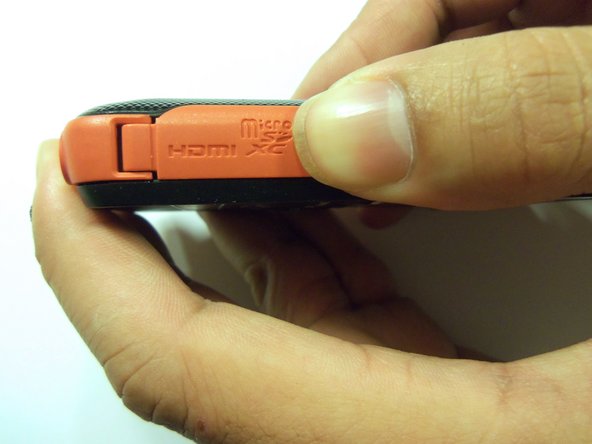
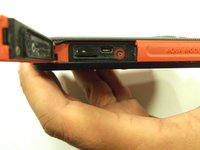
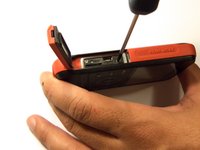
      • Open the HDMI door on the side of the camera.

      • Remove the single screw using a Phillips #00 screwdriver.

      Pergunte ao FixBot

      Comentar

    4. Samsung HMX-W300 Front Case Replacement: passo 4, imagem 1 %32 Samsung HMX-W300 Front Case Replacement: passo 4, imagem 2 %32 Samsung HMX-W300 Front Case Replacement: passo 4, imagem 3 %32
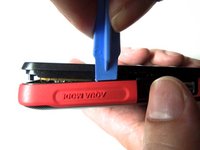
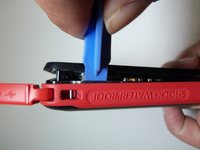
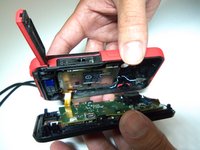
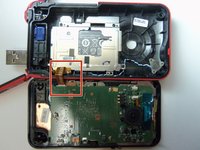
      • Use the iFixit opening tool on both sides on the device. Pry apart both sections with light force.

      • Do not apply too much force. There is a wire that attaches the front case with the rear case that can be damaged.

      Pergunte ao FixBot

      Comentar

    5. Samsung HMX-W300 Front Case Replacement: passo 5, imagem 1 %32 Samsung HMX-W300 Front Case Replacement: passo 5, imagem 2 %32 Samsung HMX-W300 Front Case Replacement: passo 5, imagem 3 %32
      Ferramenta utilizada neste passo:
      Tweezers
      $4.99
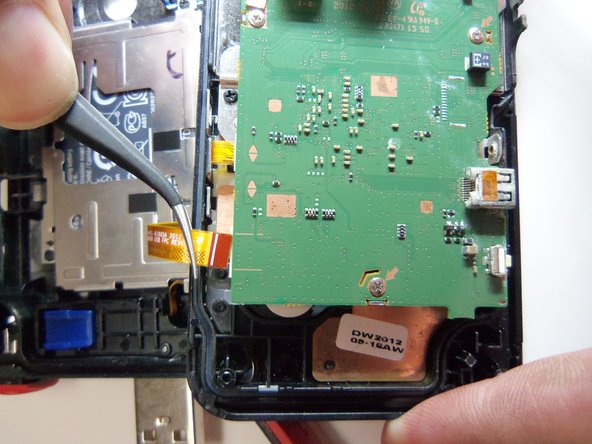
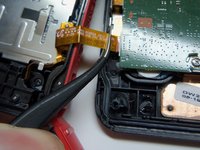
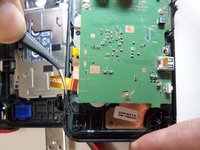
      • Pull the wire ribbon out with a pair of tweezers.

      Pergunte ao FixBot

      Comentar

    1. Samsung HMX-W300 Front Case Replacement, Battery: passo 6, imagem 1 %32 Samsung HMX-W300 Front Case Replacement, Battery: passo 6, imagem 2 %32
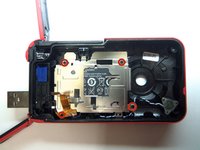
      • Remove the four screws from the battery housing using a Phillips #00 screwdriver.

      Pergunte ao FixBot

      Comentar

    2. Samsung HMX-W300 Front Case Replacement: passo 7, imagem 1 %32
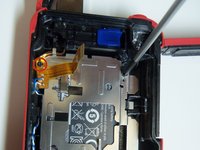
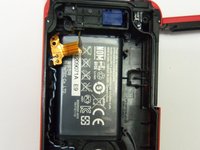
      • Use the iFixit opening tool to pry the battery housing open.

      Pergunte ao FixBot

      Comentar

    3. Samsung HMX-W300 Front Case Replacement: passo 8, imagem 1 %32 Samsung HMX-W300 Front Case Replacement: passo 8, imagem 2 %32 Samsung HMX-W300 Front Case Replacement: passo 8, imagem 3 %32
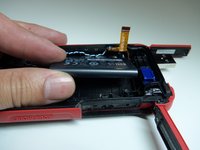
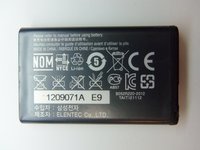
      • After removing the battery housing, take the battery out.

      Pergunte ao FixBot

      Comentar

    1. Samsung HMX-W300 Front Case Replacement, USB Port: passo 9, imagem 1 %32 Samsung HMX-W300 Front Case Replacement, USB Port: passo 9, imagem 2 %32 Samsung HMX-W300 Front Case Replacement, USB Port: passo 9, imagem 3 %32
      Ferramenta utilizada neste passo:
      Tweezers
      $4.99
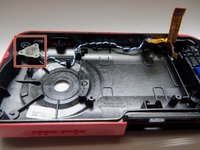
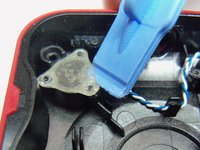
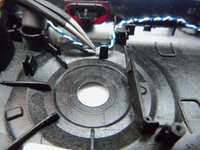
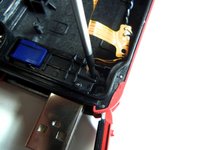
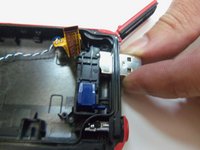
      • Use an iFixit opening tool to pry up the plastic cover.

      • Use tweezers to remove the wire from the slots.

      Pergunte ao FixBot

      Comentar

    2. Samsung HMX-W300 Front Case Replacement: passo 10, imagem 1 %32 Samsung HMX-W300 Front Case Replacement: passo 10, imagem 2 %32
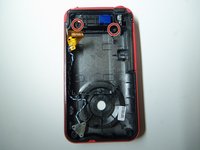
      • Remove both screws from the USB port using a Phillips #00 screwdriver.

      Pergunte ao FixBot

      Comentar

    3. Samsung HMX-W300 Front Case Replacement: passo 11, imagem 1 %32 Samsung HMX-W300 Front Case Replacement: passo 11, imagem 2 %32
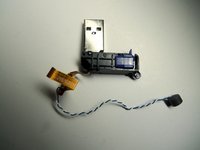
      • Push the USB port inside the case to remove it from the device.

      Pergunte ao FixBot

      Comentar

    1. Samsung HMX-W300 Front Case Replacement, Front Case: passo 12, imagem 1 %32
      • The front case is separated from the rest of the device.

      Pergunte ao FixBot

      Comentar

Conclusão

To reassemble your device, follow these instructions in reverse order.

Cancelar: não concluí este guia.

Robert

Membro desde: 01/21/15

966 Reputação

Autoria de 8 guias

Equipe

USF Tampa, Team 9-2, Blackwell Winter 2015 Membro de USF Tampa, Team 9-2, Blackwell Winter 2015

USFT-BLACKWELL-W15S9G2

4 Membros

Autoria de 16 guias

0Comentários do guia

Comentar

Visualizações:

Últimas 24 horas: 0

Últimos 7 dias: 5

Últimos 30 dias: 16

Ao todo: 705