Ir para o conteúdo principal
Participe da comunidade de reparos - Criar conta

Samsung HMX-W300 Battery Replacement

O que você precisa

    1. Samsung HMX-W300 Battery Replacement, Disassembling Samsung HMX-W300: passo 1, imagem 1 %32 Samsung HMX-W300 Battery Replacement, Disassembling Samsung HMX-W300: passo 1, imagem 2 %32 Samsung HMX-W300 Battery Replacement, Disassembling Samsung HMX-W300: passo 1, imagem 3 %32
      • To remove the wristband of the device, grab the middle loop and pull the band through.

      Pergunte ao FixBot

      Comentar

    2. Samsung HMX-W300 Battery Replacement: passo 2, imagem 1 %32 Samsung HMX-W300 Battery Replacement: passo 2, imagem 2 %32
      • Remove four screws with a Hex 1.5 mm screwdriver.

      Pergunte ao FixBot

      Comentar

    3. Samsung HMX-W300 Battery Replacement: passo 3, imagem 1 %32 Samsung HMX-W300 Battery Replacement: passo 3, imagem 2 %32 Samsung HMX-W300 Battery Replacement: passo 3, imagem 3 %32
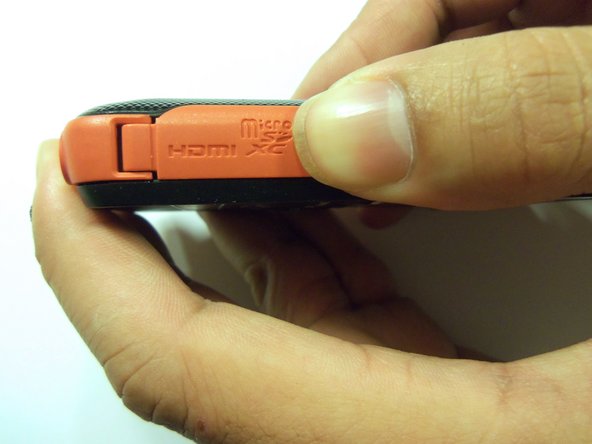
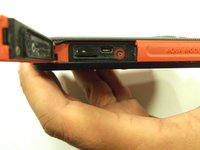
      • Open the HDMI door on the side of the camera.

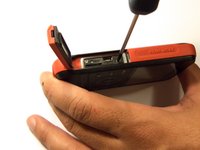
      • Remove the single screw using a Phillips #00 screwdriver.

      Pergunte ao FixBot

      Comentar

    4. Samsung HMX-W300 Battery Replacement: passo 4, imagem 1 %32 Samsung HMX-W300 Battery Replacement: passo 4, imagem 2 %32 Samsung HMX-W300 Battery Replacement: passo 4, imagem 3 %32
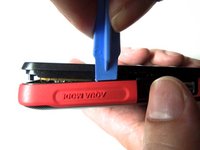
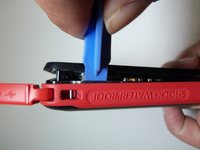
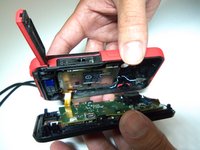
      • Use the iFixit opening tool on both sides on the device. Pry apart both sections with light force.

      • Do not apply too much force. There is a wire that attaches the front case with the rear case that can be damaged.

      Pergunte ao FixBot

      Comentar

    5. Samsung HMX-W300 Battery Replacement: passo 5, imagem 1 %32 Samsung HMX-W300 Battery Replacement: passo 5, imagem 2 %32 Samsung HMX-W300 Battery Replacement: passo 5, imagem 3 %32
      Ferramenta utilizada neste passo:
      Tweezers
      $4.99
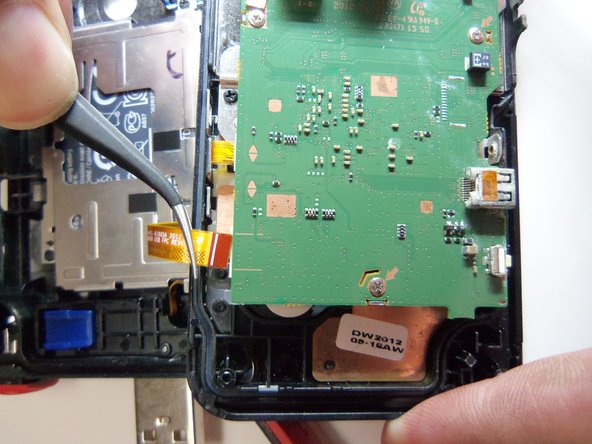
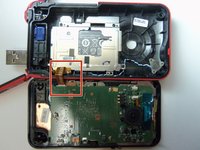
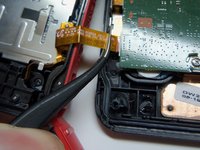
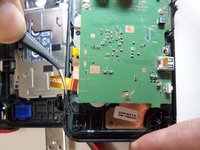
      • Pull the wire ribbon out with a pair of tweezers.

      Pergunte ao FixBot

      Comentar

    1. Samsung HMX-W300 Battery Replacement, Battery: passo 6, imagem 1 %32 Samsung HMX-W300 Battery Replacement, Battery: passo 6, imagem 2 %32
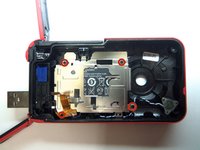
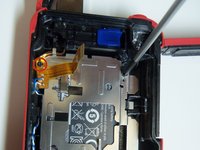
      • Remove the four screws from the battery housing using a Phillips #00 screwdriver.

      Pergunte ao FixBot

      Comentar

    2. Samsung HMX-W300 Battery Replacement: passo 7, imagem 1 %32
      • Use the iFixit opening tool to pry the battery housing open.

      Pergunte ao FixBot

      Comentar

    3. Samsung HMX-W300 Battery Replacement: passo 8, imagem 1 %32 Samsung HMX-W300 Battery Replacement: passo 8, imagem 2 %32 Samsung HMX-W300 Battery Replacement: passo 8, imagem 3 %32
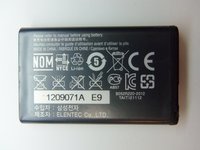
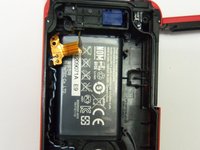
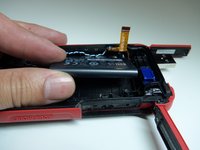
      • After removing the battery housing, take the battery out.

      Pergunte ao FixBot

      Comentar

Conclusão

To reassemble your device, follow these instructions in reverse order.

Cancelar: não concluí este guia.

6 outras pessoas executaram este guia.

Robert

Membro desde: 01/21/15

966 Reputação

Autoria de 8 guias

Equipe

USF Tampa, Team 9-2, Blackwell Winter 2015 Membro de USF Tampa, Team 9-2, Blackwell Winter 2015

USFT-BLACKWELL-W15S9G2

4 Membros

Autoria de 16 guias

2Comentários do guia

What type of battery is this? What part number should we use to order a replacement?

VanDemark - Responder Compartilhar
The type of battery should be printed on the case of the battery. Most likely it’s some type of lithium battery. The part number for the battery should be on the case as well. If you can’t find either of these on the battery case you can take the battery to a place that sales batteries and the personnel there should be able to tell you the type and part number for your battery.

Jarretti Reaves - Responder Compartilhar
Comentar

Visualizações:

Últimas 24 horas: 2

Últimos 7 dias: 15

Últimos 30 dias: 39

Ao todo: 2,782