Ir para o conteúdo principal
Participe da comunidade de reparos - Criar conta

Samsung Galaxy S6 Active Front Camera Replacement

O que você precisa

  1. Samsung Galaxy S6 Active Front Camera Replacement, SIM Card: passo 1, imagem 1 %32 Samsung Galaxy S6 Active Front Camera Replacement, SIM Card: passo 1, imagem 2 %32
    • Insert your fingernail or a plastic opening tool into the pivot on the side of the SIM tray.

    • Pry open the tray to get it out of the socket.

    Pergunte ao FixBot
  2. Samsung Galaxy S6 Active Front Camera Replacement: passo 2, imagem 1 %32
    • Remove the SIM tray with SIM card from the phone.

    Pergunte ao FixBot
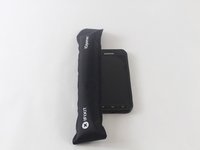
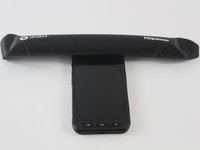
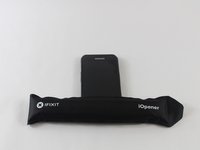
  3. Samsung Galaxy S6 Active Front Camera Replacement, Display Assembly: passo 3, imagem 1 %32 Samsung Galaxy S6 Active Front Camera Replacement, Display Assembly: passo 3, imagem 2 %32 Samsung Galaxy S6 Active Front Camera Replacement, Display Assembly: passo 3, imagem 3 %32
    • Heat the front face (sides, top, bottom) of the phone with the iOpener, a hair dryer, or a heat gun for 60 seconds to loosen the adhesive around the edge of the glass.

    • If using an iOpener, heat it in a microwave for thirty seconds.

    Pergunte ao FixBot
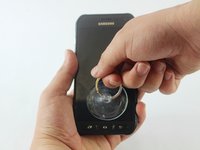
  4. Samsung Galaxy S6 Active Front Camera Replacement: passo 4, imagem 1 %32
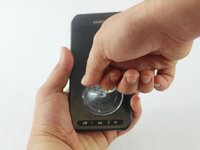
    • Attach a suction cup to the lower half of the screen.

    Pergunte ao FixBot
  5. Samsung Galaxy S6 Active Front Camera Replacement: passo 5, imagem 1 %32 Samsung Galaxy S6 Active Front Camera Replacement: passo 5, imagem 2 %32
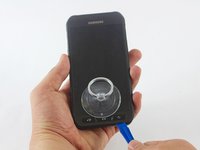
    • Using the suction cup, pull gently the lower half of the panel.

    • If you pull too hard you may break the display. If you still feel resistance repeat Step 3, leaving the iOpener on longer.

    Pergunte ao FixBot
  6. Samsung Galaxy S6 Active Front Camera Replacement: passo 6, imagem 1 %32 Samsung Galaxy S6 Active Front Camera Replacement: passo 6, imagem 2 %32 Samsung Galaxy S6 Active Front Camera Replacement: passo 6, imagem 3 %32
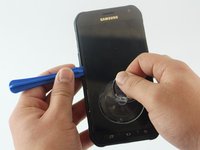
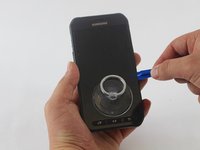
    • Once you’ve opened a large enough gap, insert a plastic tool at the bottom, between the glass and the rest of frame of the phone.

    • Slide the plastic opening tool around the screen, prying the display gently away from the body

    Pergunte ao FixBot
  7. Samsung Galaxy S6 Active Front Camera Replacement: passo 7, imagem 1 %32
    • Pull the lower half of the screen screen with the suction cup while holding down the frame of the phone to separate both components.

    • Only lift the lower part of the screen. It is connected with a clip to the top of the motherboard and can rip off if you pull too hard.

    Pergunte ao FixBot
  8. Samsung Galaxy S6 Active Front Camera Replacement: passo 8, imagem 1 %32 Samsung Galaxy S6 Active Front Camera Replacement: passo 8, imagem 2 %32 Samsung Galaxy S6 Active Front Camera Replacement: passo 8, imagem 3 %32
    Ferramenta utilizada neste passo:
    Tweezers
    $4.99
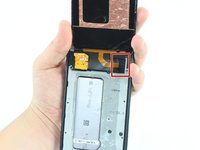
    • Once the glass is off, you will see a small clip covering the screen connection to the motherboard at the top of the phone. Use tweezers to grab the clip by the crease on its side and pull it out.

    Pergunte ao FixBot
  9. Samsung Galaxy S6 Active Front Camera Replacement: passo 9, imagem 1 %32
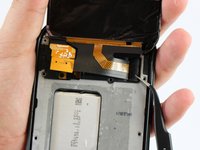
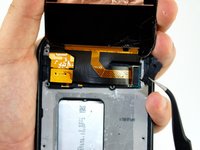
    • Undo the screen connection with a plastic tool.

    Pergunte ao FixBot
  10. Samsung Galaxy S6 Active Front Camera Replacement: passo 10, imagem 1 %32
    • Remove the display assembly (LCD and Digitizer).

    Pergunte ao FixBot
  11. Samsung Galaxy S6 Active Front Camera Replacement, Battery: passo 11, imagem 1 %32 Samsung Galaxy S6 Active Front Camera Replacement, Battery: passo 11, imagem 2 %32
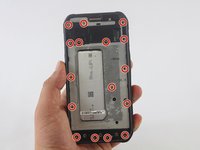
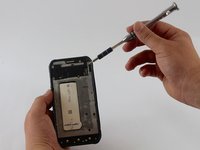
    • Use the Phillips Head Screwdriver sized PH000 to remove the sixteen 4mm screws from the frame.

    Pergunte ao FixBot
  12. Samsung Galaxy S6 Active Front Camera Replacement: passo 12, imagem 1 %32
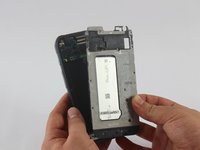
    • Put a little pressure on the top, on the bottom, and on the sides of the phone to separate the rear case.

    • You will hear the clips start undoing themselves.

    Pergunte ao FixBot
  13. Samsung Galaxy S6 Active Front Camera Replacement: passo 13, imagem 1 %32 Samsung Galaxy S6 Active Front Camera Replacement: passo 13, imagem 2 %32
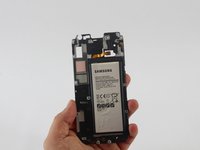
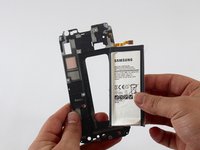
    • Once all the clips have popped, pull out the rear case to separate it from the frame with the battery.

    • The battery will be on the back side of this frame.

    Pergunte ao FixBot
  14. Samsung Galaxy S6 Active Front Camera Replacement: passo 14, imagem 1 %32
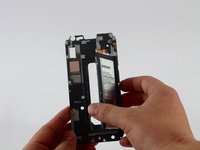
    • Insert a plastic opening tool on the side of the frame and pull out the battery.

    Pergunte ao FixBot
  15. Samsung Galaxy S6 Active Front Camera Replacement: passo 15, imagem 1 %32 Samsung Galaxy S6 Active Front Camera Replacement: passo 15, imagem 2 %32
    • Remove the battery from the frame.

    Pergunte ao FixBot
  16. Samsung Galaxy S6 Active Front Camera Replacement, Motherboard: passo 16, imagem 1 %32 Samsung Galaxy S6 Active Front Camera Replacement, Motherboard: passo 16, imagem 2 %32 Samsung Galaxy S6 Active Front Camera Replacement, Motherboard: passo 16, imagem 3 %32
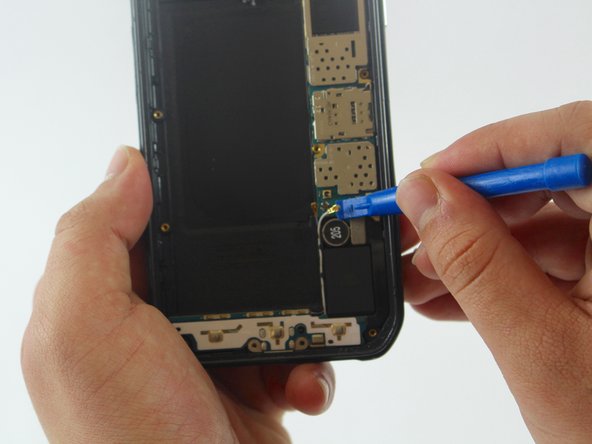
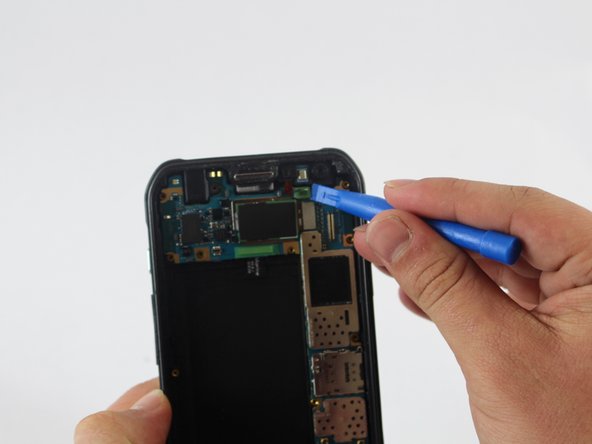
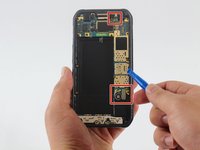
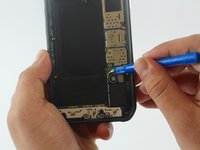
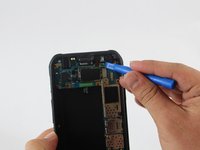
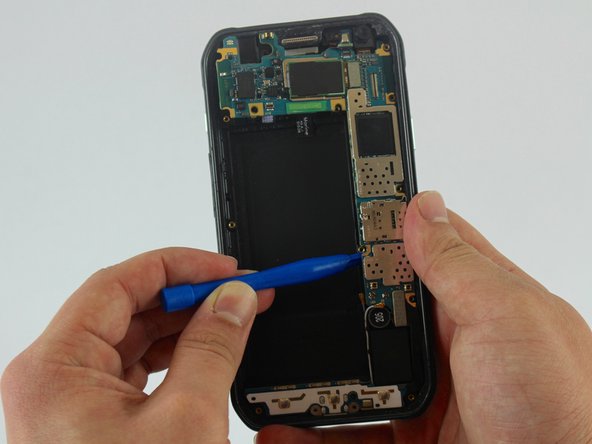
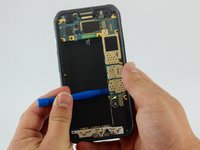
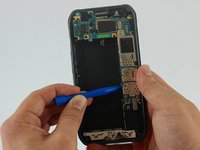
    • Use a plastic tool to undo all the connections in the motherboard.

    • There are three connections that have to be removed.

    Pergunte ao FixBot
  17. Samsung Galaxy S6 Active Front Camera Replacement: passo 17, imagem 1 %32 Samsung Galaxy S6 Active Front Camera Replacement: passo 17, imagem 2 %32
    • Insert the flats end of the spudger below the motherboard and twist it to pry the board up.

    Pergunte ao FixBot
  18. Samsung Galaxy S6 Active Front Camera Replacement: passo 18, imagem 1 %32
    • Remove the motherboard from the rear case.

    Pergunte ao FixBot
  19. Samsung Galaxy S6 Active Front Camera Replacement, Front Camera: passo 19, imagem 1 %32 Samsung Galaxy S6 Active Front Camera Replacement, Front Camera: passo 19, imagem 2 %32
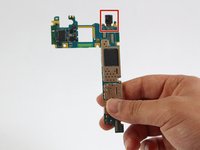
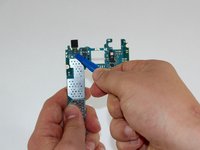
    • The front camera will be attached to the back of the motherboard.

    • Turn the motherboard around and use a plastic tool to undo the connection of the front camera.

    Pergunte ao FixBot
  20. Samsung Galaxy S6 Active Front Camera Replacement: passo 20, imagem 1 %32
    Ferramenta utilizada neste passo:
    Tweezers
    $4.99
    • Use the tweezers to remove the front camera from the motherboard.

    Pergunte ao FixBot
Conclusão

To reassemble your device, follow these instructions in reverse order.

Uma outra pessoa concluiu este guia.

Lucia Valbuena

Membro desde: 02/15/17

2.538 Reputação

Autoria de 8 guias

Equipe

USF Tampa, Team 1-5, Sullivan Spring 2017 Membro de USF Tampa, Team 1-5, Sullivan Spring 2017

USFT-SULLIVAN-S17S1G5

3 Membros

Autoria de 25 guias

0Comentários do guia

Comentar

Visualizações:

Últimas 24 horas: 1

Últimos 7 dias: 12

Últimos 30 dias: 74

Ao todo: 1,011