Essa tradução foi gerada por um programa e ainda não foi revisada por uma pessoa. Falas essa língua? Dá uma olhada.
Introdução
Use este guia para substituir o conjunto do display do seu Samsung Galaxy S5 mini.
O que você precisa
-
-
-
Insira a unha ou uma Ferramenta de abertura de plástico na ranhura localizada acima do botão LIGA/DESLIGA.
-
Puxe o painel gentilmente para fora da parte traseira do celular.
 Pergunte ao FixBot
-
-
-
-
-
Insira a unha ou uma ferramenta de abertura de plástico na ranhura na parte inferior da bateria.
-
Com cuidado, faça alavanca para separar a bateria do celular.
-
-
-
-
Ferramenta utilizada neste passo:iOpener$24.95
-
Vire o celular e coloque-o sobre uma superfície plana, com a parte traseira voltada para você.
-
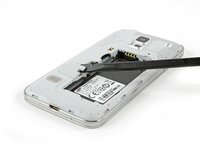
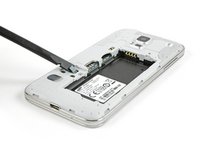
Use uma espátula ou ferramenta de abertura iFixit para levantar o conector do cabo do botão home e desconectá-lo.
-
Para a remontagem, insira o conector do cabo do botão home através da abertura no conjunto do display.
-
Use um iOpener para amolecer o adesivo abaixo do display.
-
-
-
-
Vire o celular de modo que ele fique de costas.
-
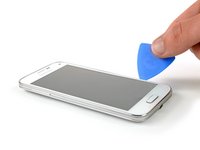
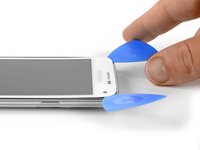
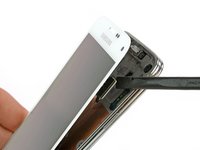
Insira uma Ferramenta de abertura ou uma palheta de abertura no espaço entre a tela e a estrutura e deslize-a ao longo do lado direito do celular para soltar o adesivo.
-
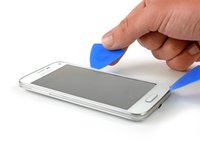
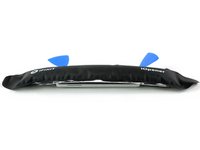
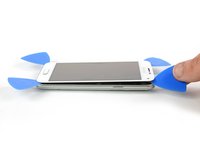
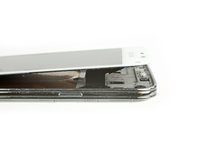
Levante delicadamente o conjunto do display para longe da estrutura até que haja uma pequena abertura e deixe a primeira palheta de abertura no canto inferior direito, próximo ao seu botão home.
-
Insira uma segunda palheta de abertura e deslize-a até o canto superior esquerdo do celular, soltando o adesivo abaixo da tela.
-
-
-
Reaqueça a tela do seu celular com a iOpener. Foco especial no topo e no lado esquerdo da parte frontal.
-
Insira uma terceira palheta de abertura e deslize-a com cuidado até o canto superior esquerdo do celular. Cuidado com a câmera frontal e o alto-falante!
-
-
-
Insira uma quarta palheta de abertura e deslize-a para o canto inferior esquerdo, próximo ao seu botão home.
-
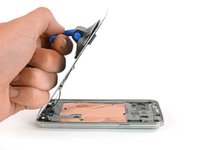
Gire a palheta de abertura no canto superior direito para levantar o display. Se ele ainda estiver pegajoso, mova as quatro palhetas de abertura ao redor da moldura como fez anteriormente para encontrar resquícios de adesivo.
-
-
Ferramenta utilizada neste passo:Suction Handle$2.95
-
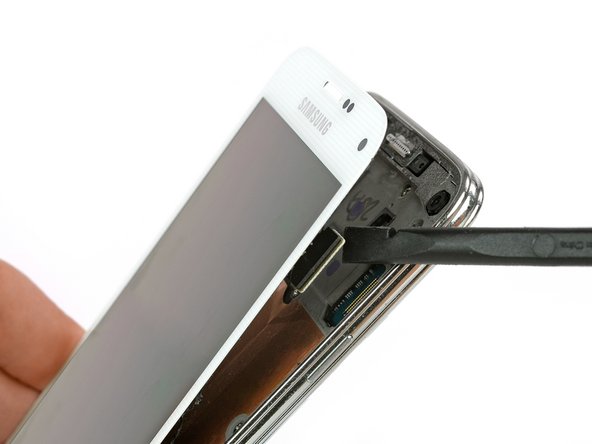
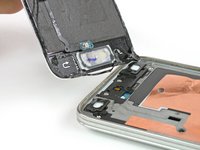
Use uma ventosa de sucção (boca dupla) para levantar o display do celular. O conector do cabo do botão home deve passar junto com o display por uma pequena abertura na estrutura intermediária (mid frame). Se não passar, use uma pinça para ajudar um pouco.
-
Puxe o conjunto do display para longe do celular para removê-lo.
-
-
















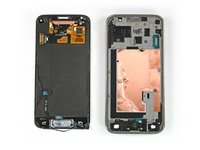
Para a remontagem de seu dispositivo, siga estas instruções na ordem inversa.
Cancelar: não concluí este guia.
22 outras pessoas executaram este guia.

Equipe

Cal Poly, Team 12-4, Forte Fall 2014 Membro de Cal Poly, Team 12-4, Forte Fall 2014
CPSU-FORTE-F14S12G4
5 Membros
Autoria de 96 guias
2Comentários do guia
Hi, there! I assume, I can fix the occasional malfunction of my display backpane light. I dropped the phone on the floor one day, and now I sometimes have to knock on die upper right corner of the display to get it working again. Will try to check the connector.
When I reassemble the display after a repair, will the glue work again? Do I have to heat it on reassembly to make it sticky again? Will it still be waterproof after repair?
