Ir para o conteúdo principal
Participe da comunidade de reparos - Criar conta

Samsung Galaxy Gear Display Assembly Replacement

O que você precisa

    1. Samsung Galaxy Gear Display Assembly Replacement, Display Housing: passo 1, imagem 1 %32
      • Use a T5 Torx screwdriver to remove the four 4.0 mm screws on the back of the device.

      • Be sure your device is turned off.

      Pergunte ao FixBot

      Comentar

    2. Samsung Galaxy Gear Display Assembly Replacement: passo 2, imagem 1 %32
      • Use a plastic opening tool to separate the display housing from from the device.

      • To ensure you don't damage your device, insert the opening tool and slide it the entire length of the gap on both sides of the device.

      Pergunte ao FixBot

      Comentar

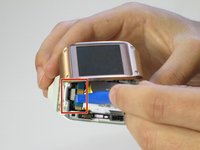
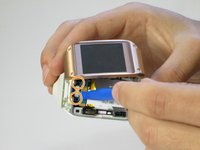
    3. Samsung Galaxy Gear Display Assembly Replacement: passo 3, imagem 1 %32 Samsung Galaxy Gear Display Assembly Replacement: passo 3, imagem 2 %32
      • Gently pry back the metal flap on top of the connector.

      • Locate the two 2.0 mm black screws and unscrew using a Phillips PH00 bit. The connector will detach from the device.

      Pergunte ao FixBot

      Comentar

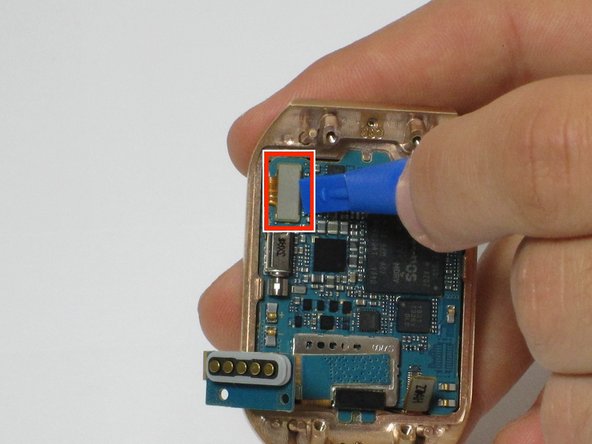
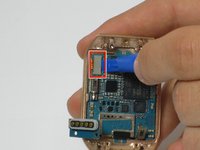
    1. Samsung Galaxy Gear Display Assembly Replacement, Motherboard: passo 4, imagem 1 %32 Samsung Galaxy Gear Display Assembly Replacement, Motherboard: passo 4, imagem 2 %32
      • On the display, use a plastic opening tool to lift up the two ribbon cables the motherboard.

      Pergunte ao FixBot

      Comentar

    2. Samsung Galaxy Gear Display Assembly Replacement: passo 5, imagem 1 %32
      • The motherboard is attached to the display using an adhesive

      • Using a heat gun, heat up the display for 4 to 5 minutes, making sure the move the heat gun around to distribute the heat around the display. This heats up the adhesive making the motherboard easier to remove

      Pergunte ao FixBot

      Comentar

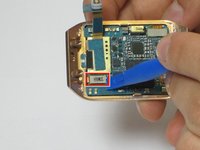
    3. Samsung Galaxy Gear Display Assembly Replacement: passo 6, imagem 1 %32 Samsung Galaxy Gear Display Assembly Replacement: passo 6, imagem 2 %32
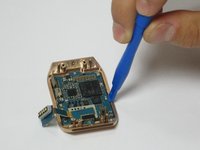
      • Using a plastic opening tool, carefully insert the opening tool in between the bezel and the motherboard and slide it the entire length of the logic board.

      • Slowly pry up the motherboard from the display.

      Pergunte ao FixBot

      Comentar

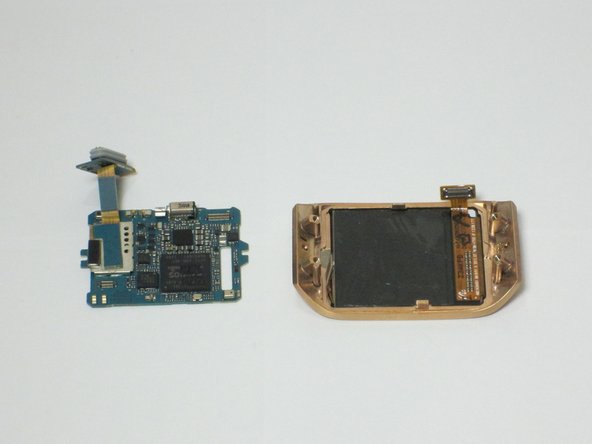
    1. Samsung Galaxy Gear Display Assembly Replacement, Display Assembly: passo 7, imagem 1 %32
      • The display assembly is now separated and can be replaced

      Pergunte ao FixBot

      Comentar

Conclusão

To reassemble your device, follow these instructions in reverse order.

Cancelar: não concluí este guia.

2 outras pessoas executaram este guia.

Joe

Membro desde: 04/11/16

279 Reputação

Autoria de 2 guias

Equipe

Cal Poly, Team 1-9, Maness Spring 2016 Membro de Cal Poly, Team 1-9, Maness Spring 2016

CPSU-MANESS-S16S1G9

4 Membros

Autoria de 31 guias

0Comentários do guia

Comentar

Visualizações:

Últimas 24 horas: 0

Últimos 7 dias: 5

Últimos 30 dias: 27

Ao todo: 1,992