Ir para o conteúdo principal
Participe da comunidade de reparos - Criar conta

Samsung Exhibit II 4G Loudspeaker Replacement

O que você precisa

  1. Samsung Exhibit II 4G Loudspeaker Replacement, Battery: passo 1, imagem 1 %32
    • Insert plastic opening tool under back cover.

    • Apply pressure on tool while using a downward motion to pop off back cover.

    Pergunte ao FixBot
  2. Samsung Exhibit II 4G Loudspeaker Replacement: passo 2, imagem 1 %32
    • Insert plastic opening tool under battery.

    • Pry battery out.

    Pergunte ao FixBot
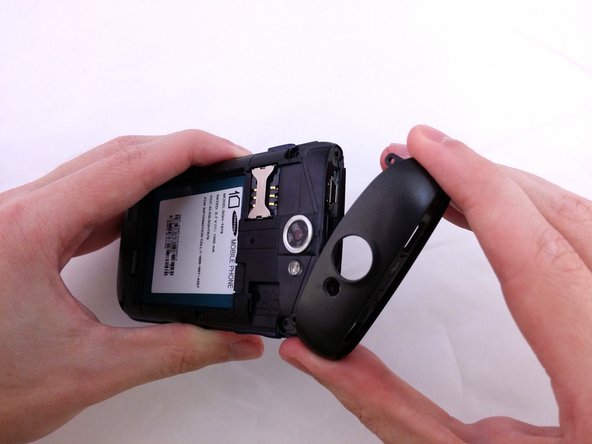
  3. Samsung Exhibit II 4G Loudspeaker Replacement, Top Rear Housing Cover: passo 3, imagem 1 %32
    • Insert plastic opening tool under back cover.

    • Pry the top cover upward to remove it from the phone.

    Pergunte ao FixBot
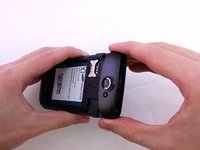
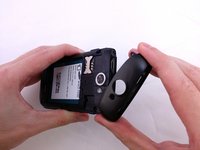
  4. Samsung Exhibit II 4G Loudspeaker Replacement: passo 4, imagem 1 %32
    • Remove the top cover.

    Pergunte ao FixBot
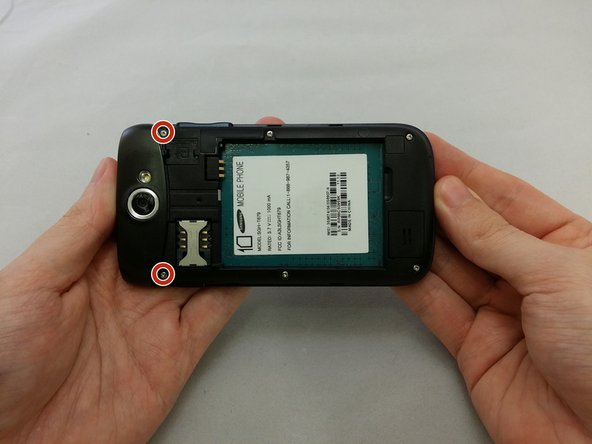
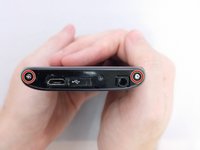
  5. Samsung Exhibit II 4G Loudspeaker Replacement: passo 5, imagem 1 %32 Samsung Exhibit II 4G Loudspeaker Replacement: passo 5, imagem 2 %32
    • Remove the four 3.8mm Phillips #000 screws securing the top cover to the back assembly.

    • Two screws from top and two screws from back.

    Pergunte ao FixBot
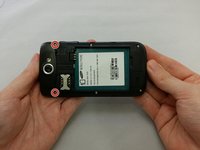
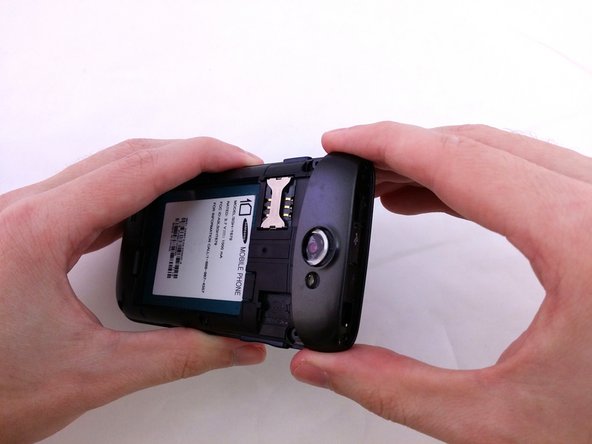
  6. Samsung Exhibit II 4G Loudspeaker Replacement: passo 6, imagem 1 %32 Samsung Exhibit II 4G Loudspeaker Replacement: passo 6, imagem 2 %32 Samsung Exhibit II 4G Loudspeaker Replacement: passo 6, imagem 3 %32
    • Insert plastic opening tool under top cover.

    • Using hand slide top cover away from phone.

    Pergunte ao FixBot
  7. Samsung Exhibit II 4G Loudspeaker Replacement, Midframe: passo 7, imagem 1 %32
    • Remove the four 3.8mm Phillips #000 screws securing the back assembly to the phone.

    Pergunte ao FixBot
  8. Samsung Exhibit II 4G Loudspeaker Replacement: passo 8, imagem 1 %32
    • Insert plastic opening tool between back assembly and phone.

    • Pry the back assembly away from phone.

    Pergunte ao FixBot
  9. Samsung Exhibit II 4G Loudspeaker Replacement: passo 9, imagem 1 %32
    • With plastic opening tool continue prying around the edge of the back assembly.

    Pergunte ao FixBot
  10. Samsung Exhibit II 4G Loudspeaker Replacement: passo 10, imagem 1 %32
    • Pull back panel assembly away from main body.

    Pergunte ao FixBot
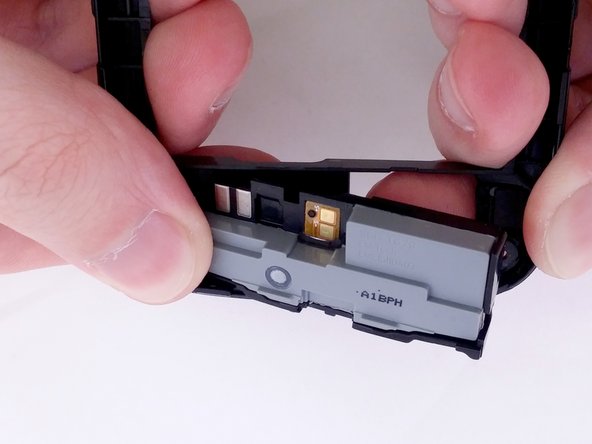
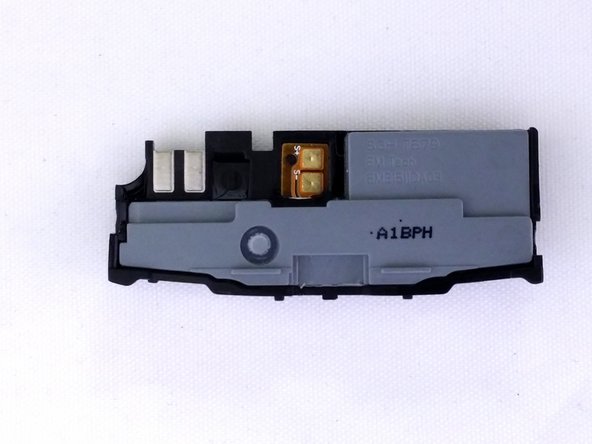
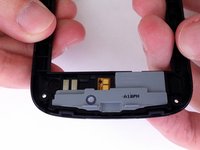
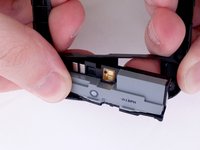
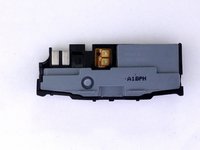
  11. Samsung Exhibit II 4G Loudspeaker Replacement, Loudspeaker: passo 11, imagem 1 %32 Samsung Exhibit II 4G Loudspeaker Replacement, Loudspeaker: passo 11, imagem 2 %32 Samsung Exhibit II 4G Loudspeaker Replacement, Loudspeaker: passo 11, imagem 3 %32
    • Position Back Panel Assembly so the internal Loudspeaker unit is facing up.

    • With your index fingers and thumbs, grasp the Back Panel Assembly near the Loudspeaker.

    • Twist your palms inward to apply pressure against your index fingers.

    • The Loudspeaker will easily pop out.

    Pergunte ao FixBot
Conclusão

To reassemble your device, follow these instructions in reverse order.

Uma outra pessoa concluiu este guia.

0Comentários do guia

Comentar

Visualizações:

Últimas 24 horas: 3

Últimos 7 dias: 7

Últimos 30 dias: 41

Ao todo: 524