Ir para o conteúdo principal
Participe da comunidade de reparos - Criar conta

Samsung Blackjack SIM Card Replacement

  1. Samsung Blackjack SIM Card Replacement, Battery Cover: passo 1, imagem 1 %32 Samsung Blackjack SIM Card Replacement, Battery Cover: passo 1, imagem 2 %32 Samsung Blackjack SIM Card Replacement, Battery Cover: passo 1, imagem 3 %32
    • Hold the device with the screen facing away from you and the camera towards you.

    • Place your thumb on the bottom half of the phone and slide the cover off while gently pushing down on the cover.

    Pergunte ao FixBot

    Comentar

  2. Samsung Blackjack SIM Card Replacement, Battery: passo 2, imagem 1 %32 Samsung Blackjack SIM Card Replacement, Battery: passo 2, imagem 2 %32
    • Place your fingers on both sides of the bottom of the battery and lift upwards.

    • Pull the battery away from the phone.

    Pergunte ao FixBot

    Comentar

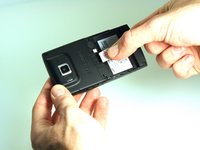
  3. Samsung Blackjack SIM Card Replacement, SIM Card: passo 3, imagem 1 %32 Samsung Blackjack SIM Card Replacement, SIM Card: passo 3, imagem 2 %32 Samsung Blackjack SIM Card Replacement, SIM Card: passo 3, imagem 3 %32
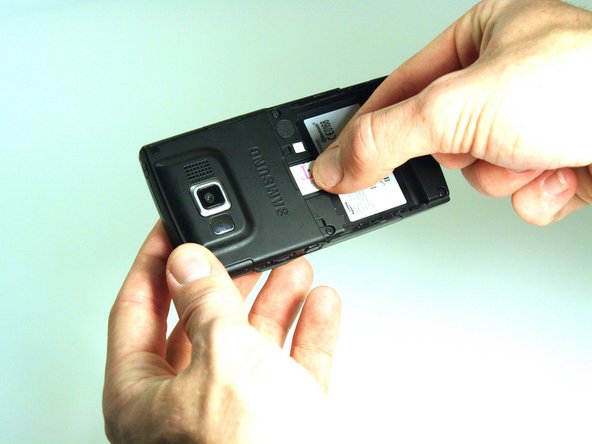
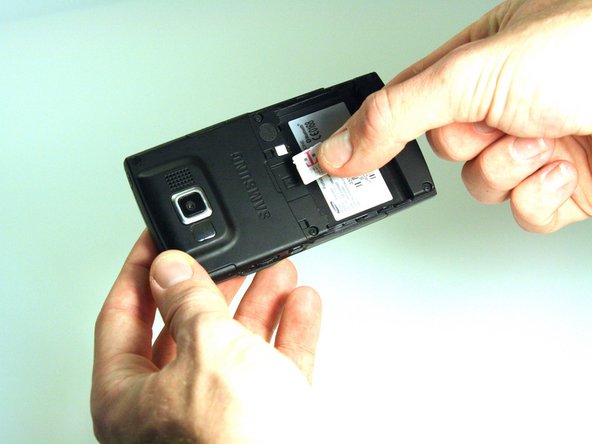
    • Place your thumb on the SIM card.

    • Slide the card out of the slot.

    Pergunte ao FixBot

    Comentar

Conclusão

To reassemble your device, follow these instructions in reverse order.

Cancelar: não concluí este guia.

Kristin Manna

Membro desde: 10/22/12

29 Reputação

Autoria de 10 guias

Equipe

Clemson, Team 14-4, Benson Fall 2012 Membro de Clemson, Team 14-4, Benson Fall 2012

CLEM-BENSON-F12S14G4

3 Membros

Autoria de 14 guias

0Comentários do guia

Comentar

Visualizações:

Últimas 24 horas: 1

Últimos 7 dias: 5

Últimos 30 dias: 32

Ao todo: 887