Ir para o conteúdo principal
Participe da comunidade de reparos - Criar conta

Samsung Blackjack Antenna Replacement

O que você precisa

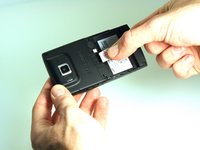
  1. Samsung Blackjack Antenna Replacement, Battery Cover: passo 1, imagem 1 %32 Samsung Blackjack Antenna Replacement, Battery Cover: passo 1, imagem 2 %32 Samsung Blackjack Antenna Replacement, Battery Cover: passo 1, imagem 3 %32
    • Hold the device with the screen facing away from you and the camera towards you.

    • Place your thumb on the bottom half of the phone and slide the cover off while gently pushing down on the cover.

    Pergunte ao FixBot

    Comentar

  2. Samsung Blackjack Antenna Replacement, Battery: passo 2, imagem 1 %32 Samsung Blackjack Antenna Replacement, Battery: passo 2, imagem 2 %32
    • Place your fingers on both sides of the bottom of the battery and lift upwards.

    • Pull the battery away from the phone.

    Pergunte ao FixBot

    Comentar

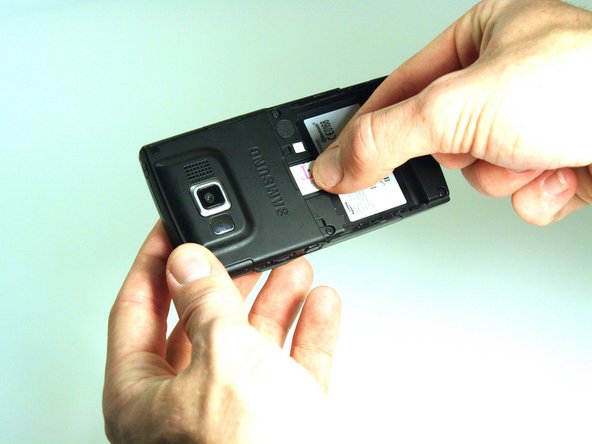
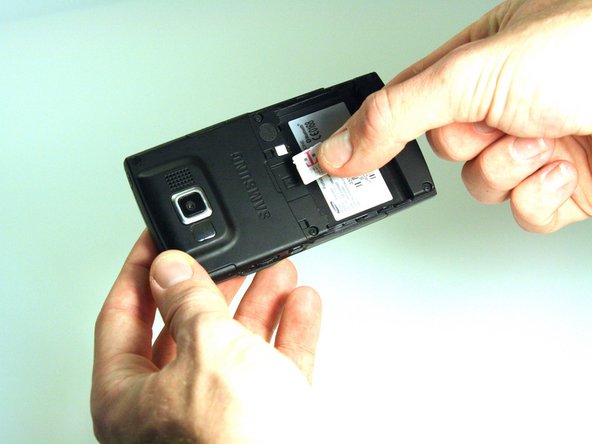
  3. Samsung Blackjack Antenna Replacement, SIM Card: passo 3, imagem 1 %32 Samsung Blackjack Antenna Replacement, SIM Card: passo 3, imagem 2 %32 Samsung Blackjack Antenna Replacement, SIM Card: passo 3, imagem 3 %32
    • Place your thumb on the SIM card.

    • Slide the card out of the slot.

    Pergunte ao FixBot

    Comentar

  4. Samsung Blackjack Antenna Replacement, Back Phone Casing: passo 4, imagem 1 %32 Samsung Blackjack Antenna Replacement, Back Phone Casing: passo 4, imagem 2 %32
    • Use the spudger to remove the rubber stoppers from the top of the cover.

    • Use the Phillips 00 screw driver to remove the screws from each of the four corners and the two on sides (six total).

    Pergunte ao FixBot

    Comentar

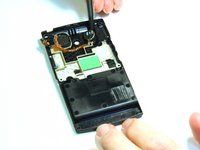
  5. Samsung Blackjack Antenna Replacement: passo 5, imagem 1 %32 Samsung Blackjack Antenna Replacement: passo 5, imagem 2 %32 Samsung Blackjack Antenna Replacement: passo 5, imagem 3 %32
    • Use the spudger to loosen and separate the front and back covers.

    • Pick up the back cover once loosened.

    • The front and back covers will be attached to each other by a gold wire.

    • Remove the gold wire connecting the back cover to the motherboard to completely separate the covers.

    Pergunte ao FixBot

    Comentar

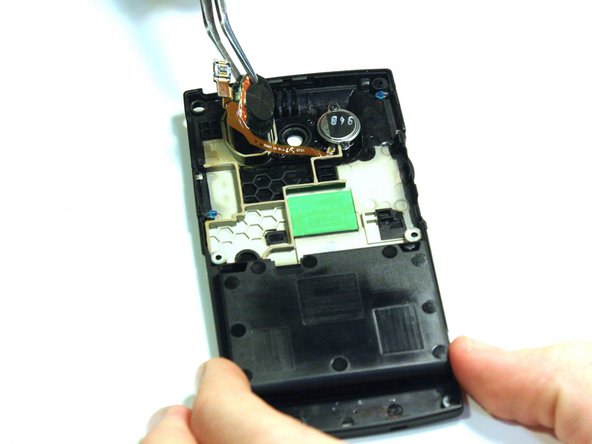
  6. Samsung Blackjack Antenna Replacement, Antenna: passo 6, imagem 1 %32 Samsung Blackjack Antenna Replacement, Antenna: passo 6, imagem 2 %32
    Ferramenta utilizada neste passo:
    Tweezers
    $4.99
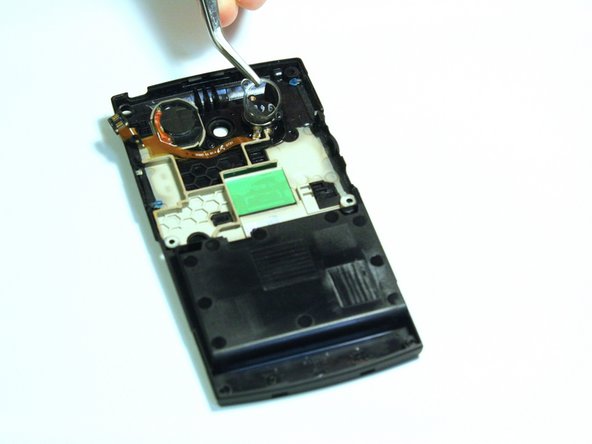
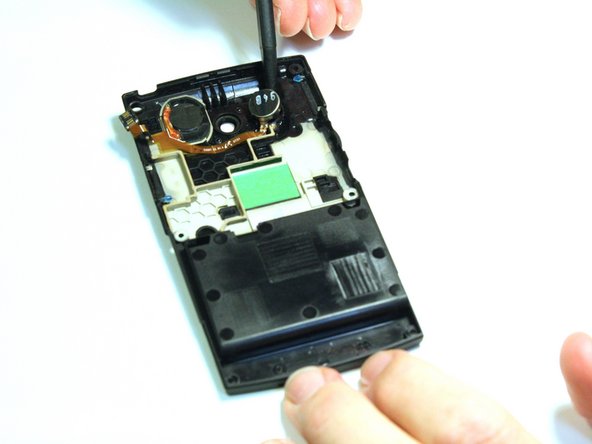
    • Note: The antenna is located on the back case of the phone. Flip over the back case of the phone so that the interior is facing up.

    • Use spudger to help loosen the antenna.

    • Once the antenna is loose, use tweezers to remove antenna.

    Pergunte ao FixBot

    Comentar

  7. Samsung Blackjack Antenna Replacement: passo 7, imagem 1 %32 Samsung Blackjack Antenna Replacement: passo 7, imagem 2 %32 Samsung Blackjack Antenna Replacement: passo 7, imagem 3 %32
    • Use the Phillips 00 screwdriver to remove the screw from the casing around the speaker.

    • Use tweezers to lift the casing around the speaker.

    • Use spudger to dislodge the speaker.

    Pergunte ao FixBot

    Comentar

Conclusão

To reassemble your device, follow these instructions in reverse order.

Cancelar: não concluí este guia.

Kristin Manna

Membro desde: 10/22/12

29 Reputação

Autoria de 10 guias

Equipe

Clemson, Team 14-4, Benson Fall 2012 Membro de Clemson, Team 14-4, Benson Fall 2012

CLEM-BENSON-F12S14G4

3 Membros

Autoria de 14 guias

0Comentários do guia

Comentar

Visualizações:

Últimas 24 horas: 0

Últimos 7 dias: 3

Últimos 30 dias: 40

Ao todo: 809