Ir para o conteúdo principal
Participe da comunidade de reparos - Criar conta

SSD Replacement

O que você precisa

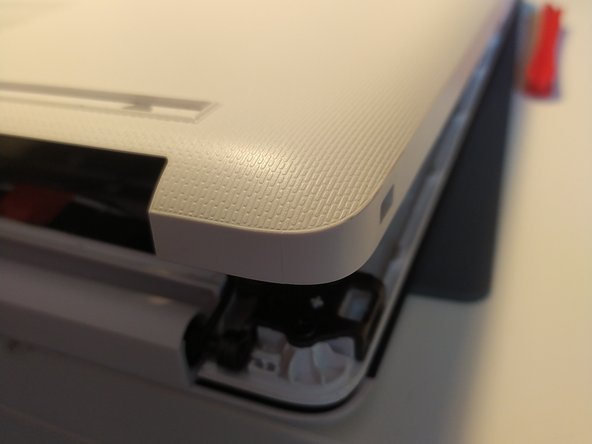
  1. SSD Replacement, removal of bottom case: passo 1, imagem 1 %32 SSD Replacement, removal of bottom case: passo 1, imagem 2 %32
    • remove the feet with a spudger

  2. SSD Replacement: passo 2, imagem 1 %32 SSD Replacement: passo 2, imagem 2 %32
    • Remove the 11 screw with a PH0 screwdriver.

    • The screws are identical

  3. SSD Replacement: passo 3, imagem 1 %32 SSD Replacement: passo 3, imagem 2 %32
    • Insert a spudger between the bottom cover and the keyboard module, then go around the whole cover to uncip everything.

    • Remove the bottom cover from the computer.

  4. SSD Replacement: passo 4, imagem 1 %32
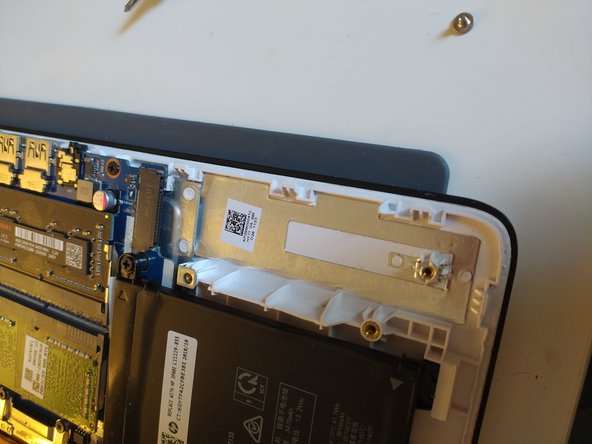
    • You now have acces to the inside of the machine.

  5. SSD Replacement, SSD: passo 5, imagem 1 %32
    • remove the screw with your PH0 screwdriver

  6. SSD Replacement: passo 6, imagem 1 %32 SSD Replacement: passo 6, imagem 2 %32
    • slide the SSD out of the m.2 slot

    • It may be necessary to slightly lift up the back of the SSD

    • The SSD is now removed

Conclusão

Install your SSD

To reassemble your machine, follow the instructions in reverse order.

Um agradecimento especial a esses tradutores:

fr en

100%

S Devaud está nos ajudando a consertar o mundo! Quer contribuir?
Comece a traduzir ›

Léo FRAYSSE

Membro desde: 09/03/18

1.379 Reputação

Autoria de 6 guias

0Comentários do guia

Comentar

Visualizações:

Últimas 24 horas: 0

Últimos 7 dias: 12

Últimos 30 dias: 35

Ao todo: 632