Ir para o conteúdo principal
Participe da comunidade de reparos - Criar conta

Ryobi P235 Bit-Holder Replacement

O que você precisa

    1. Ryobi P235 Bit-Holder Replacement, Battery: passo 1, imagem 1 %32 Ryobi P235 Bit-Holder Replacement, Battery: passo 1, imagem 2 %32
      • Push in both push tabs on the battery at the same time.

      • They are located below the green housing and are in the middle on both sides of the battery.

      Pergunte ao FixBot

      Comentar

    2. Ryobi P235 Bit-Holder Replacement: passo 2, imagem 1 %32 Ryobi P235 Bit-Holder Replacement: passo 2, imagem 2 %32
      • Pull the battery away from the drill housing while holding in both tabs.

      Pergunte ao FixBot

      Comentar

    1. Ryobi P235 Bit-Holder Replacement, Bit-Holder: passo 3, imagem 1 %32 Ryobi P235 Bit-Holder Replacement, Bit-Holder: passo 3, imagem 2 %32
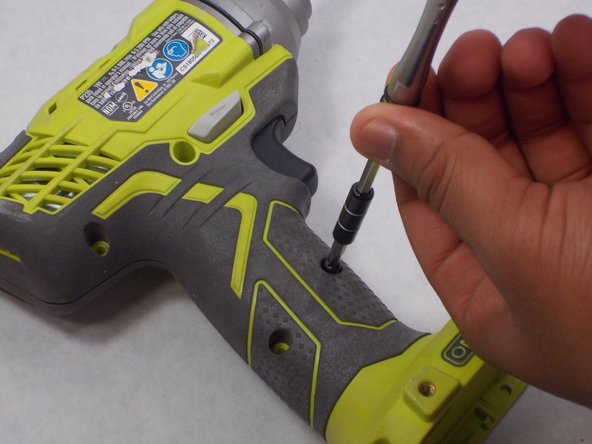
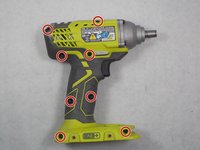
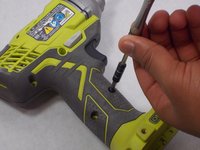
      • Use a Phillips #2 screwdriver to remove the eight 16 mm screws that secure the housing.

      Pergunte ao FixBot

      Comentar

    2. Ryobi P235 Bit-Holder Replacement: passo 4, imagem 1 %32 Ryobi P235 Bit-Holder Replacement: passo 4, imagem 2 %32
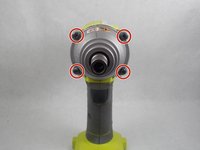
      • Use a T20 Torx screwdriver to remove the four 25.4 mm screws that secure the front of the housing.

      Pergunte ao FixBot

      Comentar

    3. Ryobi P235 Bit-Holder Replacement: passo 5, imagem 1 %32 Ryobi P235 Bit-Holder Replacement: passo 5, imagem 2 %32
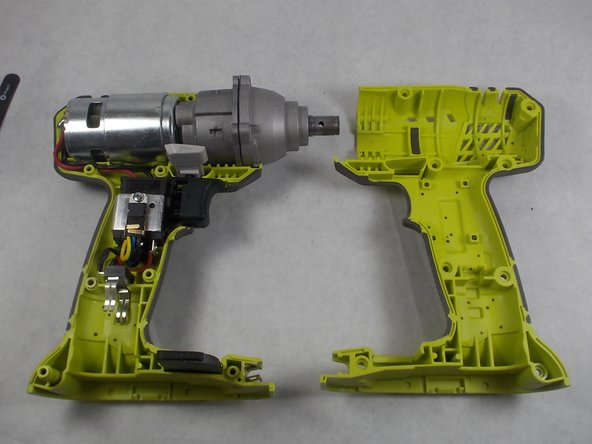
      • Open the housing with the data label facing up.

      Pergunte ao FixBot

      Comentar

    4. Ryobi P235 Bit-Holder Replacement: passo 6, imagem 1 %32 Ryobi P235 Bit-Holder Replacement: passo 6, imagem 2 %32
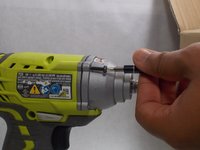
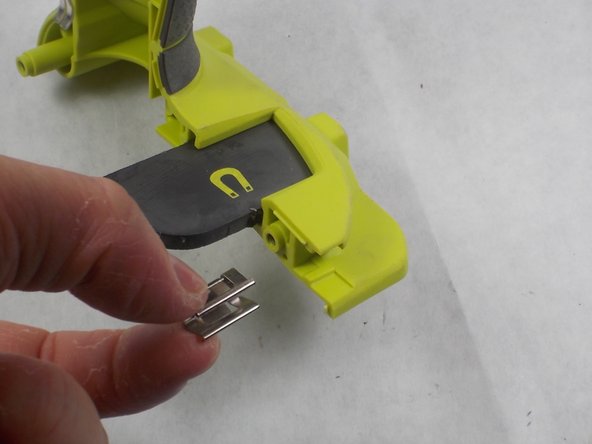
      • Remove the old bit holder.

      Pergunte ao FixBot

      Comentar

Conclusão

To reassemble your device, follow these instructions in reverse order.

Cancelar: não concluí este guia.

Paul Sousa

Membro desde: 10/29/19

817 Reputação

Autoria de 5 guias

Equipe

0Comentários do guia

Comentar

Visualizações:

Últimas 24 horas: 1

Últimos 7 dias: 8

Últimos 30 dias: 24

Ao todo: 1,249