Ir para o conteúdo principal
Participe da comunidade de reparos - Criar conta

Retro-Bit Retro Duo Circuit Board Replacement

O que você precisa

  1. Retro-Bit Retro Duo Circuit Board Replacement, Circuit Board: passo 1, imagem 1 %32 Retro-Bit Retro Duo Circuit Board Replacement, Circuit Board: passo 1, imagem 2 %32 Retro-Bit Retro Duo Circuit Board Replacement, Circuit Board: passo 1, imagem 3 %32
    • With the console on its top, remove the four 12 mm Phillips #2 screws.

    • There may be a sticker covering one or more of the screws. Simply remove the sticker before screw removal.

    • Flip the console on its feet. Carefully lift the top casing from the back (where the AV/S and power ports are).

    • To avoid damage, do not remove the top casing completely. There is a small LED circuit board connected to the main circuit board.

    Pergunte ao FixBot

    Comentar

  2. Retro-Bit Retro Duo Circuit Board Replacement: passo 2, imagem 1 %32 Retro-Bit Retro Duo Circuit Board Replacement: passo 2, imagem 2 %32 Retro-Bit Retro Duo Circuit Board Replacement: passo 2, imagem 3 %32
    • Remove the one 6 mm Phillips #0 LED circuit board screw.

    • Lift the top case and set aside.

    Pergunte ao FixBot

    Comentar

  3. Retro-Bit Retro Duo Circuit Board Replacement: passo 3, imagem 1 %32 Retro-Bit Retro Duo Circuit Board Replacement: passo 3, imagem 2 %32 Retro-Bit Retro Duo Circuit Board Replacement: passo 3, imagem 3 %32
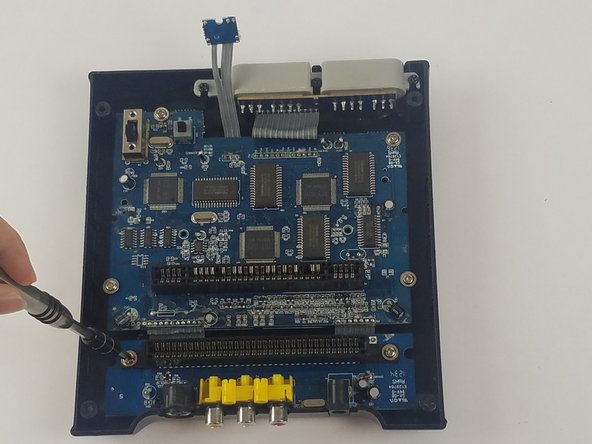
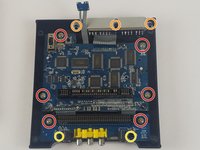
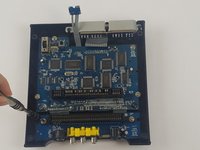
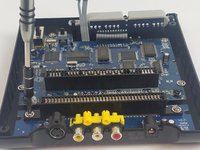
    • Remove the 11 screws holding the circuit boards and ports in place.

    • Six 11 mm Phillips #2 holding the circuit boards.

    • Three 12 mm Phillips #2 screws holding the controller ports.

    • Two 7 mm Philllips #2 screws holding the back ports

    Pergunte ao FixBot

    Comentar

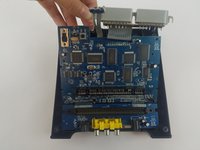
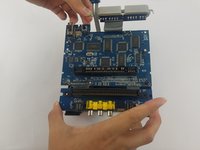
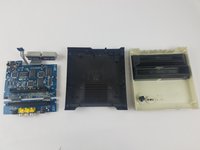
  4. Retro-Bit Retro Duo Circuit Board Replacement: passo 4, imagem 1 %32 Retro-Bit Retro Duo Circuit Board Replacement: passo 4, imagem 2 %32 Retro-Bit Retro Duo Circuit Board Replacement: passo 4, imagem 3 %32
    • Carefully lift the circuit board while holding either the AV or controller ports. Alternatively, you can hold the circuit board on its edges.

    • Make sure to lift the circuit board completely out of the bottom case.

    • To avoid damage, do not to touch the top or bottom faces of the circuit board.

    Pergunte ao FixBot

    Comentar

Conclusão

To reassemble your device, follow these instructions in reverse order.

Cancelar: não concluí este guia.

Truong Vo

Membro desde: 09/25/17

324 Reputação

Autoria de 3 guias

Equipe

USF Tampa, Team S4-G4, Eyestone Fall 2017 Membro de USF Tampa, Team S4-G4, Eyestone Fall 2017

USFT-EYESTONE-F17S4G4

3 Membros

Autoria de 10 guias

1Comentário do guia

I hope you show the second part were you replace the 72pin connector. Please include part source.

The 72 pin connector grabs too tightly on the cart.

Thanks.

George Tedrick - Responder Compartilhar

Comentar

Visualizações:

Últimas 24 horas: 2

Últimos 7 dias: 12

Últimos 30 dias: 50

Ao todo: 3,182