Ir para o conteúdo principal
Participe da comunidade de reparos - Criar conta

Repairing Quasar Microwave Fan

O que você precisa

    1. Repairing Quasar Microwave Fan, Disassembling Quasar Microwave Outer Cover: passo 1, imagem 1 %32
      • Disconnect the power supply cord from the outlet.

      Pergunte ao FixBot

      Comentar

    2. Repairing Quasar Microwave Fan: passo 2, imagem 1 %32 Repairing Quasar Microwave Fan: passo 2, imagem 2 %32
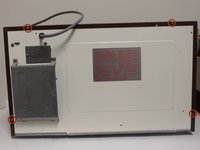
      • Remove the eight screws holding the wood-patterned cover to the microwave frame.

      • The first four screws are located on either side of the microwave front.

      Pergunte ao FixBot

      Comentar

    3. Repairing Quasar Microwave Fan: passo 3, imagem 1 %32 Repairing Quasar Microwave Fan: passo 3, imagem 2 %32
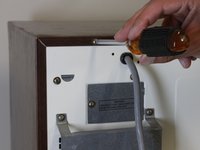
      • Remove the additional four screws securing the wood-paneled case to the microwave frame.

      Pergunte ao FixBot

      Comentar

    4. Repairing Quasar Microwave Fan: passo 4, imagem 1 %32 Repairing Quasar Microwave Fan: passo 4, imagem 2 %32 Repairing Quasar Microwave Fan: passo 4, imagem 3 %32
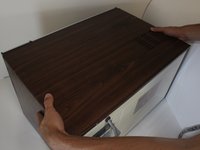
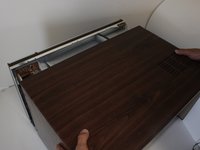
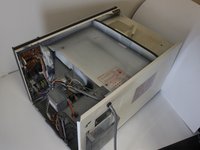
      • Placing your hands on either side of the case, slide the case back gently until you feel it completely separate from the microwave frame.

      • Lift the case upward slowly until the case is free of the microwave.

      Pergunte ao FixBot

      Comentar

    1. Repairing Quasar Microwave Fan, Repairing Quasar Microwave Fan: passo 5, imagem 1 %32 Repairing Quasar Microwave Fan, Repairing Quasar Microwave Fan: passo 5, imagem 2 %32
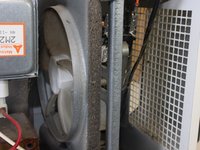
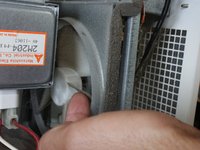
      • Locate the fan in the newly exposed interior.

      • Try spinning the fan with your finger. If it spins freely, the fan is not jammed.

      • If the fan does not spin freely, locate what is jamming the fan and remove it.

      Pergunte ao FixBot

      Comentar

    2. Repairing Quasar Microwave Fan: passo 6, imagem 1 %32
      • If the fan is not jammed yet still does not work, check that there are no disconnected wires, especially to the fan.

      • In order to work properly, there should be two wires going in and out of the fan. If you are missing either of these wires, locate the loose wire/s and connect them.

      Pergunte ao FixBot

      Comentar

Conclusão

To reassemble your device, follow these instructions in reverse order.

Cancelar: não concluí este guia.

Uma outra pessoa concluiu este guia.

Melanie

Membro desde: 09/26/12

107 Reputação

Autoria de 2 guias

Equipe

Cal Poly, Team 2-12, Propen Fall 2012 Membro de Cal Poly, Team 2-12, Propen Fall 2012

CPSU-PROPEN-F12S2G12

3 Membros

Autoria de 18 guias

0Comentários do guia

Comentar

Visualizações:

Últimas 24 horas: 3

Últimos 7 dias: 8

Últimos 30 dias: 29

Ao todo: 2,055