Introdução
Key 20 on the Razer Tartarus V2, model number RZ07-02270100-R3U1, can become stuck or damaged. This key is different from the other 19 keys due to its additional support bar. This guide will explain how to replace it.
O que você precisa
-
-
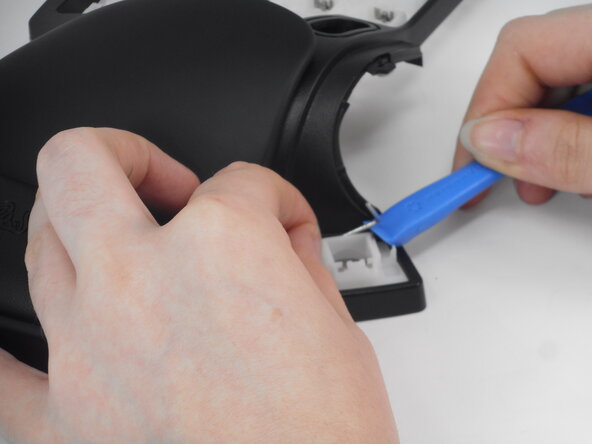
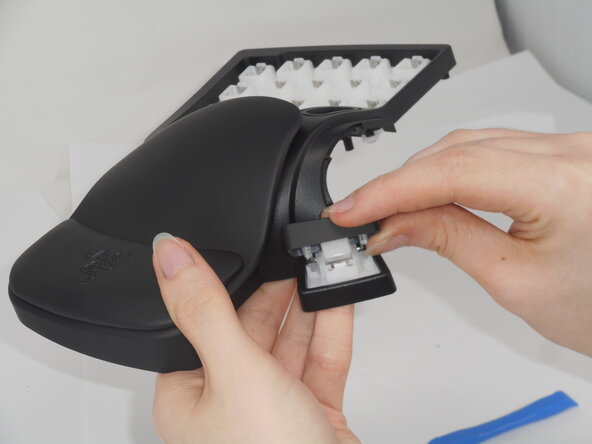
Carefully pop off Key 20 using an iFixit opening tool.
-
If necessary, remove the stability bar by holding one side steady and using the opening tool to gently leverage the other side out.
 Pergunte ao FixBot
-
-
-
-
Check for a stuck key stem.
-
If stuck, push the stem out from the back of the top casing.
-
-
-
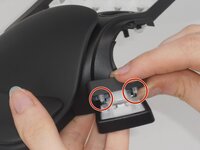
Locate the two small protrusions on the bottom of Key 20.
-
Hold one arm of the bar in place with one finger to prevent it from falling out during alignment.
-
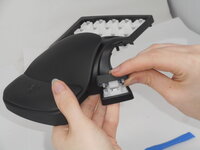
Carefully press the key down into place, making sure both protrusion slots align with the bar arms.
-



To reassemble your device, follow the above steps in reverse order.
Repair didn’t go as planned? Try some basic troubleshooting or ask our Answers community for help.

Equipe

University of Memphis, Team 2-1, Sneed Spring 2025 Membro de University of Memphis, Team 2-1, Sneed Spring 2025
UM-SNEED-S25S2G1
3 Membros
Autoria de 8 guias
1Comentário do guia
Just let the stability bar rest on the two towers it naturally wants to rest on and when you replace the keycap and press it down the first time, the cap will pick up the bar on its own.
