Introdução
Having troubles charging your Razer Phone and need to replace the charging port? Follow this easy guide on how to do so.
O que você precisa
-
-
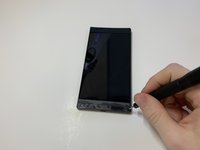
Remove the plastic speaker grills by using the metal spudger to pry underneath the strips.
-
Peel off the plastic speaker grill to reveal the screws.
 Pergunte ao FixBot
-
-
-
Pry the top plastic grill off with the metal spudger and reveal the screws.
-
-
-
Remove five (two bottom, three top) 2.5 mm screws with the Phillips #000 screwdriver.
-
Remove five (four bottom, one top) 5.5 mm screws with the Torx Head T5 screwdriver.
-
-
-
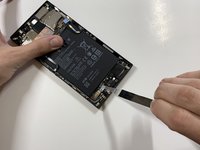
Remove the display assembly by using the Jimmy to separate the assembly from the phone's frame.
-
Lift the display assembly away from the other half of the phone.
-
-
Ferramenta utilizada neste passo:Tweezers$4.99
-
Remove one 2.5 mm screw holding down the metal bracket connector using the Phillips #000 screwdriver.
-
Peel back the metallic shielding over the connector using tweezers.
-
Remove the metal bracket connector.
-
-
-
-
Grab hold of the the screen ribbon with the tweezers and remove it from the rest of the phone to free the assembly display.
-
-
Ferramenta utilizada neste passo:Tweezers$4.99
-
Grab hold of the connector on the right side of the phone (just above the battery) using the tweezers.
-
Remove the connector.
-
-
-
Remove the 2.5 mm screw holding down the bracket with a Phillips #000 screwdriver.
-
Grab the bracket with the tweezers and remove it.
-
-
-
Peel off and pull out the elastic tabs at the bottom of the battery.
-
-
-
Using a Phillips #000 screwdriver, take out the seven 1 mm screws on the bottom panel of the device.
-
-
Ferramenta utilizada neste passo:Tweezers$4.99
-
Grab hold of the blue connector on the upper left side of the phone with the tweezers.
-
Remove the connector.
-
-
-
Use the tweezers to grab hold of the connector for the blue wire (bottom of the device), and remove the connector.
-
Use the tweezers to grab hold of the connector for the white wire, and remove the connector.
-






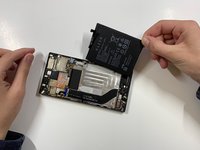


To reassemble your device, follow these instructions in reverse order.
Cancelar: não concluí este guia.
14 outras pessoas executaram este guia.

Equipe

Cal Poly, Team S19-G6, White Winter 2019 Membro de Cal Poly, Team S19-G6, White Winter 2019
CPSU-WHITE-W19S19G6
4 Membros
Autoria de 15 guias
10Comentários do guia
Who i can find one replacement…pls a link
Search it on Amazon.c
hi how much you guys charge for the charging port thanks
Does this tutorial also work for the Razer phone 2?
Nah, even step one looks different for me.
