Ir para o conteúdo principal
Participe da comunidade de reparos - Criar conta

RCA RCT6773W22 Battery Replacement

O que você precisa

  1. RCA RCT6773W22 Battery Replacement, Battery: passo 1, imagem 1 %32 RCA RCT6773W22 Battery Replacement, Battery: passo 1, imagem 2 %32
    • Remove the two 5mm screws from the bottom of the device using a Phillips #000 screwdriver.

  2. RCA RCT6773W22 Battery Replacement: passo 2, imagem 1 %32 RCA RCT6773W22 Battery Replacement: passo 2, imagem 2 %32 RCA RCT6773W22 Battery Replacement: passo 2, imagem 3 %32
    • Place the plastic opening tool between the case and the screen.

    • Slide the tool clockwise around the case until all the clips are removed.

    • Do not completely separate the case from the screen because there is a wire connecting the motherboard to the speaker.

  3. RCA RCT6773W22 Battery Replacement: passo 3, imagem 1 %32 RCA RCT6773W22 Battery Replacement: passo 3, imagem 2 %32 RCA RCT6773W22 Battery Replacement: passo 3, imagem 3 %32
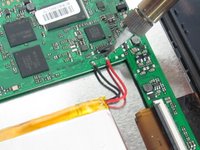
    • Desolder the two wires that connect the battery to the motherboard.

    • Learn more about soldering with this soldering technique guide.

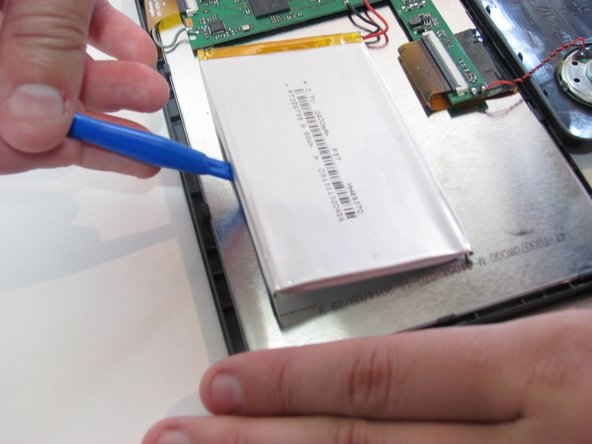
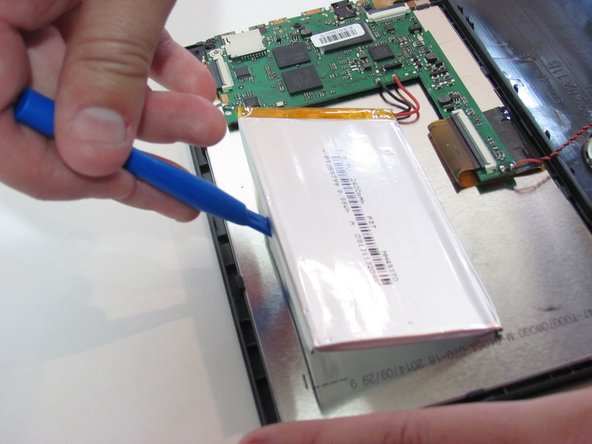
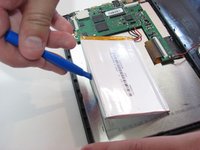
    • Using the blue plastic opening tool, lift the battery away from the device.

Conclusão

To reassemble your device, follow these instructions in reverse order.

2 outras pessoas executaram este guia.

Kelsea Weber

Membro desde: 11/12/15

21.278 Reputação

Autoria de 32 guias

1Comentário do guia

Umm, which battery do you need for it? Seems that’s a part that is kind of important.

Cathy Hajo - Responder Compartilhar

Comentar

Visualizações:

Últimas 24 horas: 1

Últimos 7 dias: 24

Últimos 30 dias: 96

Ao todo: 4,324