Introdução
If the screen of the device becomes cracked or stops registering touch commands, use the following guide to replace the screen.
O que você precisa
-
-
-
Remove two 2.4mm x 4mm screws from bottom of the tablet with Phillips #00 Screwdriver.
 Pergunte ao FixBot
-
-
-
Remove back cover with lever tool, exposing the battery and motherboard.
-
-
-
Ferramenta utilizada neste passo:Tweezers$4.99
-
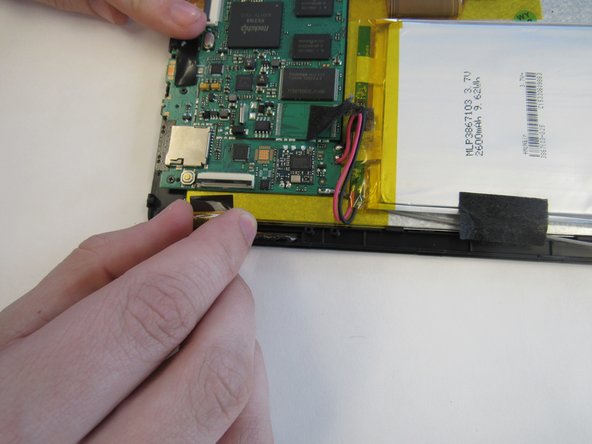
Using the tweezers, remove the black tape connecting the screen to the motherboard.
-
-
-
Heat the iOpener in the microwave, following the instructions provided with the tool. Lay the heated iOpener on the front screen for two minutes to soften the connection of the screen to the tablet.
-
-
-
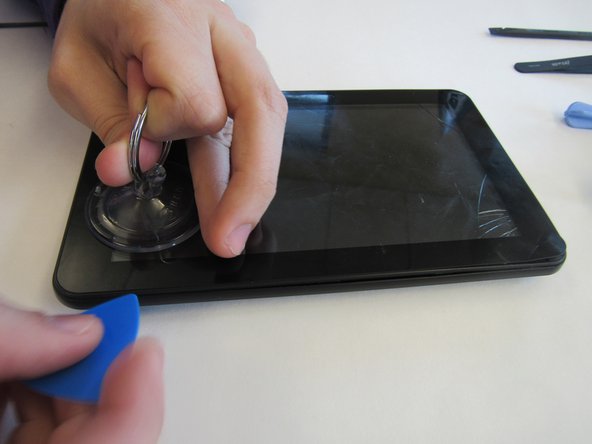
Use the suction cup and lever tool tool to pry the front screen from the tablet.
-
-






To reassemble your device, follow these instructions in reverse order.
Cancelar: não concluí este guia.
2 outras pessoas executaram este guia.

