Introdução
In order to upgrade your PowerBook's RAM or replace a faulty RAM card you will need first remove the existing RAM card.
O que você precisa
-
-
Close the screen and turn the PowerBook over, orienting the computer upside down, using the label to guide you.
 Pergunte ao FixBot
-
-
-
-
With a Torx T8 screwdriver, remove the three Torx 24mm screws along the center of the back panel.
-
-
-
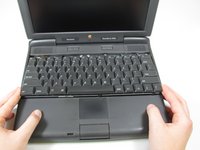
Turn the computer over and open the display. You should see that the keyboard is loose.
-
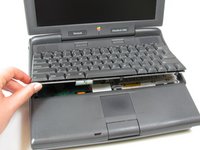
Slightly lift the front of the keyboard up, and slide the keyboard towards yourself.
-
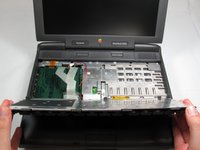
Carefully lift the top half of the keyboard and pull it towards yourself.
-
-
-
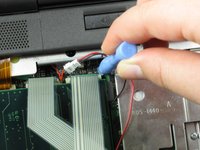
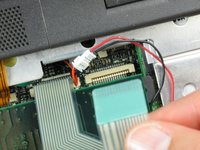
Loosen the ribbon cables connecting the keyboard to the computer by using a plastic opening tool to lift the tabs on either side of the cable port.
-
Gently remove the ribbons from its tabs.
-
-
-
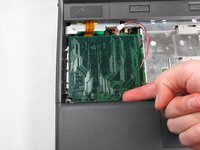
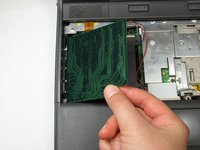
Gently wiggle the RAM card to loosen the connection until it pulls free.
-






To install the new RAM card, follow these steps in reverse order.
Cancelar: não concluí este guia.
2 outras pessoas executaram este guia.

Equipe

Cal Poly, Team 24-59, Amido Spring 2011 Membro de Cal Poly, Team 24-59, Amido Spring 2011
CPSU-AMIDO-S11S24G59
4 Membros
Autoria de 9 guias
1Comentário do guia
To reattach the keyboard I found it necessary to keep the kid open and push the keyboard all the way down; otherwise, the screws didn’t engage.
