Introdução
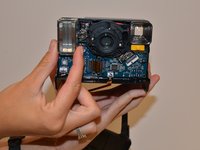
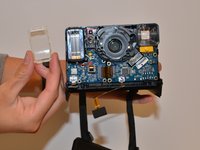
You will need to replace the flash cover if the camera will not take clear pictures, has a cracked or scratched cover. You will need to use the Shutter Switch Replacement guide as a precursor guide.
O que você precisa
-
-
-
Unscrew the four 5mm screws on the base of the camera. Remove the two pieces of the base.
 Pergunte ao FixBot
-
-
-
Unscrew the four 5mm screws on the top of the inside base piece.
-
Unscrew the two 5mm screws on the bottom of the inside base piece which is near the strap.
-
-
-
-
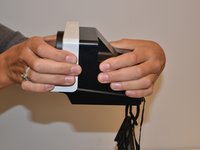
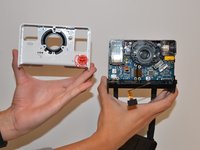
With force separate the front white piece from the back of the camera. You will use your hands to pull it apart.
-
-




To reassemble your device, follow these instructions in reverse order.
Cancelar: não concluí este guia.
2 outras pessoas executaram este guia.

Equipe

University of Alabama, Team S1-G1, Bedsole Fall 2018 Membro de University of Alabama, Team S1-G1, Bedsole Fall 2018
UA-BEDSOLE-F18S1G1
4 Membros
Autoria de 5 guias
