Introdução
The base unit and headset are synchronized together when you bought them. So if you want to use a replacement headset with the base unit (or if you lose your connection to the base unit) you will need to follow these steps to synchronize the headset to the base:
-
-
Ensure the headset is in the base's cradle.
 Pergunte ao FixBot
-
-
-
Press the volume control buttons on the back of the base until the front of the base flashes red.
-
-
-
-
Press the mute switch on top of the headset until the green light on the headset turns on.
-
-
-
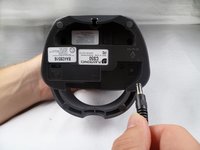
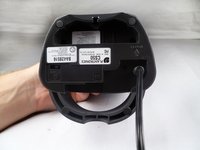
Unplug the power cord for five seconds. After the five seconds are over, reconnect the power cord.
-
-
-
When the flashing red light becomes solid, synchronization is complete.
-



Cancelar: não concluí este guia.
3 outras pessoas executaram este guia.

Equipe

Cal Poly, Team 17-29, Amido Spring 2012 Membro de Cal Poly, Team 17-29, Amido Spring 2012
CPSU-AMIDO-S12S17G29
4 Membros
Autoria de 14 guias
