Ir para o conteúdo principal
Participe da comunidade de reparos - Criar conta

Pentax Optio WG-2 Back Case Replacement

Pré-requisito somente
Este é um guia somente para pré-requisitos! Este guia faz parte de outro procedimento e não deve ser usado sozinho.

O que você precisa

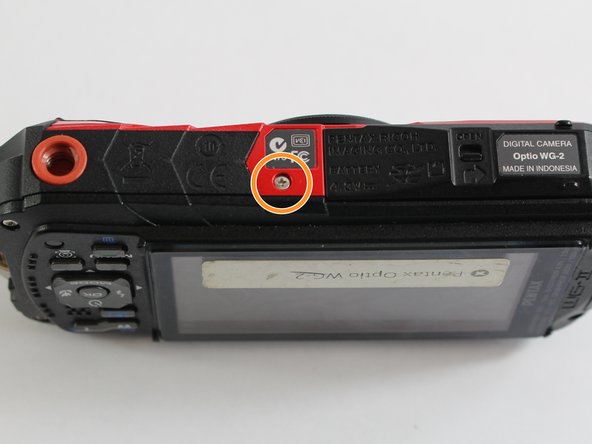
    1. Pentax Optio WG-2 Back Case Replacement, Back Case: passo 1, imagem 1 %32 Pentax Optio WG-2 Back Case Replacement, Back Case: passo 1, imagem 2 %32
      • Remove all four 1 mm JIS #00 screws from the back of the camera.

      Pergunte ao FixBot

      Comentar

    2. Pentax Optio WG-2 Back Case Replacement: passo 2, imagem 1 %32
      • Use your finger to peel the grip off the top of the camera.

      • For best results, start from the right side of the camera, opposite the buttons.

      • Once the grip is removed, you will most likely lose the water-tight seal.

      Pergunte ao FixBot

      Comentar

    3. Pentax Optio WG-2 Back Case Replacement: passo 3, imagem 1 %32
      Ferramenta utilizada neste passo:
      Tweezers
      $4.99
      • Use the tweezers to remove the two buttons from the top of the camera.

      • The buttons may fall out while removing the grip.

      Pergunte ao FixBot

      Comentar

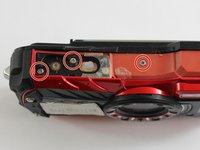
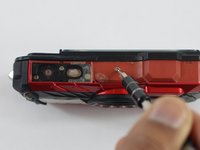
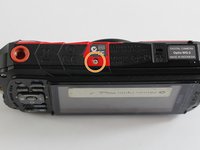
    4. Pentax Optio WG-2 Back Case Replacement: passo 4, imagem 1 %32 Pentax Optio WG-2 Back Case Replacement: passo 4, imagem 2 %32 Pentax Optio WG-2 Back Case Replacement: passo 4, imagem 3 %32
      • Remove the three 1 mm JIS #000 screws from the top.

      • Remove the 1 mm JIS #000 screw from the bottom.

      Pergunte ao FixBot

      Comentar

    5. Pentax Optio WG-2 Back Case Replacement: passo 5, imagem 1 %32
      • Carefully separate the back and the front of the camera.

      • There are three ribbon cables connecting the two boards. Be careful not to tear them.

      Pergunte ao FixBot

      Comentar

    6. Pentax Optio WG-2 Back Case Replacement: passo 6, imagem 1 %32
      • Use the tip of a spudger to flip up the small retaining flaps on the ribbon cable ZIF connectors.

      • Carefully pull the ribbon cables out of their sockets.

      Pergunte ao FixBot

      Comentar

Conclusão

To reassemble your device, follow these instructions in reverse order.

Cancelar: não concluí este guia.

Equipe

0Comentários do guia

Comentar

Visualizações:

Últimas 24 horas: 2

Últimos 7 dias: 5

Últimos 30 dias: 13

Ao todo: 291