Introdução
This guide will teach you how to properly remove and insert the camera's battery.
-
-
-
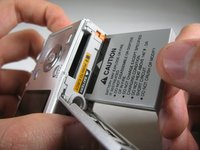
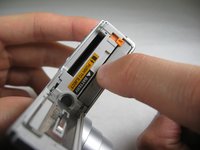
Flip camera over to bottom side. Slide battery cover to the right and flip open.
 Pergunte ao FixBot
-
-
-
-
To reinsert battery, if necessary repeat Step 1. Insert battery so that the side of the battery with "CAUTION" below the black bar with an arrow faces the label "BATTERY". Make sure to push battery until small, orange lever holds battery in place. Close battery cover.
-
-


Cancelar: não concluí este guia.
2 outras pessoas executaram este guia.

Equipe

Cal Poly, Team 4-29, Regan Winter 2011 Membro de Cal Poly, Team 4-29, Regan Winter 2011
CPSU-REGAN-W11S4G29
3 Membros
Autoria de 10 guias
1Comentário do guia
Hello,
My battery is stuck - even though I push the lever I can’t get a grip on the battery,
Thank you
