Ir para o conteúdo principal
Participe da comunidade de reparos - Criar conta

Panasonic DMC-FZ70 LCD Screen Replacement

O que você precisa

    1. Panasonic DMC-FZ70 LCD Screen Replacement, Back Panel: passo 1, imagem 1 %32 Panasonic DMC-FZ70 LCD Screen Replacement, Back Panel: passo 1, imagem 2 %32
      • All screws should be removed using a Phillips #0 screwdriver.

      • Using your screwdriver, unscrew the two 5.0 mm Philips screws to the right of the LCD screen.

      Pergunte ao FixBot

      Comentar

    2. Panasonic DMC-FZ70 LCD Screen Replacement: passo 2, imagem 1 %32 Panasonic DMC-FZ70 LCD Screen Replacement: passo 2, imagem 2 %32
      • Flip the camera over to the left side of the screen and unscrew the 5mm Phillips screw found there.

      Pergunte ao FixBot

      Comentar

    3. Panasonic DMC-FZ70 LCD Screen Replacement: passo 3, imagem 1 %32 Panasonic DMC-FZ70 LCD Screen Replacement: passo 3, imagem 2 %32
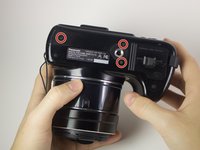
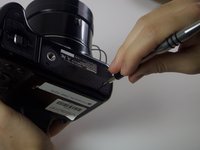
      • Turn the camera upside down and unscrew the three 5mm screws found on the bottom.

      Pergunte ao FixBot

      Comentar

    4. Panasonic DMC-FZ70 LCD Screen Replacement: passo 4, imagem 1 %32 Panasonic DMC-FZ70 LCD Screen Replacement: passo 4, imagem 2 %32
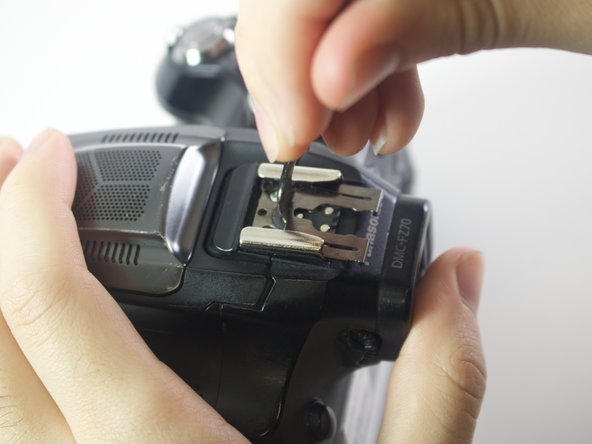
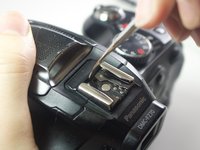
      • On the top of the camera locate the two rails with a thin sheet of metal on the floor between them.

      • With a metal spudger, lift this sheet and push it out of the rail device to detach it from the camera.

      Pergunte ao FixBot

      Comentar

    5. Panasonic DMC-FZ70 LCD Screen Replacement: passo 5, imagem 1 %32
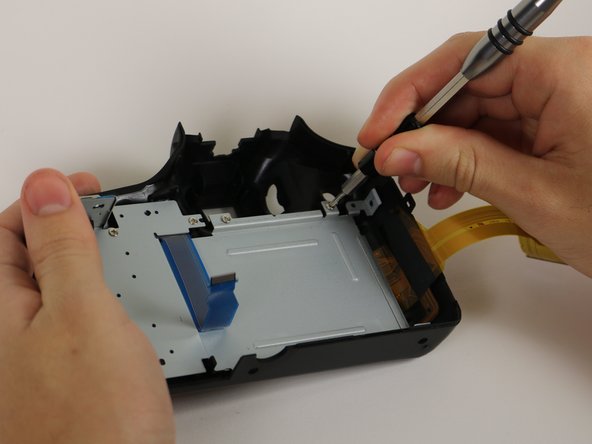
      • Proceed to remove the four 5mm Phillips screws that you just uncovered.

      Pergunte ao FixBot

      Comentar

    6. Panasonic DMC-FZ70 LCD Screen Replacement: passo 6, imagem 1 %32
      • Slowly pull on both side of the camera, until both halves begin to separate from each other.

      • Do not pull too hard, as both halves are held together with ZIF connector cables.

      Pergunte ao FixBot

      Comentar

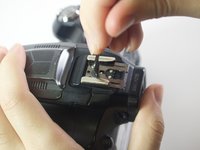
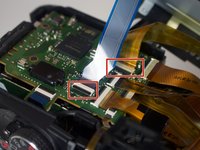
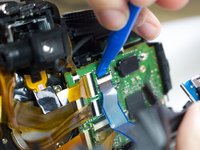
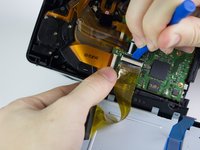
    7. Panasonic DMC-FZ70 LCD Screen Replacement: passo 7, imagem 1 %32 Panasonic DMC-FZ70 LCD Screen Replacement: passo 7, imagem 2 %32 Panasonic DMC-FZ70 LCD Screen Replacement: passo 7, imagem 3 %32
      • Using a plastic opening tool, carefully flip up the small black levers that attach the ribbon cables to the ZIF connectors on the motherboard.

      • Carefully pull the ribbon cables out of the slot once they have been released.

      • Only the two indicated connectors need to be removed to separate the two halves of the camera.

      Pergunte ao FixBot

      Comentar

    1. Panasonic DMC-FZ70 LCD Screen Replacement, LCD Screen: passo 8, imagem 1 %32 Panasonic DMC-FZ70 LCD Screen Replacement, LCD Screen: passo 8, imagem 2 %32
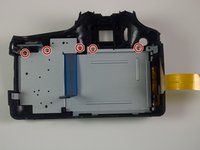
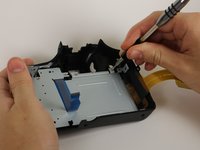
      • Unscrew the five 5mm screws on the panel that you just removed.

      Pergunte ao FixBot

      Comentar

    2. Panasonic DMC-FZ70 LCD Screen Replacement: passo 9, imagem 1 %32 Panasonic DMC-FZ70 LCD Screen Replacement: passo 9, imagem 2 %32
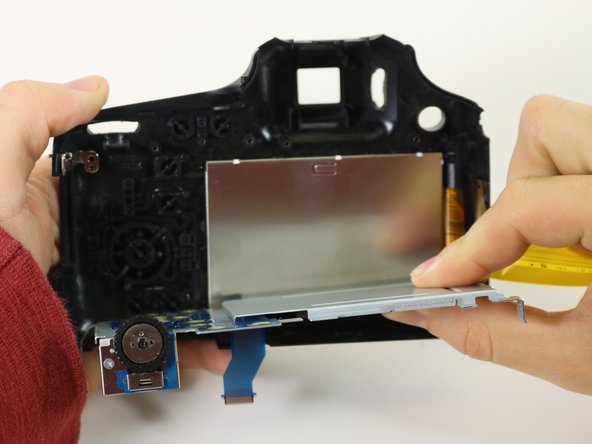
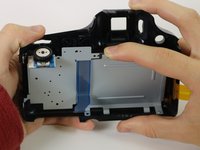
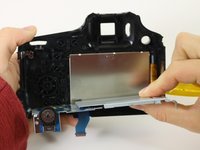
      • Remove the entire silver panel to reveal the back of the LCD screen

      Pergunte ao FixBot

      Comentar

    3. Panasonic DMC-FZ70 LCD Screen Replacement: passo 10, imagem 1 %32
      • Remove the LCD screen.

      Pergunte ao FixBot

      Comentar

Conclusão

To reassemble your device, follow these instructions in reverse order.

Cancelar: não concluí este guia.

4 outras pessoas executaram este guia.

Equipe

Cal Poly, Team 21-3, Maness Winter 2017 Membro de Cal Poly, Team 21-3, Maness Winter 2017

CPSU-MANESS-W17S21G3

6 Membros

Autoria de 18 guias

5Comentários do guia

Where can I find the screen to replace the one that is cracked?

tim krikston - Responder Compartilhar

i am not able to find the new display where-in they could ship it to INDIA

if u find any please mail me - ppavanshetty@gmail.com

Ppavan Shetty - Responder Compartilhar

After replacement the camera won't work, turn on but it doesn't work.

Harold De La Matta - Responder Compartilhar

After the LCD replacement my camera turn on but it doesn't work. Any ideas?

Harold De La Matta - Responder Compartilhar

Comentar

Visualizações:

Últimas 24 horas: 4

Últimos 7 dias: 13

Últimos 30 dias: 54

Ao todo: 3,497