O que você precisa
-
-
Press the button located just above the Sprint™ logo and then slide the cover down.
 Pergunte ao FixBot
-
-
-
Use the small notch on the left hand side of the phone to remove the battery.
-
-
-
After removing the battery and stylus, unscrew the 5 Torx screws (using a T-5 Torx screw driver)
-
-
-
Using the spudger, remove the small rubberized patch under the antenna.
-
-
-
-
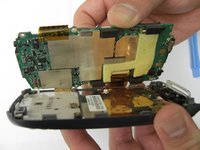
Using the plastic opening tool, gently separate the back case from the phone body.
-
-
-
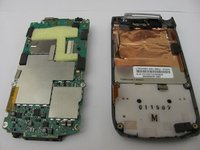
Using a plastic opening tool, gently edge your way between the back and border case (Picture 2) until they are completely separated (Picture 3).
-
-
-
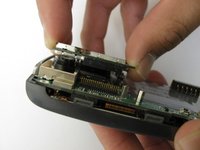
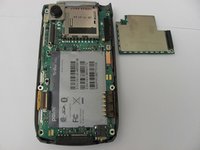
Remove the antenna chip by unscrewing the two screws with Torx T-5 screwdriver (Picture 1).
-
Once unscrewed, gently detach the antenna chip with your hands (Picture 2).
-
-
-
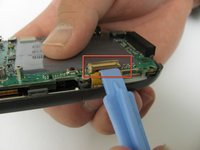
Use the plastic opening tool to unlock the tab holding the keyboard connection (Picture 1).
-
Once the keyboard connection is detached, use your hands to gently separate the motherboard from the back panel (Picture 2).
-
-
-
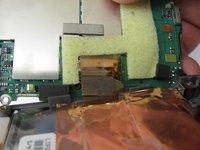
To completely detach the motherboard from the back panel, use the plastic opening tool to unlock the LCD connection from the motherboard (Picture 2).
-
Once the LCD connection is unlocked, the motherboard should now be completely detached from the back panel, keyboard, and LCD (Picture 3).
-
-
-
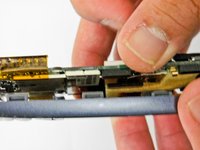
Using the plastic opening tool, loosen the metal camera holder.
-
-
-
Once the camera holder is loose, gently detach it from the camera.
-


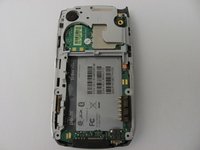
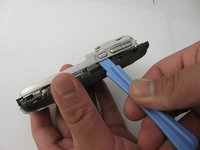
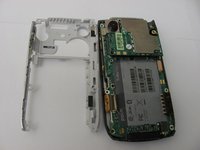


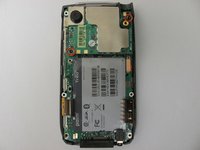






To reassemble your device, follow these instructions in reverse order.

Equipe

Cal Poly, Team 12-37, Regan Spring 2012 Membro de Cal Poly, Team 12-37, Regan Spring 2012
CPSU-REGAN-S12S12G37
4 Membros
Autoria de 14 guias
1Comentário do guia
Does anyone know where or how to get a developers guide or geeks guide to tearing this phone down completely? I have a number of these, as well as old Galaxy Note phones, a broken S7 etc. And I would love to have the blueprint to know how to hack a LTE antenae, and S7 camera into my treo palm 700p..Wouldn't that be awesome? I still like it better than the modern smart phone, and just lost use of it when my carrier killed CDMA last week> :-(
