Ir para o conteúdo principal
Participe da comunidade de reparos - Criar conta

PSP 300xc Front Case Replacement

O que você precisa

  1. PSP 300xc Front Case Replacement, Battery: passo 1, imagem 1 %32 PSP 300xc Front Case Replacement, Battery: passo 1, imagem 2 %32
    • Press the button securing the battery door to the PSP 300xc, and lift the battery door off.

    • Lift the battery out of the PSP.

    Pergunte ao FixBot

    Comentar

  2. PSP 300xc Front Case Replacement, Front Case: passo 2, imagem 1 %32
    • Use a spudger or your fingernail to remove the warranty sticker stuck to the inside of the battery tray

    Pergunte ao FixBot

    Comentar

  3. PSP 300xc Front Case Replacement: passo 3, imagem 1 %32 PSP 300xc Front Case Replacement: passo 3, imagem 2 %32
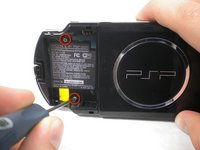
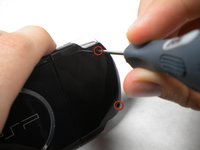
    • Remove four Phillips screws from the back of the PSP.

    Pergunte ao FixBot

    Comentar

  4. PSP 300xc Front Case Replacement: passo 4, imagem 1 %32
    • Remove two Phillips screws from the top of the PSP.

    Pergunte ao FixBot

    Comentar

  5. PSP 300xc Front Case Replacement: passo 5, imagem 1 %32
    • Remove a single screw from the bottom edge of the PSP.

    Pergunte ao FixBot

    Comentar

  6. PSP 300xc Front Case Replacement: passo 6, imagem 1 %32 PSP 300xc Front Case Replacement: passo 6, imagem 2 %32
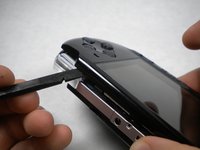
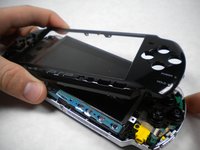
    • Insert a spudger between the front case and PSP, and slide the spudger along the perimeter of the front case to remove it.

    Pergunte ao FixBot

    Comentar

Conclusão

To reassemble your device, follow these instructions in reverse order.

Cancelar: não concluí este guia.

3 outras pessoas executaram este guia.

Matthew Newsom

Membro desde: 01/05/10

42.811 Reputação

Autoria de 67 guias

0Comentários do guia

Comentar

Visualizações:

Últimas 24 horas: 4

Últimos 7 dias: 13

Últimos 30 dias: 84

Ao todo: 5,044