Introdução
Is your logic board acting illogical? Fix it!
O que você precisa
-
-
Place PSP face down, so that the UMD Drive is facing upwards.
-
Locate the battery door and open.
-
Remove the battery from inside.
 Pergunte ao FixBot
-
-
-
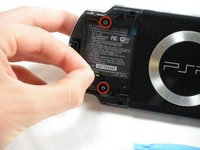
Locate the sticker in the battery compartment labeled: "En: Warranty Void if Seal Damaged."
-
Remove the sticker using the PSP Opening Tools.
-
-
-
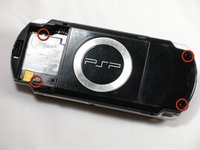
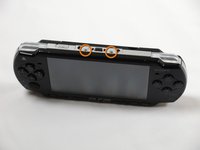
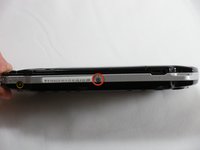
Remove the following screws from around the bezel:
-
Two 4 mm Phillips
-
One 5 mm Phillips
-
-
-
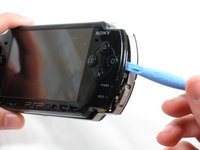
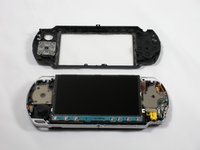
Gently pry the front bezel away from the casing using a PSP opening tool.
-
Start on the right hand side of the PSP bezel, and carefully work the tool around the side.
-
-
-
-
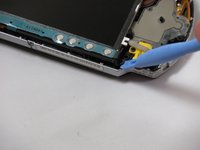
Remove the home bar by gently prying on the left and right sides of it with the opening tools. Lift the bar out of the device.
-
-
-
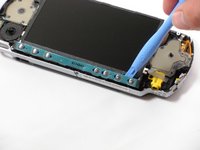
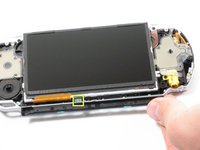
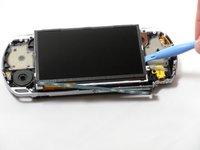
With the home bar out of the way, gently pry up the display using the opening tools.
-
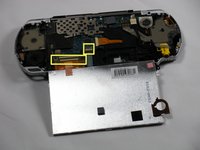
Lift the black tabs of the ribbon cable connectors using a opening tool. Pull the ribbons out towards the bottom of the PSP to disconnect.
-
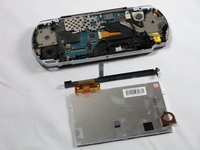
Gently lift out the display.
-
-
-
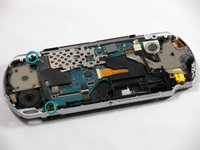
Remove two 4.5 mm Phillips screws from the left-hand side of the PSP.
-
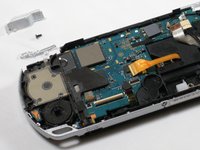
Slide off the left trigger along with the plastic bracket underneath.
-
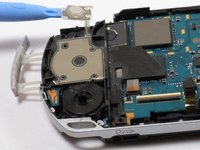
Carefully pry off left trigger button using opening tools.
-
-
-
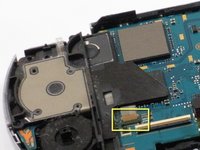
Use an opening tool to lift up the brown tab on the connector and remove the cable horizontally.
-
Gently remove the memory card slot by pulling it straight out.
-
-
-
Use the opening tools to press the tab on the left-hand side of the speaker to release it.
-
Remove the speaker by twisting it counter-clockwise (to the left, like a screw).
-
-
Ferramenta utilizada neste passo:Tweezers$4.99
-
Remove the following four connections:
-
Two ribbon cables -- flip up latch and remove horizontally.
-
One wire clamp -- use an opening tool to pry it up vertically.
-
One wiring harness -- use your fingers, a PSP opening tool, or tweezers to disconnect the connector horizontally.
-
-
-
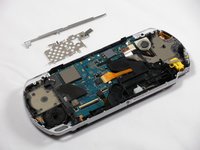
Remove metal shields by gently lifting them with an opening tool.
-
-
-
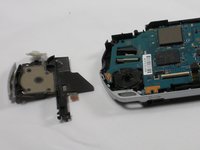
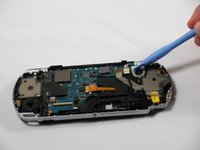
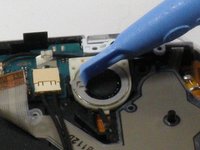
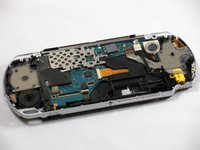
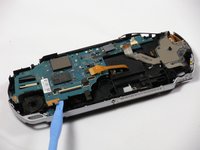
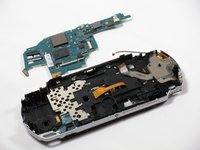
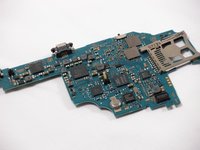
Using an opening tool, delicately raise the logic board from its base.
-




















To reassemble your device, follow these instructions in reverse order.
Cancelar: não concluí este guia.
33 outras pessoas executaram este guia.

Equipe

Cal Poly, Team 6-3, Maness Fall 2009 Membro de Cal Poly, Team 6-3, Maness Fall 2009
CPSU-MANESS-F09S6G3
5 Membros
Autoria de 48 guias
5Comentários do guia
How do I know whether my Logic Board is functioning properly or not?
how can I change that little refill on the motherboard
how-do-i-repair-the-screen-conntors
My psp is not turning on when battery is inserted even when plugged to electricity...and again if the battery is inserted to it the charging light turns on..Pls help m
What do you call the connector that joins lcd to the board small one 4pin?
