Ir para o conteúdo principal
Participe da comunidade de reparos - Criar conta

P775DM3 GPU replacement

O que você precisa

    1. P775DM3 GPU replacement, Battery: passo 1, imagem 1 %32 P775DM3 GPU replacement, Battery: passo 1, imagem 2 %32
      • Unlock the lock circled in red.

      Pergunte ao FixBot

      Comentar

    2. P775DM3 GPU replacement: passo 2, imagem 1 %32 P775DM3 GPU replacement: passo 2, imagem 2 %32 P775DM3 GPU replacement: passo 2, imagem 3 %32
      • Lift the battery while unlocking the lock circled in red.

      Pergunte ao FixBot
      Comentar

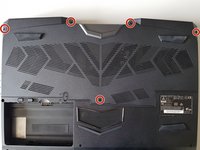
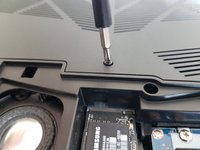
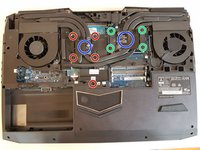
    1. P775DM3 GPU replacement, Access to major components: passo 3, imagem 1 %32 P775DM3 GPU replacement, Access to major components: passo 3, imagem 2 %32
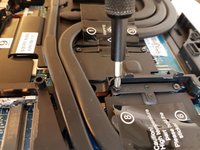
      • Unscrew the five screws circled in red.

      Pergunte ao FixBot
      Comentar

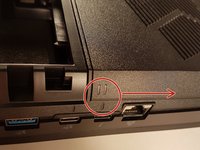
    2. P775DM3 GPU replacement: passo 4, imagem 1 %32 P775DM3 GPU replacement: passo 4, imagem 2 %32
      • Slide the plate in the direction of the red arrow.

      Pergunte ao FixBot
      Comentar

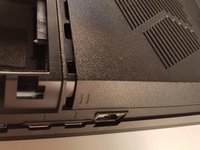
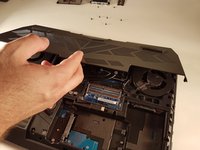
    3. P775DM3 GPU replacement: passo 5, imagem 1 %32 P775DM3 GPU replacement: passo 5, imagem 2 %32
      • Lift the plate.

      Pergunte ao FixBot

      Comentar

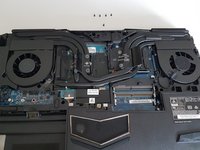
    1. P775DM3 GPU replacement, Cooler: passo 6, imagem 1 %32 P775DM3 GPU replacement, Cooler: passo 6, imagem 2 %32 P775DM3 GPU replacement, Cooler: passo 6, imagem 3 %32
      • Unscrew the four large screws circled in green

      • Unscrew the five small screws circled in red

      • Lift the cooler with the two tabs circled in blue

      Pergunte ao FixBot

      Comentar

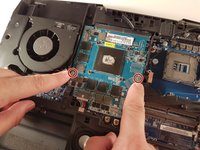
    1. P775DM3 GPU replacement, GPU: passo 7, imagem 1 %32 P775DM3 GPU replacement, GPU: passo 7, imagem 2 %32
      • Unscrew the two screws circled in red

      Pergunte ao FixBot
      Comentar

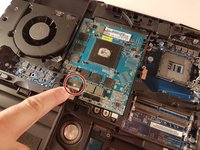
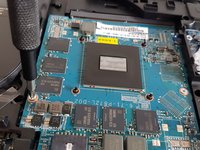
    2. P775DM3 GPU replacement: passo 8, imagem 1 %32 P775DM3 GPU replacement: passo 8, imagem 2 %32 P775DM3 GPU replacement: passo 8, imagem 3 %32
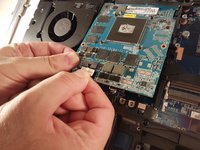
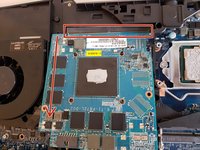
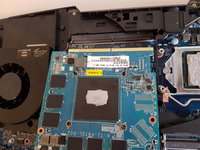
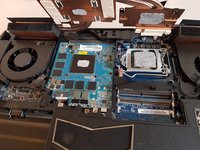
      • Lift the card to allow access to the red circled connector

      • Disconnect the red circled connector

      Pergunte ao FixBot
      Comentar

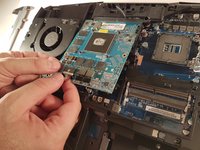
    3. P775DM3 GPU replacement: passo 9, imagem 1 %32 P775DM3 GPU replacement: passo 9, imagem 2 %32 P775DM3 GPU replacement: passo 9, imagem 3 %32
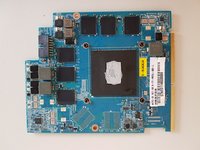
      • Pull it in the direction of the red arrow

      Pergunte ao FixBot

      Comentar

Conclusão

To reassemble your device follow the following instructions in reverse order

Cancelar: não concluí este guia.

Um agradecimento especial a esses tradutores:

fr en

100%

Estes tradutores estão nos ajudando a consertar o mundo! Quer contribuir?
Comece a traduzir ›

Felice Suglia

Membro desde: 06/15/13

33.634 Reputação

Autoria de 283 guias

0Comentários do guia

Comentar

Visualizações:

Últimas 24 horas: 1

Últimos 7 dias: 7

Últimos 30 dias: 34

Ao todo: 932