Ir para o conteúdo principal
Participe da comunidade de reparos - Criar conta

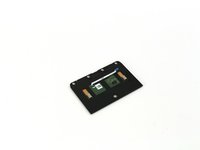
One Education Infinity Touchpad Replacement

O que você precisa

  1. One Education Infinity Touchpad Replacement, Back Case: passo 1, imagem 1 %32 One Education Infinity Touchpad Replacement, Back Case: passo 1, imagem 2 %32 One Education Infinity Touchpad Replacement, Back Case: passo 1, imagem 3 %32
    • Always power off your device before beginning disassembly.

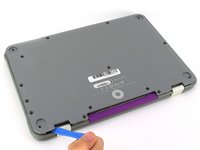
    • Remove the screw covers and rubber feet from the bottom of the laptop with a metal spudger.

    Pergunte ao FixBot
  2. One Education Infinity Touchpad Replacement: passo 2, imagem 1 %32 One Education Infinity Touchpad Replacement: passo 2, imagem 2 %32
    • Using a Phillips #00 screwdriver, remove the sixteen 5.0 mm black screws from the back panel.

    Pergunte ao FixBot
  3. One Education Infinity Touchpad Replacement: passo 3, imagem 1 %32 One Education Infinity Touchpad Replacement: passo 3, imagem 2 %32 One Education Infinity Touchpad Replacement: passo 3, imagem 3 %32
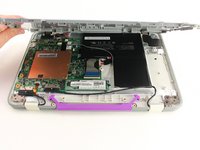
    • Using the iFixit plastic opening tool or spudger, start near the white hinge of the device and lift along the outer edges of the device until all clips are released.

    • Lift the back case off of the device.

    • Removing the back may create a loud snapping noise.

    Pergunte ao FixBot
  4. One Education Infinity Touchpad Replacement, Battery: passo 4, imagem 1 %32 One Education Infinity Touchpad Replacement, Battery: passo 4, imagem 2 %32 One Education Infinity Touchpad Replacement, Battery: passo 4, imagem 3 %32
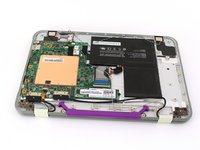
    • There may be black tape inside your device covering components or holding down wires. This tape is unimportant for the function of the device, and can be removed.

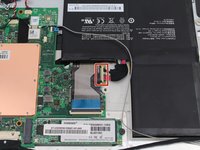
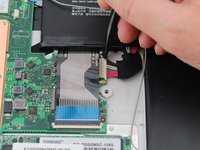
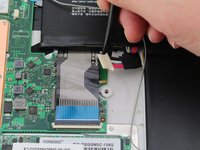
    • Carefully wiggle the battery cable to the right and out of the port with a plastic spudger.

    Pergunte ao FixBot
  5. One Education Infinity Touchpad Replacement: passo 5, imagem 1 %32 One Education Infinity Touchpad Replacement: passo 5, imagem 2 %32 One Education Infinity Touchpad Replacement: passo 5, imagem 3 %32
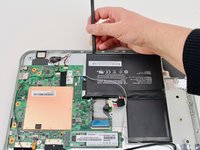
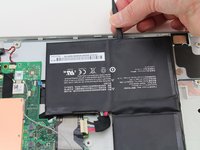
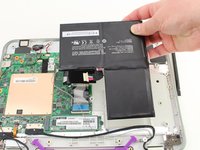
    • Wedge a plastic spudger underneath the battery from the upper edge and slide it carefully along the length of the battery to separate it from the case.

    • There is a mild adhesive holding down the battery. Take care not to puncture or excessively bend the battery while freeing it from the adhesive.

    • Lift the battery out from the internal case.

    Pergunte ao FixBot
  6. One Education Infinity Touchpad Replacement, Solid State Drive: passo 6, imagem 1 %32 One Education Infinity Touchpad Replacement, Solid State Drive: passo 6, imagem 2 %32 One Education Infinity Touchpad Replacement, Solid State Drive: passo 6, imagem 3 %32
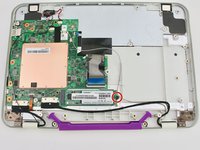
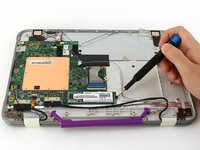
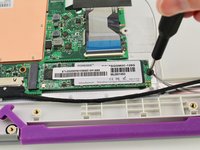
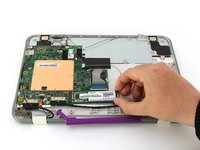
    • Use a Phillips #00 screwdriver to remove the single 2mm black screw from the SSD.

    Pergunte ao FixBot
  7. One Education Infinity Touchpad Replacement: passo 7, imagem 1 %32 One Education Infinity Touchpad Replacement: passo 7, imagem 2 %32 One Education Infinity Touchpad Replacement: passo 7, imagem 3 %32
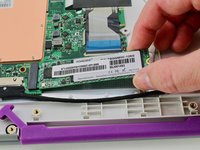
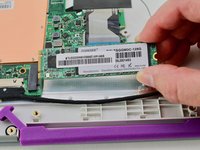
    • Grab the SSD with your fingers and slide it slowly to the right and out of its port.

    Pergunte ao FixBot
  8. One Education Infinity Touchpad Replacement, Motherboard: passo 8, imagem 1 %32 One Education Infinity Touchpad Replacement, Motherboard: passo 8, imagem 2 %32
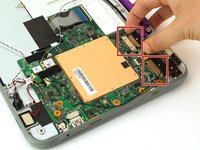
    • Using your fingers, carefully pull the two ribbon cable locking clips out from their ports.

    Pergunte ao FixBot
  9. One Education Infinity Touchpad Replacement: passo 9, imagem 1 %32
    • Using your fingers, carefully lift up the black tab and then unplug the gold ribbon cable.

    Pergunte ao FixBot
  10. One Education Infinity Touchpad Replacement: passo 10, imagem 1 %32
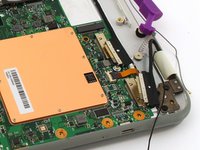
    • Using a spudger, carefully unplug the black and grey wires by popping them up off the wireless card.

    Pergunte ao FixBot
  11. One Education Infinity Touchpad Replacement: passo 11, imagem 1 %32
    • Using your fingers, carefully unplug the two speaker wires from the motherboard.

    Pergunte ao FixBot
  12. One Education Infinity Touchpad Replacement: passo 12, imagem 1 %32 One Education Infinity Touchpad Replacement: passo 12, imagem 2 %32
    • Using your fingers or an iFixit opening tool, carefully lift the black tab on top of the ZIF connector and remove the ribbon cable.

    Pergunte ao FixBot
  13. One Education Infinity Touchpad Replacement: passo 13, imagem 1 %32
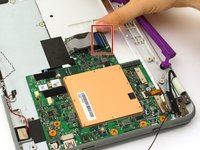
    • Using your fingers, carefully lift up the black tab and then unplug the blue ribbon cable.

    Pergunte ao FixBot
  14. One Education Infinity Touchpad Replacement: passo 14, imagem 1 %32 One Education Infinity Touchpad Replacement: passo 14, imagem 2 %32
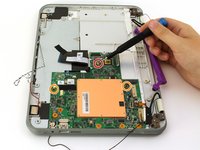
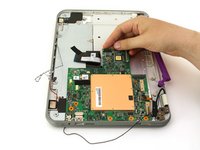
    • Using a Phillips #00 screwdriver, remove the single 4 mm silver screw from beneath the ribbon cable.

    • Using a Phillips #00 screwdriver, remove the two 2.5 mm black screws.

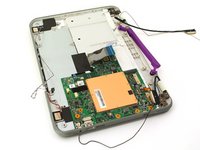
    • Using your fingers, carefully lift the motherboard out of the internal panel.

    Pergunte ao FixBot
  15. One Education Infinity Touchpad Replacement, Touchpad: passo 15, imagem 1 %32
    • Using a Phillips #00 screwdriver, remove the four 2mm silver screws.

    Pergunte ao FixBot
  16. One Education Infinity Touchpad Replacement: passo 16, imagem 1 %32 One Education Infinity Touchpad Replacement: passo 16, imagem 2 %32
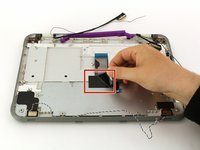
    • Peel back the black tape.

    • Using your fingers, carefully lift the metal plate out of the internal panel.

    Pergunte ao FixBot
  17. One Education Infinity Touchpad Replacement: passo 17, imagem 1 %32
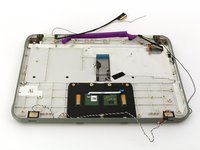
    • Using a Phillips #00 screwdriver, remove the two 2mm silver screws.

    Pergunte ao FixBot
  18. One Education Infinity Touchpad Replacement: passo 18, imagem 1 %32 One Education Infinity Touchpad Replacement: passo 18, imagem 2 %32
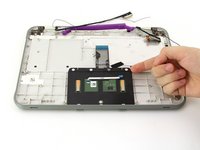
    • Using your fingers, carefully lift the touch-pad out of the internal panel.

    Pergunte ao FixBot
Conclusão

To reassemble your device, follow these instructions in reverse order.

Jason Childers

Membro desde: 10/10/19

109 Reputação

Autoria de 1 guia

Equipe

Cal Poly, Team S11-G4, Regan Fall 2019 Membro de Cal Poly, Team S11-G4, Regan Fall 2019

CPSU-REGAN-F19S11G4

3 Membros

Autoria de 4 guias

0Comentários do guia

Comentar

Visualizações:

Últimas 24 horas: 0

Últimos 7 dias: 5

Últimos 30 dias: 40

Ao todo: 485