Ir para o conteúdo principal
Participe da comunidade de reparos - Criar conta

Nvidia Shield Tablet Motherboard Replacement

O que você precisa

  1. Nvidia Shield Tablet Motherboard Replacement, Rear Case: passo 1, imagem 1 %32 Nvidia Shield Tablet Motherboard Replacement, Rear Case: passo 1, imagem 2 %32
    • First, remove the stylus from your tablet.

    Pergunte ao FixBot
  2. Nvidia Shield Tablet Motherboard Replacement: passo 2, imagem 1 %32 Nvidia Shield Tablet Motherboard Replacement: passo 2, imagem 2 %32 Nvidia Shield Tablet Motherboard Replacement: passo 2, imagem 3 %32
    Ferramenta utilizada neste passo:
    Anti-Static Wrist Strap
    $7.95
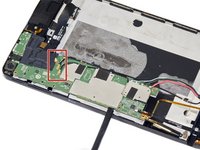
    • Set the tablet so the buttons, microSD, and stylus port are facing you.

    • Open the microSD slot.

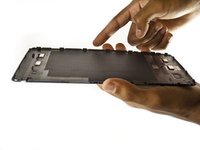
    • Using the flat end of the spudger tool, carefully pry open the case starting from the microSD slot, slowly sliding the spudger along the inside edge of the case.

    • You may want to put on your anti-static wrist strap at this point as the motherboard will be vulnerable to physical touch and electrostatic shock after the casing is removed.

    Pergunte ao FixBot
  3. Nvidia Shield Tablet Motherboard Replacement: passo 3, imagem 1 %32 Nvidia Shield Tablet Motherboard Replacement: passo 3, imagem 2 %32
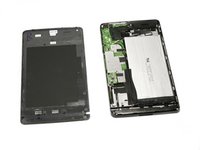
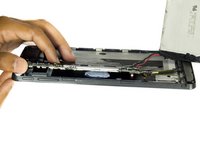
    • As you remove your case, be aware of small clips along the edges.

    • Finally, set the old casing aside.

    Pergunte ao FixBot
  4. Nvidia Shield Tablet Motherboard Replacement, Motherboard: passo 4, imagem 1 %32
    Ferramenta utilizada neste passo:
    Anti-Static Wrist Strap
    $7.95
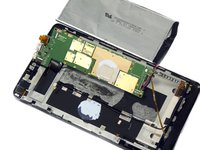
    • Carefully use the precision tweezers to unplug the ribbon cable.

    • Be sure to have your anti-static wrist strap on for this procedure.

    Pergunte ao FixBot
  5. Nvidia Shield Tablet Motherboard Replacement: passo 5, imagem 1 %32 Nvidia Shield Tablet Motherboard Replacement: passo 5, imagem 2 %32 Nvidia Shield Tablet Motherboard Replacement: passo 5, imagem 3 %32
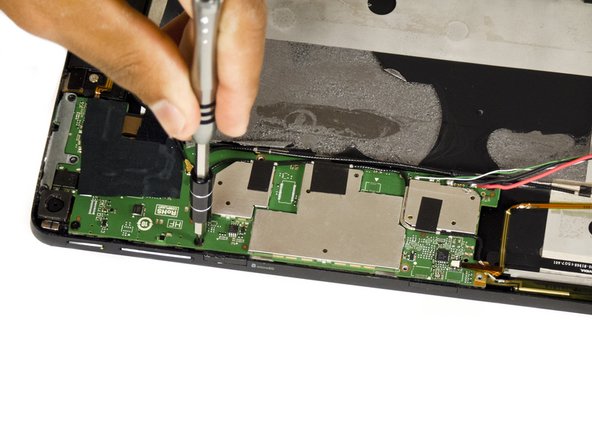
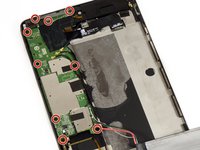
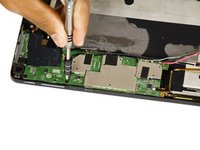
    • Remove the two 6.5 mm Phillips #00 screws and seven 3.0 mm Phillips #00 screws.

    Pergunte ao FixBot
  6. Nvidia Shield Tablet Motherboard Replacement: passo 6, imagem 1 %32 Nvidia Shield Tablet Motherboard Replacement: passo 6, imagem 2 %32 Nvidia Shield Tablet Motherboard Replacement: passo 6, imagem 3 %32
    • Use a pair of tweezers to disconnect the three black antenna cables from the motherboard.

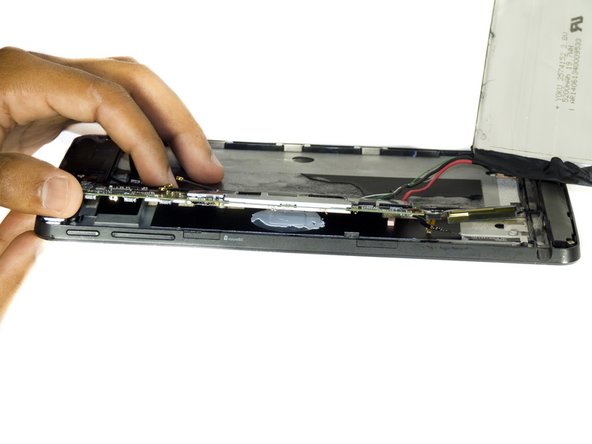
    • Use the flat end of the spudger tool to carefully pry up the motherboard.

    • In the first Shield, the stylus ribbon cable is located under the right side of board. While there are 2 additional cables for the cameras underneath the left end of the board. Be sure to loosen the cameras before lifting the board.

    Pergunte ao FixBot
  7. Nvidia Shield Tablet Motherboard Replacement: passo 7, imagem 1 %32 Nvidia Shield Tablet Motherboard Replacement: passo 7, imagem 2 %32
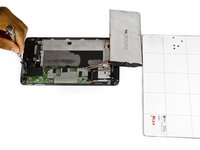
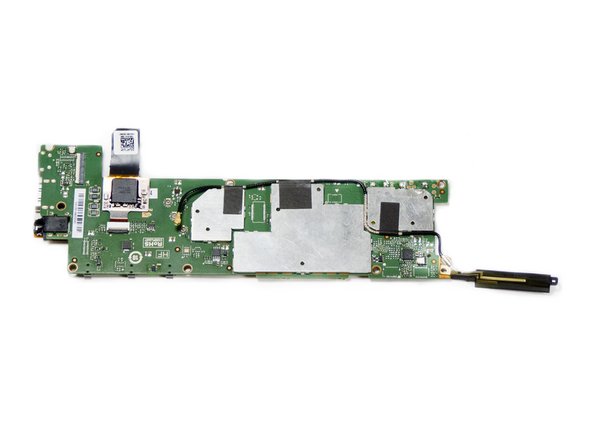
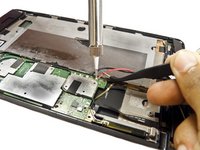
    • Desolder the positive and negative battery cables from the motherboard.

    • Make sure to note which wire goes where, you don't want to re-solder the wires backwards!

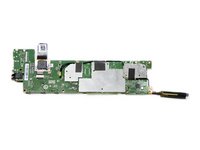
    • The motherboard should now come free.

    Pergunte ao FixBot
Conclusão

To reassemble your device, follow these instructions in reverse order.

6 outras pessoas executaram este guia.

Molly Bauer

Membro desde: 08/27/15

1.478 Reputação

Autoria de 6 guias

Equipe

USF Tampa, Team 2-2, Blackwell Fall 2015 Membro de USF Tampa, Team 2-2, Blackwell Fall 2015

USFT-BLACKWELL-F15S2G2

3 Membros

Autoria de 11 guias

9Comentários do guia

Where do you obtain a new motherboard?

imprintcave - Responder Compartilhar

The real question is more about how to find a new shield tablet motherboard ??

willixlive - Responder Compartilhar

where can i buy the motherboard

Gurjot Dhaliwal - Responder Compartilhar

waar kan ik een nieuw shield moederbord kopen?

tom1vangestel - Responder Compartilhar

Hello, I'm looking for a description of the various ribbon connectors on the motherboard.

I'm also looking for a hint to solve a problem I have after replacing the screen+digitizer: the right side (half) of the touch screen does'n work.

Laurent Zanoni - Responder Compartilhar

Comentar

Visualizações:

Últimas 24 horas: 1

Últimos 7 dias: 12

Últimos 30 dias: 92

Ao todo: 10,205