Ir para o conteúdo principal
Participe da comunidade de reparos - Criar conta

Nook Color Battery Replacement

O que você precisa

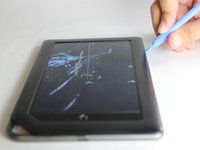
  1. Nook Color Battery Replacement, Back Cover: passo 1, imagem 1 %32 Nook Color Battery Replacement, Back Cover: passo 1, imagem 2 %32
    • Remove the two 3.8 mm screws located in the back right corner of the device using the T5 Torx screwdriver.

    Pergunte ao FixBot

    Comentar

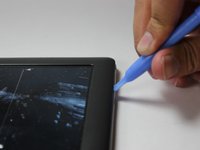
  2. Nook Color Battery Replacement: passo 2, imagem 1 %32 Nook Color Battery Replacement: passo 2, imagem 2 %32
    • Pry off the back cover with the plastic opening tool. Go around the device with the tool to ensure complete detachment.

    Pergunte ao FixBot

    Comentar

  3. Nook Color Battery Replacement, Front Cover: passo 3, imagem 1 %32
    • Remove the ten 4.0 mm screws from the device's perimeter using the T5 Torx screwdriver.

    Pergunte ao FixBot

    Comentar

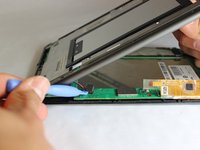
  4. Nook Color Battery Replacement: passo 4, imagem 1 %32 Nook Color Battery Replacement: passo 4, imagem 2 %32
    • Pry off the front panel using the plastic opening tool.

    Pergunte ao FixBot

    Comentar

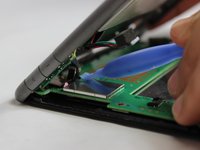
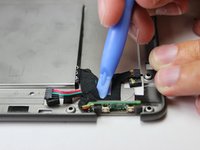
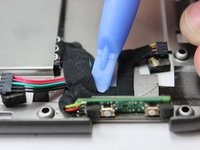
  5. Nook Color Battery Replacement: passo 5, imagem 1 %32 Nook Color Battery Replacement: passo 5, imagem 2 %32
    • Lift up on the connectors to disconnect them using the plastic opening tool.

    Pergunte ao FixBot

    Comentar

  6. Nook Color Battery Replacement, Battery: passo 6, imagem 1 %32 Nook Color Battery Replacement, Battery: passo 6, imagem 2 %32
    • Remove the tape which holds the wiring to the battery using a plastic opening tool.

    Pergunte ao FixBot

    Comentar

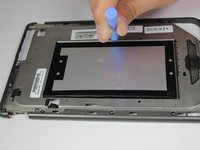
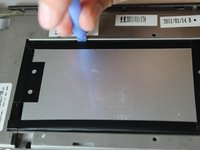
  7. Nook Color Battery Replacement: passo 7, imagem 1 %32 Nook Color Battery Replacement: passo 7, imagem 2 %32 Nook Color Battery Replacement: passo 7, imagem 3 %32
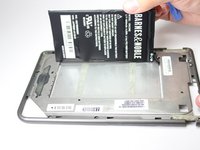
    • On the back side of the middle panel, pry the battery using the plastic opening tools.

    • Use of force is necessary since the battery is glued down.

    Pergunte ao FixBot

    Comentar

  8. Nook Color Battery Replacement: passo 8, imagem 1 %32 Nook Color Battery Replacement: passo 8, imagem 2 %32
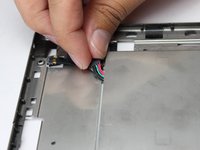
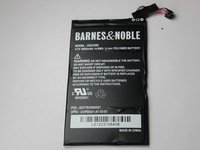
    • Slide the connecting wire through the opening of where the battery was placed.

    Pergunte ao FixBot

    Comentar

Conclusão

To reassemble your device, follow these instructions in reverse order.

Cancelar: não concluí este guia.

5 outras pessoas executaram este guia.

John Goly

Membro desde: 01/20/15

529 Reputação

Autoria de 3 guias

Equipe

USF Tampa, Team 11-5, Blackwell Winter 2015 Membro de USF Tampa, Team 11-5, Blackwell Winter 2015

USFT-BLACKWELL-W15S11G5

3 Membros

Autoria de 14 guias

0Comentários do guia

Comentar

Visualizações:

Últimas 24 horas: 1

Últimos 7 dias: 9

Últimos 30 dias: 58

Ao todo: 3,524